ProPoints Manager
Contains ads
50K+
Downloads

Everyone
info
About this app
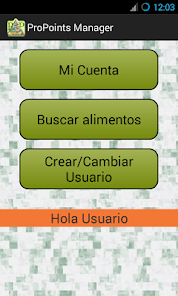
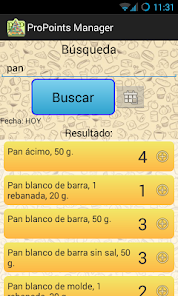
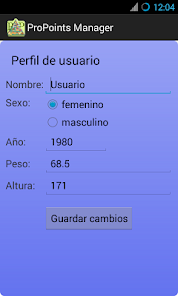
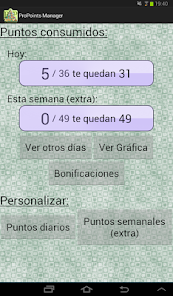
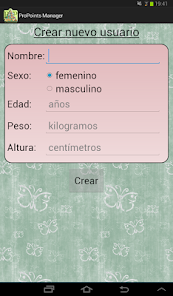
With this application you can manage quickly and easily your ProPoints diet. This diet is based on points. Each person is assigned a number of points (depending on their age, height and gender) you have to consume without exceeding every day, plus a weekly backup points. Each food consumes a certain number of points. With this application you will have access to a list of basic foods with which to calculate the points of your meals (for example, if you eat a sausage sandwich you have to point 'pan' and 'sausage'). This way you can keep track of your points quickly and easily, in addition to consulting meals targeted earlier days.
Rules for carrying out this diet:
-------------------------------------------------- -------
It is advisable to meet daily with the following minimum:
- 2 fruits
- 300 grams of vegetables
- 2 cc fats
- 200 grams of protein foods (meat, eggs, fish at least 3 times a week fish)
- 2-3 servings of foods cacio (dairy)
- 300 grams of foods rich in carbohydrates
- 1.5 l of water
In addition, it is recommended 30 minutes of daily exercise.
F.A.Q.
====
+ How do I add food to my account?
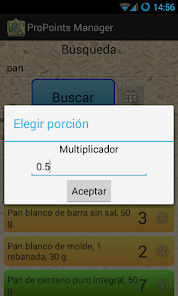
- Just find the food you want to add and let down a couple of seconds. A menu will appear: If you choose "Add ..." will be added to your list of foods today, but if you choose "Add as an extra .." will be added to your list of bonus points that week. Then you must choose which portion you want to add indicating a multiplier (0.5 for half, 2 for double, etc.) If you click the plus (+) sign is added directly to your list of foods today.
+ How do I remove a food that I have added?
- In "My Account" -> "View other days" will see what you've added any day. From there you can delete letting down the item you want to delete.
+ Why are foods that are repeated in green?
- When a food is green means that you can eat as much as you want your fill by the number of points you get.
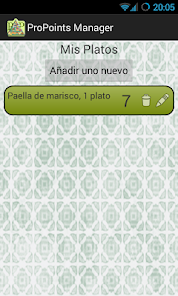
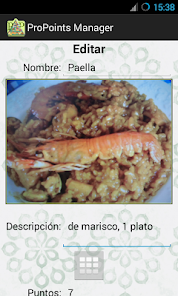
+ How do I add my own dishes?
- You can do this in two ways:
1.Entra "My Account" and click the "My Dishes" (bottom) button. Then click on "Add a new one".
2. In the "Find food" press the menu button on your device and select "Add custom dish ...".
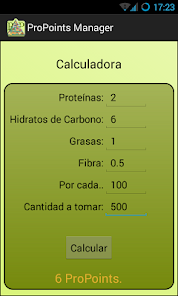
+ Where is the calculator of points?
- When you're adding a personalized plate (see previous question) there is a button that takes you to the calculator.
+ What does create a backup?
- To create a backup just have to go to the "Backup" is in "My Account" and create a backup. This will create a file containing the data of your application (users, listed dishes ...) Then you can copy that file (with a PC, for example) and save the new phone in the same folder that was (Android / data / PPM). So you can import it from the application. For this you must create a user either to access the "Backup" is in "My Account" and import the backup.
Rules for carrying out this diet:
-------------------------------------------------- -------
It is advisable to meet daily with the following minimum:
- 2 fruits
- 300 grams of vegetables
- 2 cc fats
- 200 grams of protein foods (meat, eggs, fish at least 3 times a week fish)
- 2-3 servings of foods cacio (dairy)
- 300 grams of foods rich in carbohydrates
- 1.5 l of water
In addition, it is recommended 30 minutes of daily exercise.
F.A.Q.
====
+ How do I add food to my account?
- Just find the food you want to add and let down a couple of seconds. A menu will appear: If you choose "Add ..." will be added to your list of foods today, but if you choose "Add as an extra .." will be added to your list of bonus points that week. Then you must choose which portion you want to add indicating a multiplier (0.5 for half, 2 for double, etc.) If you click the plus (+) sign is added directly to your list of foods today.
+ How do I remove a food that I have added?
- In "My Account" -> "View other days" will see what you've added any day. From there you can delete letting down the item you want to delete.
+ Why are foods that are repeated in green?
- When a food is green means that you can eat as much as you want your fill by the number of points you get.
+ How do I add my own dishes?
- You can do this in two ways:
1.Entra "My Account" and click the "My Dishes" (bottom) button. Then click on "Add a new one".
2. In the "Find food" press the menu button on your device and select "Add custom dish ...".
+ Where is the calculator of points?
- When you're adding a personalized plate (see previous question) there is a button that takes you to the calculator.
+ What does create a backup?
- To create a backup just have to go to the "Backup" is in "My Account" and create a backup. This will create a file containing the data of your application (users, listed dishes ...) Then you can copy that file (with a PC, for example) and save the new phone in the same folder that was (Android / data / PPM). So you can import it from the application. For this you must create a user either to access the "Backup" is in "My Account" and import the backup.
Updated on
Safety starts with understanding how developers collect and share your data. Data privacy and security practices may vary based on your use, region and age. The developer provided this information and may update it over time.


What's new
Añadida la política de privacidad
App support
About the developer
Javier Alejandro Fernández Sola
draconet@gmail.com
Spain
undefined