Smart Switch : Phone Clone
Enthält Werbung
500+
Downloads

Jedes Alter
info
Über diese App
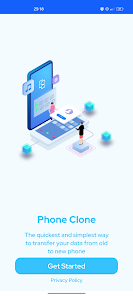
Check the Smart Switch app for quick transfer of personal data and settings between two devices! This application is one of the most reliable tools transferring files from one device to another phone.
📱 Data transfer is often necessary when moving from an old mobile device to a new phone. If you just bought a new device and want to keep all your data, the Smart Switch application is the perfect solution. This switch app helps you transfer personal data safely and easily.
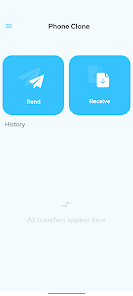
The Smart Switch application works with two devices at the same time:
the device that sends data
the device that receives data
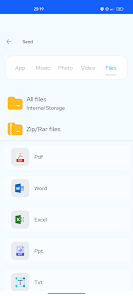
What type of data can you transfer using the Smart Switch app?
📁 Files
📱 Applications
🎵 Music
📸 Foto
🎥 Video
All important data on your device will stay safe. Your applications, files, and settings will remain unchanged after the transfer process.
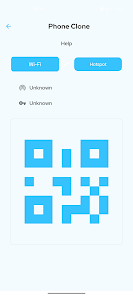
The Smart Switch app supports direct transfer and WiFi data transfer. You can move data device to device without cables.
📌 How the switch application works:
Place both devices (sender device and new device) close together
Enable WiFi on each device
Connect both devices to the same WiFi or use direct transfer
Open the Smart Switch application and pair the devices
Confirm pairing on the receiving device
Select the data you want to transfer
Start the transfer from phone to phone
❤ All selected data will be available instantly on the new phone.
The transfer speed depends on the device, connection mode, and the amount of data. Small files take only seconds, while larger data transfer may require more time.
❗ Smart Switch app advantages:
Supports direct transfer between devices
Easy selection of data you want
Compatible with many Android devices
Data quality stays the same
Simple app, intuitive application interface
❗ The Smart Switch app works with almost every Android phone model.
➡ We continuously improve the smart switch app to ensure fast, safe, and smooth data transfer. Stay connected for updates!
📱 Data transfer is often necessary when moving from an old mobile device to a new phone. If you just bought a new device and want to keep all your data, the Smart Switch application is the perfect solution. This switch app helps you transfer personal data safely and easily.
The Smart Switch application works with two devices at the same time:
the device that sends data
the device that receives data
What type of data can you transfer using the Smart Switch app?
📁 Files
📱 Applications
🎵 Music
📸 Foto
🎥 Video
All important data on your device will stay safe. Your applications, files, and settings will remain unchanged after the transfer process.
The Smart Switch app supports direct transfer and WiFi data transfer. You can move data device to device without cables.
📌 How the switch application works:
Place both devices (sender device and new device) close together
Enable WiFi on each device
Connect both devices to the same WiFi or use direct transfer
Open the Smart Switch application and pair the devices
Confirm pairing on the receiving device
Select the data you want to transfer
Start the transfer from phone to phone
❤ All selected data will be available instantly on the new phone.
The transfer speed depends on the device, connection mode, and the amount of data. Small files take only seconds, while larger data transfer may require more time.
❗ Smart Switch app advantages:
Supports direct transfer between devices
Easy selection of data you want
Compatible with many Android devices
Data quality stays the same
Simple app, intuitive application interface
❗ The Smart Switch app works with almost every Android phone model.
➡ We continuously improve the smart switch app to ensure fast, safe, and smooth data transfer. Stay connected for updates!
Aktualisiert am
Was die Sicherheit angeht, solltest du als Erstes verstehen, wie Entwickler deine Daten erheben und weitergeben. Die Datenschutz- und Sicherheitspraktiken können je nach deiner Verwendung, deiner Region und deinem Alter variieren. Diese Informationen wurden vom Entwickler zur Verfügung gestellt und können jederzeit von ihm geändert werden.

Diese App kann die folgenden Datentypen an Dritte weitergeben
App-Aktivitäten und Geräte- oder andere IDs

Keine Daten erhoben

Daten werden bei der Übertragung verschlüsselt

Daten können nicht gelöscht werden
Support für diese App
Informationen zum Entwickler
ABDALLAH BALLITO
ballitoabd@gmail.com
Morocco


