
SmartUi KWGT
5.0star
30 Rezensionen
500+
Downloads

Jedes Alter
info
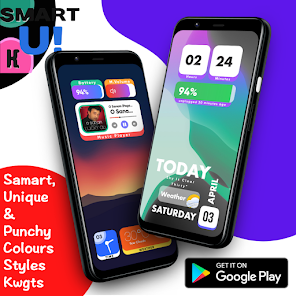
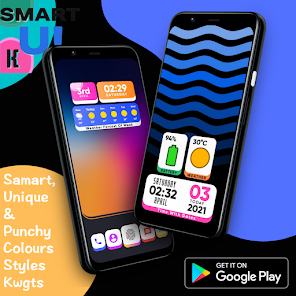
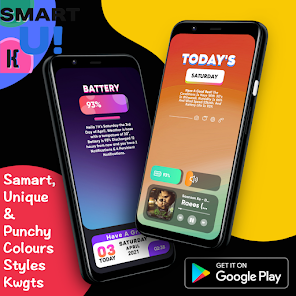
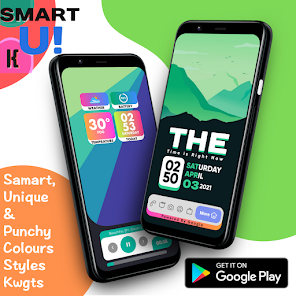
Über diese App
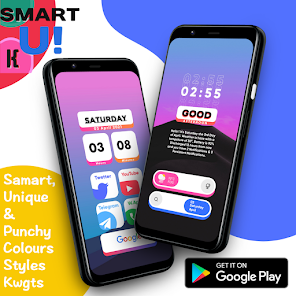
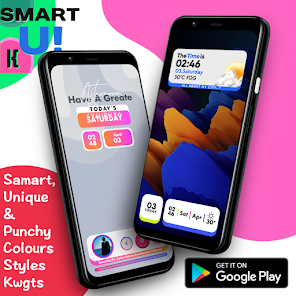
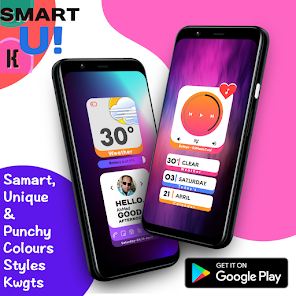
Welcome to SmartUi Kwgts
Follow steps
This is not stand alone app. You need
• KWGT : https://play.google.com/store/apps/details?id=org.kustom.widget
• KWGT Pro Key : https://play.google.com/store/apps/details?id=org.kustom.widget.pro
👉 Download SmartUi along with KWGT and KWGT Pro
👉 Long tap on your screen and click on widget
👉 Choose a KWGT Widget
👉 Tap on the widget, go to the installed tab and click on SmartUi
👉 Choose widget of your choice
👉 Amazing for you
In case the widget is not of the size:
1. Open KWGT and click on the widget not sized properly
2. Go to the layer tab and adjust it with the scale option given below
✅Follow Me For More ✅
Twitter :-🐥
https://twitter.com/Ahmadansari2233?s=09
Instagram :-📷
https://www.instagram.com/ahmadhacker45/
Facebook :-🧒
https://m.facebook.com/ahmad.ansari.52
Follow steps
This is not stand alone app. You need
• KWGT : https://play.google.com/store/apps/details?id=org.kustom.widget
• KWGT Pro Key : https://play.google.com/store/apps/details?id=org.kustom.widget.pro
👉 Download SmartUi along with KWGT and KWGT Pro
👉 Long tap on your screen and click on widget
👉 Choose a KWGT Widget
👉 Tap on the widget, go to the installed tab and click on SmartUi
👉 Choose widget of your choice
👉 Amazing for you
In case the widget is not of the size:
1. Open KWGT and click on the widget not sized properly
2. Go to the layer tab and adjust it with the scale option given below
✅Follow Me For More ✅
Twitter :-🐥
https://twitter.com/Ahmadansari2233?s=09
Instagram :-📷
https://www.instagram.com/ahmadhacker45/
Facebook :-🧒
https://m.facebook.com/ahmad.ansari.52
Aktualisiert am
Was die Sicherheit angeht, solltest du als Erstes verstehen, wie Entwickler deine Daten erheben und weitergeben. Die Datenschutz- und Sicherheitspraktiken können je nach deiner Verwendung, deiner Region und deinem Alter variieren. Diese Informationen wurden vom Entwickler zur Verfügung gestellt und können jederzeit von ihm geändert werden.

Keine Daten werden mit Drittunternehmen oder -organisationen geteilt

Keine Daten erhoben
Bewertungen und Rezensionen
5.0
30 Rezensionen
Neuerungen
👉 Today V.4.5.0 Update SDK VERSION TO 36
👉 Total 125 Widgets
👉 Total 125 Widgets
Support für diese App
Informationen zum Entwickler
Tauseef Ahmad Ansari sirajuddin
ahmadhacker45@gmail.com
2907, Salamatpura Road, Naygav, Near Safiya Girls School
Bhiwandi Thane Thane, Maharashtra 421302
India
undefined


