PDF Document Scanner
Enthält WerbungIn-App-Käufe

4.4star
2.45 Tsg. Rezensionen
500 Tsg.+
Downloads

Jedes Alter
info
Über diese App
⭐ Features:
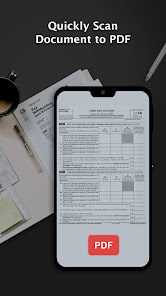
*Quickly scan the document
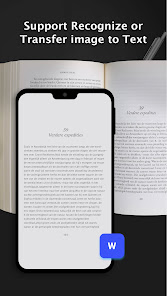
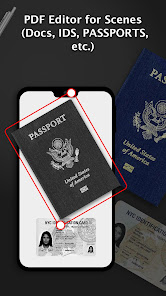
We offer single and batch mode, just use your phone camera to scan kinds of paper documents, for example, certificates, business contracts, receipts, notes, etc.
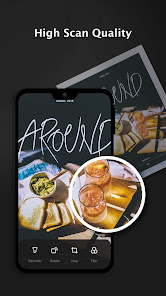
*High-quality scanner
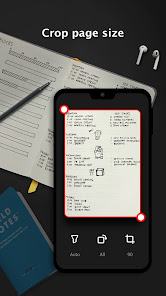
Automatic cropping helps increase productivity, filters ensure that the text and graphics in the scanned document are clear and crisp. You can even apply the filter effect to all pages with one click
*Share PDF/JPEG Files
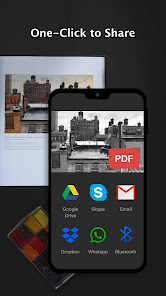
Easily share documents in PDF or JPG format with friends in a variety of ways. You can use email to quickly post to social networks, or save pictures in albums.
*Quick search
When you have a large number of documents, you can easily find them using keywords.
👉Permission Overview:
1. Storage: PDF Document Scanner needs permission to store documents on your phone.
🏆 PDF Document Scanner is the Fastest and Safest mobile scan app in the google play store. Create quickly, high-quality PDF scans or JPG scans with your mobile in just one tap. It is an essential app for every Android device. Download it for Free!
2. Album; To get your photo when you need to choose pictures from it.
3. Camera: To use the camera to scan documents requires permission.
Subscription:
Subscriptions provided in PDF are updated regularly, and you can enjoy the full content during the lifetime of your subscription. This is an auto-renewal subscription that automatically renews after a 3-day free trial. If you subscribe to PDF, we will charge your Google Play account and charge your account for renewals within 24 hours of the end of the current period. You can turn off auto-renewal at any time after purchase by going to the settings in the Play Store. The current subscription price is $19.99 per month and $69.99 per year and may differ from country and period. Prices are in US dollars and may vary from country to country outside the United States and are subject to change without notice. If you do not choose to purchase PDF, you can continue to use it for free.
*Quickly scan the document
We offer single and batch mode, just use your phone camera to scan kinds of paper documents, for example, certificates, business contracts, receipts, notes, etc.
*High-quality scanner
Automatic cropping helps increase productivity, filters ensure that the text and graphics in the scanned document are clear and crisp. You can even apply the filter effect to all pages with one click
*Share PDF/JPEG Files
Easily share documents in PDF or JPG format with friends in a variety of ways. You can use email to quickly post to social networks, or save pictures in albums.
*Quick search
When you have a large number of documents, you can easily find them using keywords.
👉Permission Overview:
1. Storage: PDF Document Scanner needs permission to store documents on your phone.
🏆 PDF Document Scanner is the Fastest and Safest mobile scan app in the google play store. Create quickly, high-quality PDF scans or JPG scans with your mobile in just one tap. It is an essential app for every Android device. Download it for Free!
2. Album; To get your photo when you need to choose pictures from it.
3. Camera: To use the camera to scan documents requires permission.
Subscription:
Subscriptions provided in PDF are updated regularly, and you can enjoy the full content during the lifetime of your subscription. This is an auto-renewal subscription that automatically renews after a 3-day free trial. If you subscribe to PDF, we will charge your Google Play account and charge your account for renewals within 24 hours of the end of the current period. You can turn off auto-renewal at any time after purchase by going to the settings in the Play Store. The current subscription price is $19.99 per month and $69.99 per year and may differ from country and period. Prices are in US dollars and may vary from country to country outside the United States and are subject to change without notice. If you do not choose to purchase PDF, you can continue to use it for free.
Aktualisiert am
Was die Sicherheit angeht, solltest du als Erstes verstehen, wie Entwickler deine Daten erheben und weitergeben. Die Datenschutz- und Sicherheitspraktiken können je nach deiner Verwendung, deiner Region und deinem Alter variieren. Diese Informationen wurden vom Entwickler zur Verfügung gestellt und können jederzeit von ihm geändert werden.

Keine Daten werden mit Drittunternehmen oder -organisationen geteilt

Diese App kann die folgenden Datentypen erheben
Standort

Daten werden bei der Übertragung verschlüsselt

Daten können nicht gelöscht werden
Bewertungen und Rezensionen
4.4
2.42 Tsg. Rezensionen
Neuerungen
- Instant HD Scan: Snap documents and convert to PDF/JPG in seconds.
- Auto Crop & Correction: AI edge-detection for perfect framing and perspective.
- On-Device Editing: Highlight, annotate, and insert text or images right after scanning.
- One-Tap Sharing: Generate shareable links or send via WhatsApp, Email, and more.
- E-Signature & Cloud Sync: Sign digitally and auto-upload to Google Drive or Dropbox.
- Auto Crop & Correction: AI edge-detection for perfect framing and perspective.
- On-Device Editing: Highlight, annotate, and insert text or images right after scanning.
- One-Tap Sharing: Generate shareable links or send via WhatsApp, Email, and more.
- E-Signature & Cloud Sync: Sign digitally and auto-upload to Google Drive or Dropbox.
Support für diese App
Informationen zum Entwickler
Fan Technology Limited
support@allinai.global
Rm 1526 15/F & UNIT 1 WAH WAN INDL BLDG
2 KIN FAT LANE
屯門
Hong Kong
+852 5610 0956


