OPTIC Mobile
500+
ડાઉનલોડ

પ્રત્યેક
info


આ ઍપનું વર્ણન
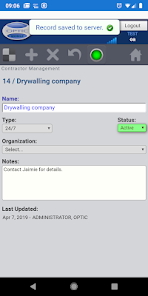
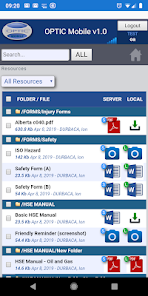
The mobile app allows retrieval of certain number of records from the OPTIC server to view and update them on the mobile device, then saving those records back to server. New records can be created and existing ones can be deleted as well. If a connection to the OPTIC server cannnot be established, saving is done on device - with the possibility of having them uploaded to server manually or automatically as soon as a connection to server is detected. The records operate with default or or custom layouts (templates), automatically downloaded from the server after a successful login. Documents ("Resources" section) can be downloaded to device for later viewing - while disconnected from the Internet - opening with the default device applications. Similar for SDS (Safety Data Sheet) documents. Please keep in mind that the more data downloaded, the longer the waiting time is going to be. Also, extra data charges may incur from your cell service provider - therefore it is strongly recommended to download while on WiFi, as much as possible. The SETTINGS section allows customization of the volume and frequency of the downloads, as well as resetting the app anytime - with deletion of all locally stored app data, in order to free up storage space. The app complements the OPTIC System Web application and its strongest asset is the ability to operate on records and locally downloaded documents while disconnected from the Internet. For the full set of features it is recommended to use the Web application (www.theopticsystem.com). To log in, use the same Client ID, User Name and Password which you normally would use in the Web application.
આ રોજ અપડેટ કર્યું
ડેવલપર તમારો ડેટા કેવી રીતે એકત્રિત અને શેર કરે છે, તે સમજવાથી સુરક્ષાની શરૂઆત થાય છે. તમારા દ્વારા ઍપનો ઉપયોગ, ઉપયોગ થાય તે પ્રદેશ અને તમારી ઉંમરના આધારે ડેટાની પ્રાઇવસી અને સુરક્ષા પદ્ધતિઓ અલગ-અલગ હોઈ શકે છે. ડેવલપર દ્વારા આ માહિતી પ્રદાન કરવામાં આવી છે અને તેઓ સમયાંતરે તેને અપડેટ કરી શકે છે.

ત્રીજા પક્ષો સાથે કોઈ ડેટા શેર કરવામાં આવતો નથી
ડેવલપર ડેટા શેર કરવાની ઘોષણા કેવી રીતે કરે છે, તે વિશે વધુ જાણો

આ ઍપ કદાચ આ પ્રકારનો ડેટા એકત્રિત કરી શકે છે
લોકેશન અને વ્યક્તિગત માહિતી

પરિવહનમાં ડેટા એન્ક્રિપ્ટ કરવામાં આવે છે

ડેટા ડિલીટ કરી શકતો નથી
ઍપ સપોર્ટ
ડેવલપર વિશે
Friendly Eagle Software Inc
info@friendlyeagle.com
P.O. Box 71570 RPO Oxford Park
Edmonton, AB T6V 0E3
Canada
+1 780-604-0867
