
DS Camera Scanner & Photo
Contiene annunciAcquisti in-app

star
168K recensioni

Per tutti
info
10 Mln+
Download

Per tutti
Scopri di più


Informazioni sull'app
An all-in-one scanner app to scan documents, convert to pdf, extract text from image and edit your files. With DS Camera Scanner & Photo, you can turn your phone into a powerful, easy-to-use PDF converter and document scanner that meet your needs.
MAIN FEATURES OF DSCANNER: CAMERA SCANNER
📝 A Smart Document Scanner
DS Camera Scanner & Photo is a powerful tool to help you scan documents, or digitize all kinds of paper documents. Whether you want to scan PDF, text files, excel sheets, or images, our document scanner application makes it easy.
Simply scan your files with our camera scanner or upload your documents. The scan camera will automatically detect document edges, ensuring perfect alignment and clarity in every scan.
📘 Fast PDF reader and PDF Converter
In just one scan, our app will help you open and view your PDF documents. Feel free to scroll, zoom in and out your PDF scan.
On top of being a PDF viewer, our file scanner also helps you scan to PDF. Whenever you’re ready with your scanned documents, you can convert photo to PDF within seconds. This PDF creator is easy to use, time-saving and handy.
Let’s streamline your workflow and productivity on the go with the help of PD converter.
📜Image to Text Scanner
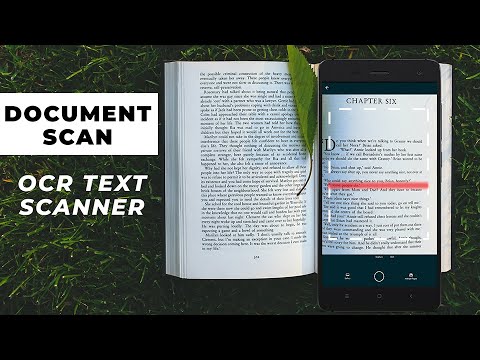
Leveraging advanced OCR technology and smart camera scanner, the scanner app allows you to effortlessly scan and convert PDF to text, photo to text or any type of documents into editable text.
It’s time to scan to text, turn your printed reports, handwritten notes, book pages into digital text with simple taps. This OCR PDF to text feature saves you time and ensures precision in converting your physical documents into editable digital files.
✏️Comprehensive Document Editor
After scanning your documents with this paper scanner, take advantage of the comprehensive editing tools our doc scanner offers.
Edit text for accuracy or change of content
Scan in color, grayscale, or black & white
Crop scanned images to focus on the essential parts
Rotate images to make sure documents are perfectly aligned
Draw, or import signature with just one click. Edit and sign PDF signature with ease. You can also rotate and scale your e-signature
Multiple levels of contrast for crisp monochrome texts
Thumbnail or list view, sort scans by date or title
Once you’ve perfected your document, DS Camera Scanner & Photo allows you to save and share your files easily. Keep your files organized and let’s share them via email or social media.
DS Camera Scanner & Photo is your all-in-one solution for efficient document management. Let’s streamline your workflow, save your time and become more precise and professional with this app.
If you have any questions or recommendations while using our app, feel free to reach out to us via contact emails. Have a nice day!
MAIN FEATURES OF DSCANNER: CAMERA SCANNER
📝 A Smart Document Scanner
DS Camera Scanner & Photo is a powerful tool to help you scan documents, or digitize all kinds of paper documents. Whether you want to scan PDF, text files, excel sheets, or images, our document scanner application makes it easy.
Simply scan your files with our camera scanner or upload your documents. The scan camera will automatically detect document edges, ensuring perfect alignment and clarity in every scan.
📘 Fast PDF reader and PDF Converter
In just one scan, our app will help you open and view your PDF documents. Feel free to scroll, zoom in and out your PDF scan.
On top of being a PDF viewer, our file scanner also helps you scan to PDF. Whenever you’re ready with your scanned documents, you can convert photo to PDF within seconds. This PDF creator is easy to use, time-saving and handy.
Let’s streamline your workflow and productivity on the go with the help of PD converter.
📜Image to Text Scanner
Leveraging advanced OCR technology and smart camera scanner, the scanner app allows you to effortlessly scan and convert PDF to text, photo to text or any type of documents into editable text.
It’s time to scan to text, turn your printed reports, handwritten notes, book pages into digital text with simple taps. This OCR PDF to text feature saves you time and ensures precision in converting your physical documents into editable digital files.
✏️Comprehensive Document Editor
After scanning your documents with this paper scanner, take advantage of the comprehensive editing tools our doc scanner offers.
Edit text for accuracy or change of content
Scan in color, grayscale, or black & white
Crop scanned images to focus on the essential parts
Rotate images to make sure documents are perfectly aligned
Draw, or import signature with just one click. Edit and sign PDF signature with ease. You can also rotate and scale your e-signature
Multiple levels of contrast for crisp monochrome texts
Thumbnail or list view, sort scans by date or title
Once you’ve perfected your document, DS Camera Scanner & Photo allows you to save and share your files easily. Keep your files organized and let’s share them via email or social media.
DS Camera Scanner & Photo is your all-in-one solution for efficient document management. Let’s streamline your workflow, save your time and become more precise and professional with this app.
If you have any questions or recommendations while using our app, feel free to reach out to us via contact emails. Have a nice day!
Scanner app to scan documents with precision &ease. Smart PDF scanner, converter
Ultimo aggiornamento
Il primo passo verso la sicurezza è capire in che modo gli sviluppatori raccolgono e condividono i tuoi dati. Le misure di protezione della privacy e della sicurezza dei dati possono variare in base all'utilizzo, alla regione e all'età. Lo sviluppatore ha fornito queste informazioni e potrebbe aggiornarle nel tempo.
- L'app potrebbe condividere questi tipi di dati con terze partiFile e documenti e ID del dispositivo o altri ID
- Nessun dato raccoltoScopri di più sulla modalità di raccolta dei dati dichiarata dagli sviluppatori
- I dati vengono criptati in transito
- I dati non possono essere eliminati


Valutazioni e recensioni
167K recensioni

Mario Garlatti
- Segnala come inappropriata
12 settembre 2021
Ho scoperto che l'app, dopo 3 giorni, diventava a pagamento! Ho quindi cercato di disdire l'abbonamento. Dopo 3 ore non sono ancora riuscito a disdire! Si parte da Google Play, si tocca il profilo. Si apre un menu con la voce abbonamenti. Si cerca l'app, ma quando la seleziono non appare da nessuna parte la voce Disdici!!! È facile dire, disdici quando vuoi! Ma per riuscirci... Se questa è la digitalizzazione...
2.887 persone hanno trovato utile questa recensione
TrustedOffice
13 settembre 2021
This problem may be due to slow internet speed, please wait. Thanks for your review.

Michael
- Segnala come inappropriata
- Mostra cronologia recensione
3 gennaio 2024
Dopo la risposta del programmatore ho reinstallato per verificare le correzioni. Nessuna correzione. Non effettua la correzione di prospettiva automatica della scansione cone publicizzato. Gli strumenti di correzione dell'imagine sono inesistenti tranne il ritaglio che non è nemmeno per punti ma rettangolare e scalare e la lingua italiana è anche peggiore di prima. Decisamente pessima App. Modifico con 1 stella il giudizio.
346 persone hanno trovato utile questa recensione
TrustedOffice
2 gennaio 2024
Hi! We apologize for this experience. We have fixed bugs in the latest update, please pay attention to upgrade. This app is still in development period so your feedback is welcome. Have a nice day ❤️ Thank you.

Fabio Bertuna
- Segnala come inappropriata
- Mostra cronologia recensione
26 ottobre 2025
ma é possibile che un lavoratore debba pure perdere tempo con della pubblicità inutile che cerca di farmi scaricare altre app simili? vi do 1 stella solo per questo per il resto é una bella app peccato per la pubblicità lunga e fastidiosa che fa perdere tempo importante , specialmente quando ricevi chiamate di lavoro e cerchi di essere veloce ma con la pubblicità é impossibile, e tutto questo ti fa sembrare anche poco professionale
1 persona ha trovato utile questa recensione
TrustedOffice
26 ottobre 2025
Grazie per il tuo feedback, Fabio. Ci dispiace sapere che la pubblicità abbia compromesso la tua esperienza. Potresti darci maggiori dettagli su cosa hai trovato particolarmente fastidioso?
Per tutti
Scopri di piùAssistenza per l'app
Info sullo sviluppatore
APERO TECHNOLOGIES GROUP PTE. LTD.
store@apero.global
C/O: GATEWAY OF ASIA PTE. LTD.
114 Lavender Street
Singapore 338729
+84 336 050 100


