Screenshot - Capture screen
Contient des annonces
4,0star
4,13K avis

Tout public
info
500K+
Téléchargements

Tout public
En savoir plus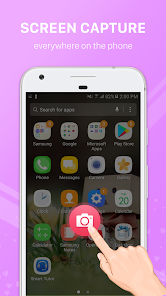

À propos de l'application
Taking screenshots or recording your screen on Android has never been easier. This app supports popular devices such as Samsung, Oppo, Xiaomi, Huawei, LG, HTC, Vivo, Realme, OnePlus, Sony and many others. With a single tap or gesture, you can capture what’s on your screen—image or video—and save it instantly.
Key Features
- Android Phone Screen Capture
Easily take screenshots on any Android phone without complex settings. Whether you use Samsung Galaxy, Oppo, Xiaomi Redmi, Huawei, LG, HTC, or other brands, the app works smoothly.
- Screen Recorder (with sound)
Record the screen as a video with clear quality. Choose microphone audio, or record internal audio on Android 10+ when allowed by the source app. Set resolution, frame rate, and bitrate. Start/stop from the notification bar or a Quick Settings tile.
- Multiple Screenshot Options
Choose the capture style that suits you best:
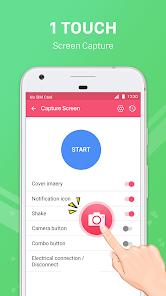
• Press the quick shortcut button.
• Use the notification bar capture button.
• Shake your phone to take a screenshot.
• Flexible and fast in all situations.
- No Root Required
100% safe and simple. The app works on all devices without rooting, ensuring your phone’s security is not affected.
- High-Quality Output
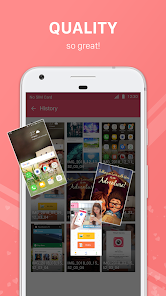
Screenshots are saved sharp and clear; screen recordings are smooth and readable—great for sharing on social media, saving important chats, recording game scores, tutorials, or app demos.
- Lightweight & Easy to Use
Simple interface, small installation size, no heavy background processes, and minimal battery usage.
Why Choose This App?
- Compatible with a wide range of Android devices: Samsung, Oppo, Xiaomi, Huawei, LG, HTC, Vivo, Realme, OnePlus, Motorola, Sony, etc.
- Fast and reliable screen capture and screen recording without complicated setup.
- Flexible methods (button, notification, shake gesture; Quick Settings tile for recording).
- No need for root permissions.
- Perfect for saving conversations, game achievements, study notes, work documents, or recording tutorials and app walkthroughs.
If you need a screenshot tool that also includes a powerful screen recorder and works across major phone brands, this app is the right choice. Download now and start capturing your screen—anytime, anywhere.
Key Features
- Android Phone Screen Capture
Easily take screenshots on any Android phone without complex settings. Whether you use Samsung Galaxy, Oppo, Xiaomi Redmi, Huawei, LG, HTC, or other brands, the app works smoothly.
- Screen Recorder (with sound)
Record the screen as a video with clear quality. Choose microphone audio, or record internal audio on Android 10+ when allowed by the source app. Set resolution, frame rate, and bitrate. Start/stop from the notification bar or a Quick Settings tile.
- Multiple Screenshot Options
Choose the capture style that suits you best:
• Press the quick shortcut button.
• Use the notification bar capture button.
• Shake your phone to take a screenshot.
• Flexible and fast in all situations.
- No Root Required
100% safe and simple. The app works on all devices without rooting, ensuring your phone’s security is not affected.
- High-Quality Output
Screenshots are saved sharp and clear; screen recordings are smooth and readable—great for sharing on social media, saving important chats, recording game scores, tutorials, or app demos.
- Lightweight & Easy to Use
Simple interface, small installation size, no heavy background processes, and minimal battery usage.
Why Choose This App?
- Compatible with a wide range of Android devices: Samsung, Oppo, Xiaomi, Huawei, LG, HTC, Vivo, Realme, OnePlus, Motorola, Sony, etc.
- Fast and reliable screen capture and screen recording without complicated setup.
- Flexible methods (button, notification, shake gesture; Quick Settings tile for recording).
- No need for root permissions.
- Perfect for saving conversations, game achievements, study notes, work documents, or recording tutorials and app walkthroughs.
If you need a screenshot tool that also includes a powerful screen recorder and works across major phone brands, this app is the right choice. Download now and start capturing your screen—anytime, anywhere.
Date de mise à jour
La sécurité, c'est d'abord comprendre comment les développeurs collectent et partagent vos données. Les pratiques concernant leur confidentialité et leur protection peuvent varier selon votre utilisation, votre région et votre âge. Le développeur a fourni ces informations et peut les modifier ultérieurement.

Cette appli peut partager ces types de données avec des tiers
Position, Activité dans l'application et 2 autres

Aucune donnée collectée
En savoir plus sur la manière dont les développeurs déclarent la collecte

Les données sont chiffrées lors de leur transfert

Impossible de supprimer les données
Notes et avis
4,0
3,97K avis
Tout public
En savoir plusAssistance de l'appli
À propos du développeur
LE HONG DUY
contact@codefresher.vn
Tổ Dân Phố Số 1 Mễ Trì, Nam Từ Liêm
Hà Nội 100000
Vietnam


