
CC Notepad
100+
Téléchargements

Tout public
info
À propos de l'application
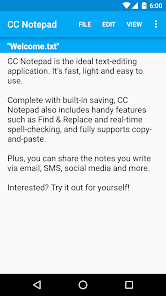
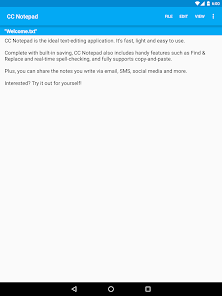
CC Notepad is the ideal text-editing application. It's fast, light and easy to use.
Complete with built-in saving, CC Notepad also includes handy features such as Find & Replace and real-time spell-checking, and fully supports copy-and-paste.
Plus, you can share the notes you write via email, SMS, social media and more.
What's more, there's no limit to how long your note can be. But if you do have a long note, you'll appreciate the quick scrolling functions, allowing you to immediately scroll to the top or down to the bottom.
Furthermore, CC Notepad has built-in support for reading and editing text files (.txt) opened directly from your Android device. You can even choose for it to receive text you share from another app - handy for saving things like text messages. Just let CC Notepad load the text and then open the menu and tap Save.
Complete with built-in saving, CC Notepad also includes handy features such as Find & Replace and real-time spell-checking, and fully supports copy-and-paste.
Plus, you can share the notes you write via email, SMS, social media and more.
What's more, there's no limit to how long your note can be. But if you do have a long note, you'll appreciate the quick scrolling functions, allowing you to immediately scroll to the top or down to the bottom.
Furthermore, CC Notepad has built-in support for reading and editing text files (.txt) opened directly from your Android device. You can even choose for it to receive text you share from another app - handy for saving things like text messages. Just let CC Notepad load the text and then open the menu and tap Save.
Date de mise à jour
La sécurité, c'est d'abord comprendre comment les développeurs collectent et partagent vos données. Les pratiques concernant leur confidentialité et leur protection peuvent varier selon votre utilisation, votre région et votre âge. Le développeur a fourni ces informations et peut les modifier ultérieurement.

Aucune donnée partagée avec des tiers
En savoir plus sur la manière dont les développeurs déclarent le partage

Aucune donnée collectée
En savoir plus sur la manière dont les développeurs déclarent la collecte
Nouveautés
v2.5 Beta
• Target API 36
• Status bar colour for newer API levels
v2.3 Beta
• Added exit confirmation
v2.2 Beta
• Internal changes
v2.1.1-2 Beta
• Improved printing functionality
• Various additions & improvements
v2.0 Beta
• NEW: Added support for printing
v1.1 Beta
• NEW: Undo & redo
• NEW: Revert and restore functions
• NEW: Word count function
• Target API 36
• Status bar colour for newer API levels
v2.3 Beta
• Added exit confirmation
v2.2 Beta
• Internal changes
v2.1.1-2 Beta
• Improved printing functionality
• Various additions & improvements
v2.0 Beta
• NEW: Added support for printing
v1.1 Beta
• NEW: Undo & redo
• NEW: Revert and restore functions
• NEW: Word count function
Assistance de l'appli
À propos du développeur
Lachlan Clarke
creativecactusapps@gmail.com
378 Belmore Rd
Mont Albert North VIC 3129
Australia


