
LightScan PDF
Contient des annonces
50+
Téléchargements

Tout public
info



À propos de l'application
LightScan PDF is a lightweight, user-friendly document scanning app designed to make scanning simple, fast, and efficient. Whether you're scanning documents or capturing photos, LightScan PDF ensures high-quality results every time, with no complicated settings or image adjustments needed.
Key Features:
Lightweight and Easy to Use: A simple interface designed for quick scanning, previewing, and PDF generation without unnecessary complexity.
Document and Photo Modes: Choose between Document Mode for automatic image optimization (eliminating shadows, distortion, and background noise) and Photo Mode for quick, flexible photo scanning.
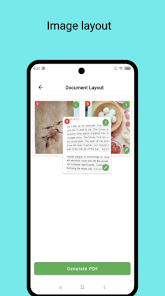
Automatic Preview and Layout Adjustment: Automatically previews scanned documents and provides intuitive layout options, ensuring the content fits neatly into the standard PDF format.
High-Quality PDF Export: Generates PDFs with clear, professional-quality results, free from shadows and messy backgrounds. The app also allows you to control file size for easier storage and sharing.
Effortless Sharing: After scanning, you can easily share your PDF via email, social media, or cloud storage services
Simplified Image Processing: With Document Mode, there's no need to worry about complex image adjustments. The app automatically processes the document to ensure a perfect scan every time.
Why Choose LightScan PDF?
Fast and Convenient: Quick scanning, previewing, PDF generation, and sharing—without the hassle of complicated settings.
Lightweight and Simple: Ideal for everyday scanning needs, with minimal resource usage for quick results.
Professional-Quality Results: Whether scanning documents or photos, the app ensures high-quality PDF outputs suitable for office work, study, or personal use.
No Image Processing Worries: Document Mode handles everything for you, ensuring your scanned PDFs are always pristine and clear.
Experience LightScan PDF today—making document scanning easy and hassle-free!
Key Features:
Lightweight and Easy to Use: A simple interface designed for quick scanning, previewing, and PDF generation without unnecessary complexity.
Document and Photo Modes: Choose between Document Mode for automatic image optimization (eliminating shadows, distortion, and background noise) and Photo Mode for quick, flexible photo scanning.
Automatic Preview and Layout Adjustment: Automatically previews scanned documents and provides intuitive layout options, ensuring the content fits neatly into the standard PDF format.
High-Quality PDF Export: Generates PDFs with clear, professional-quality results, free from shadows and messy backgrounds. The app also allows you to control file size for easier storage and sharing.
Effortless Sharing: After scanning, you can easily share your PDF via email, social media, or cloud storage services
Simplified Image Processing: With Document Mode, there's no need to worry about complex image adjustments. The app automatically processes the document to ensure a perfect scan every time.
Why Choose LightScan PDF?
Fast and Convenient: Quick scanning, previewing, PDF generation, and sharing—without the hassle of complicated settings.
Lightweight and Simple: Ideal for everyday scanning needs, with minimal resource usage for quick results.
Professional-Quality Results: Whether scanning documents or photos, the app ensures high-quality PDF outputs suitable for office work, study, or personal use.
No Image Processing Worries: Document Mode handles everything for you, ensuring your scanned PDFs are always pristine and clear.
Experience LightScan PDF today—making document scanning easy and hassle-free!
Date de mise à jour
La sécurité, c'est d'abord comprendre comment les développeurs collectent et partagent vos données. Les pratiques concernant leur confidentialité et leur protection peuvent varier selon votre utilisation, votre région et votre âge. Le développeur a fourni ces informations et peut les modifier ultérieurement.

Aucune donnée partagée avec des tiers
En savoir plus sur la manière dont les développeurs déclarent le partage

Aucune donnée collectée
En savoir plus sur la manière dont les développeurs déclarent la collecte
Nouveautés
Turn paper into clear PDFs in seconds with LightScan PDF! Fast, lightweight, and easy to use.
- Instant Camera Scanning – Capture documents in one tap
- Smart Edge Detection – Clean, precise scans
- Automatic Enhancement – Clear and professional PDFs
- Fast & Lightweight – Minimal design, smooth performance
Scan, enhance, and share your documents anytime, anywhere!
- Instant Camera Scanning – Capture documents in one tap
- Smart Edge Detection – Clean, precise scans
- Automatic Enhancement – Clear and professional PDFs
- Fast & Lightweight – Minimal design, smooth performance
Scan, enhance, and share your documents anytime, anywhere!
Assistance de l'appli
À propos du développeur
朱良刚
lg.json@gmail.com
China


