
Service Pro Mobile 2.13
500+
Téléchargements

Tout public
info
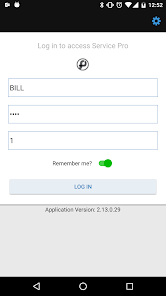
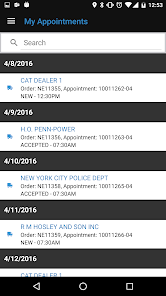
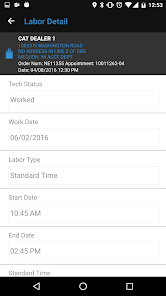
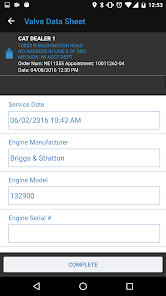
À propos de l'application
Mobile Field Service Software
Improve Customer Satisfaction, Increase Technician Utilization and Boost Service Performance with Service Pro® Mobile
Your customers have high expectations. Help your field service technicians exceed them.
Field service organizations that empower their service technicians with real time customer, asset, inventory, warranty and other call resolution information consistently outperform their peers because their technicians can complete their work more quickly, and at a higher first time response success rate.
Why Service Pro Mobile?
A more informed technician is more productive! Empower your field service techs with immediate information to get the job done right, on the first call.
• Service Pro Mobile works anywhere - Technicians can record work in areas with or without wireless network connectivity.
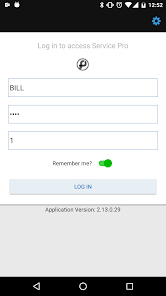
• Service Pro Mobile is easy to use – Features are intuitively laid out and use the device's native navigation. It’s cross platform and consistent between iOS and Android menu options.
• Service Pro Mobile is a seamless extension of Service Pro - Stop wasting effort! Integration with Service Pro® extends world class field service productivity to the field.
• Service Pro Mobile deployment options - On-premise or cloud
• Service Pro Mobile does work orders and inspections – Data is saved to permanent tables matching the structure of the Service Pro back-end feature.
• Service Pro Mobile can integrate to your ‘home office’ system – Enjoy company-wide field service automation by using Service Pro Mobile with your home office system.
What can Service Pro Mobile do?
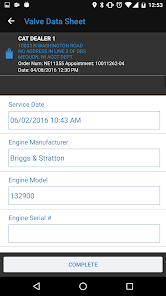
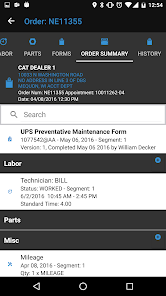
Service Pro Mobile includes many paperless service management capabilities for field service technicians:
• Service Technician Status
• Important Alert
• Built-In Text Messaging
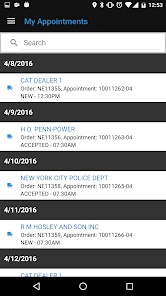
• Service Technician Calendar
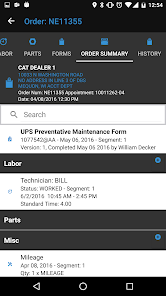
• Work Order Management:
• Site Contacts
• Site Equipment Assets
• Warranty Tracking
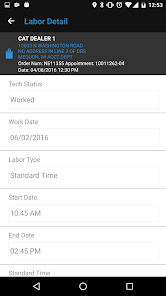
• Technician Time Tracking
• Inventory Tracking
• Asset Inspections
• Service History
• Photo Capture
• Signature Capture
• Reverse Geocoding
• Create and view line items to serviceable assets
Improve Customer Satisfaction, Increase Technician Utilization and Boost Service Performance with Service Pro® Mobile
Your customers have high expectations. Help your field service technicians exceed them.
Field service organizations that empower their service technicians with real time customer, asset, inventory, warranty and other call resolution information consistently outperform their peers because their technicians can complete their work more quickly, and at a higher first time response success rate.
Why Service Pro Mobile?
A more informed technician is more productive! Empower your field service techs with immediate information to get the job done right, on the first call.
• Service Pro Mobile works anywhere - Technicians can record work in areas with or without wireless network connectivity.
• Service Pro Mobile is easy to use – Features are intuitively laid out and use the device's native navigation. It’s cross platform and consistent between iOS and Android menu options.
• Service Pro Mobile is a seamless extension of Service Pro - Stop wasting effort! Integration with Service Pro® extends world class field service productivity to the field.
• Service Pro Mobile deployment options - On-premise or cloud
• Service Pro Mobile does work orders and inspections – Data is saved to permanent tables matching the structure of the Service Pro back-end feature.
• Service Pro Mobile can integrate to your ‘home office’ system – Enjoy company-wide field service automation by using Service Pro Mobile with your home office system.
What can Service Pro Mobile do?
Service Pro Mobile includes many paperless service management capabilities for field service technicians:
• Service Technician Status
• Important Alert
• Built-In Text Messaging
• Service Technician Calendar
• Work Order Management:
• Site Contacts
• Site Equipment Assets
• Warranty Tracking
• Technician Time Tracking
• Inventory Tracking
• Asset Inspections
• Service History
• Photo Capture
• Signature Capture
• Reverse Geocoding
• Create and view line items to serviceable assets
Date de mise à jour
La sécurité, c'est d'abord comprendre comment les développeurs collectent et partagent vos données. Les pratiques concernant leur confidentialité et leur protection peuvent varier selon votre utilisation, votre région et votre âge. Le développeur a fourni ces informations et peut les modifier ultérieurement.

Aucune donnée partagée avec des tiers
En savoir plus sur la manière dont les développeurs déclarent le partage

Aucune donnée collectée
En savoir plus sur la manière dont les développeurs déclarent la collecte

Les données sont chiffrées lors de leur transfert
Nouveautés
Android N compatibility release
Assistance de l'appli
À propos du développeur
Brian Denny
msidatadev@gmail.com
United States