
Document Scanner - PDF Maker
Contient des annonces

3,6star
410 avis
50K+
Téléchargements

Tout public
info
À propos de l'application
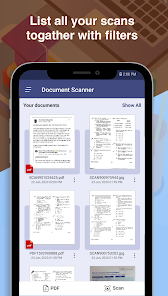
The Document Scanner is an image scanner application that makes your phone to scan documents using your phone camera as well as pick image from the gallery to scan.
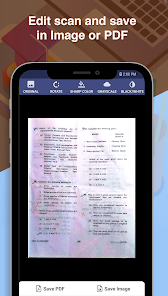
Using Document Scanner you can scan any type of document like photos, receipts, reports, bills, etc. The scan file can be converted in different scan modes that is Sharpen, Greyscale, and Black & White.
Document Scanner allows you to rotate the image after scanning the document.
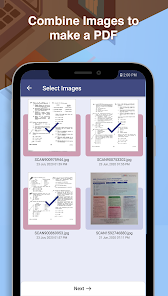
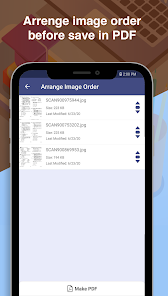
Document Scanner allows you to make PDF files form your scanned images. It also has rearrange image option to re-order images as your needs.
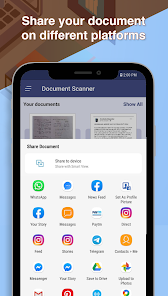
You can share your scanned document by this app on other platforms like-
- Email
- Facebook
- Whatsapp
- Google Drive etc
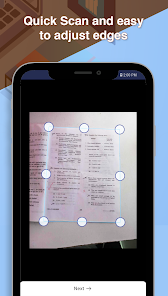
The Document Scanner app has the feature to capture images from any angle of the document and it scans and corrects the document image edges. So it is best for any situation of scanning.
The Document Scanner app provides an optimized file so that it can easily transfer on any platform using the internet.
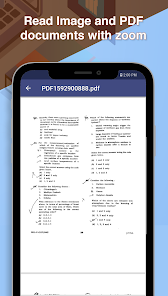
The Document Scanner app has a rich image viewer with zoom feature. So you can view any document at any size.
Other features:
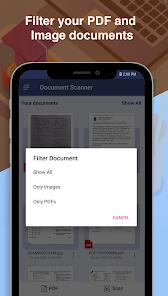
-- Arrange documents in folders
-- Rename documents and folders
-- Download file in the Downloads folder
-- High-Quality Scan
-- Image rotation option on Scanner
-- PDF file create by scanned documents and Existing PDF
-- Rearrange images before creating PDF
-- Share PDF file
Using Document Scanner you can scan any type of document like photos, receipts, reports, bills, etc. The scan file can be converted in different scan modes that is Sharpen, Greyscale, and Black & White.
Document Scanner allows you to rotate the image after scanning the document.
Document Scanner allows you to make PDF files form your scanned images. It also has rearrange image option to re-order images as your needs.
You can share your scanned document by this app on other platforms like-
- Google Drive etc
The Document Scanner app has the feature to capture images from any angle of the document and it scans and corrects the document image edges. So it is best for any situation of scanning.
The Document Scanner app provides an optimized file so that it can easily transfer on any platform using the internet.
The Document Scanner app has a rich image viewer with zoom feature. So you can view any document at any size.
Other features:
-- Arrange documents in folders
-- Rename documents and folders
-- Download file in the Downloads folder
-- High-Quality Scan
-- Image rotation option on Scanner
-- PDF file create by scanned documents and Existing PDF
-- Rearrange images before creating PDF
-- Share PDF file
Date de mise à jour
La sécurité, c'est d'abord comprendre comment les développeurs collectent et partagent vos données. Les pratiques concernant leur confidentialité et leur protection peuvent varier selon votre utilisation, votre région et votre âge. Le développeur a fourni ces informations et peut les modifier ultérieurement.

Aucune donnée partagée avec des tiers
En savoir plus sur la manière dont les développeurs déclarent le partage

Aucune donnée collectée
En savoir plus sur la manière dont les développeurs déclarent la collecte

Les données sont chiffrées lors de leur transfert

Impossible de supprimer les données
Notes et avis
3,8
382 avis
Nouveautés
Android 15 Support
Assistance de l'appli
À propos du développeur
Sheetal Kumar Maurya
sheetalkumar105@gmail.com
114, Semariya
Post- Iltifatganj
Ambedkar Nagar, Uttar Pradesh 224145
India


