
visor - low vision magnifier
3,8star
359 avis
50K+
Téléchargements

Tout public
info




À propos de l'application
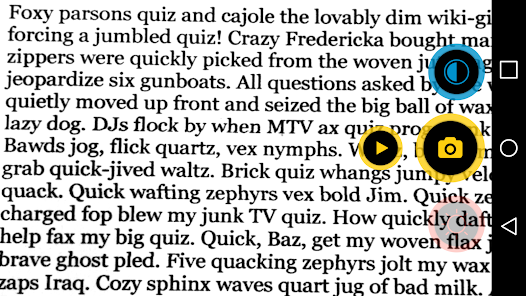
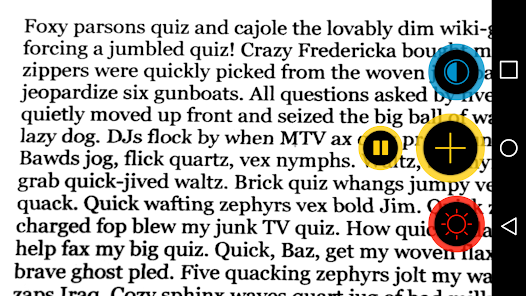
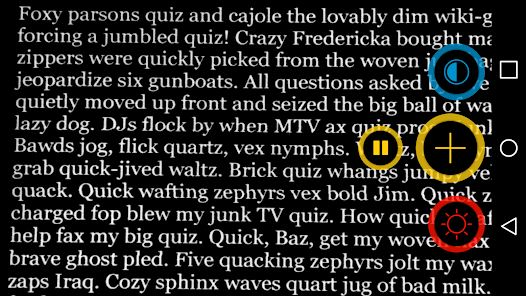
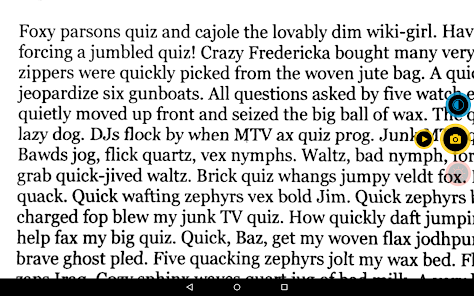
Enlarge difficult to read text by 3 magnification levels and change contrast to 5 different viewing modes. Optionally, turn on the LED flash of your device to help you see better in low-light conditions.
Visor supports VoiceOver with TalkBack in German and English.
During the day, there is a lot printed text to read: restaurant menus, price tags, the newspaper, letters or photos from your loved ones — visor zooms and improves the contrast of whatever you want to see. Its advanced color modes and simple interface are made for giving you the best possible perception of printed text on your screen like you'd expect it from a handheld electronic magnifier.
‣ 3 magnification levels
The 3 magnification levels of visor are easily accessible anytime with the touch of a button. After closing the app, visor remembers the last selected magnification level and contrast mode.
‣ 5 different color modes
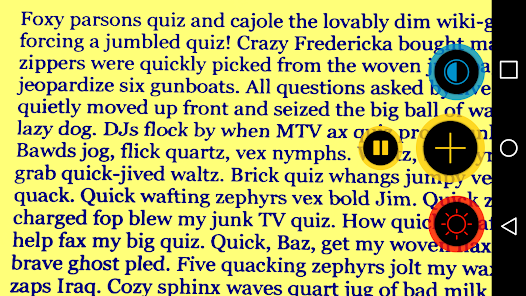
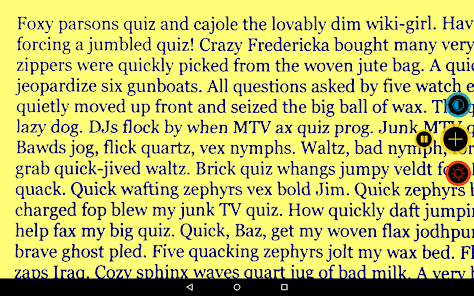
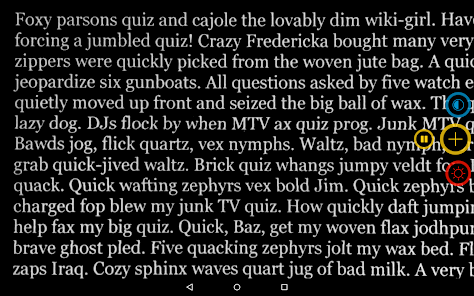
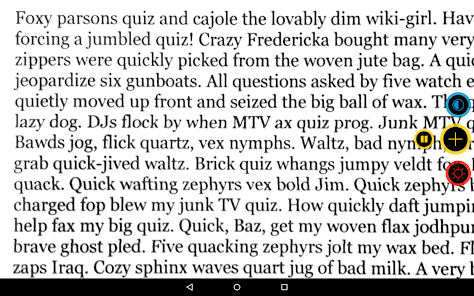
Many visually impaired people suffer from dazzling effects when reading dark characters on a light background. Visor avoids these effects by providing 5 color modes: white text on dark background, real color mode, contrast enhancement, yellow text on blue background and blue text on yellow background.
‣ Manual focus, Autofocus & LED light
Manual focus gives more control over the text you want to read. Simply tap the screen and visor focuses the targeted text. Tap and hold to switch to Autofocus. Turn on the LED light to make text crystal clear even in low light conditions.
‣ Freeze the image, enhance contrast and save or share the picture without having to hold the camera pointing at the subject
‣ Tested by people with visual impairments
Visor was developed in close cooperation with visually impaired people. We are always grateful for any suggestions and requests for improvement.
Visor supports VoiceOver with TalkBack in German and English.
During the day, there is a lot printed text to read: restaurant menus, price tags, the newspaper, letters or photos from your loved ones — visor zooms and improves the contrast of whatever you want to see. Its advanced color modes and simple interface are made for giving you the best possible perception of printed text on your screen like you'd expect it from a handheld electronic magnifier.
‣ 3 magnification levels
The 3 magnification levels of visor are easily accessible anytime with the touch of a button. After closing the app, visor remembers the last selected magnification level and contrast mode.
‣ 5 different color modes
Many visually impaired people suffer from dazzling effects when reading dark characters on a light background. Visor avoids these effects by providing 5 color modes: white text on dark background, real color mode, contrast enhancement, yellow text on blue background and blue text on yellow background.
‣ Manual focus, Autofocus & LED light
Manual focus gives more control over the text you want to read. Simply tap the screen and visor focuses the targeted text. Tap and hold to switch to Autofocus. Turn on the LED light to make text crystal clear even in low light conditions.
‣ Freeze the image, enhance contrast and save or share the picture without having to hold the camera pointing at the subject
‣ Tested by people with visual impairments
Visor was developed in close cooperation with visually impaired people. We are always grateful for any suggestions and requests for improvement.
Date de mise à jour
La sécurité, c'est d'abord comprendre comment les développeurs collectent et partagent vos données. Les pratiques concernant leur confidentialité et leur protection peuvent varier selon votre utilisation, votre région et votre âge. Le développeur a fourni ces informations et peut les modifier ultérieurement.

Aucune donnée partagée avec des tiers
En savoir plus sur la manière dont les développeurs déclarent le partage

Aucune donnée collectée
En savoir plus sur la manière dont les développeurs déclarent la collecte
Notes et avis
3,8
334 avis
Assistance de l'appli
À propos du développeur
Christian Illies
playstore@christianillies.de
An d. Landesgrenze 45
04435 Schkeuditz
Germany


