

Zigzag of Fifths

10+
ଡାଉନଲୋଡ

ସମସ୍ତେ
info
ଏହି ଆପ୍ ବିଷୟରେ
With the Zigzag of Fifths app, you can:
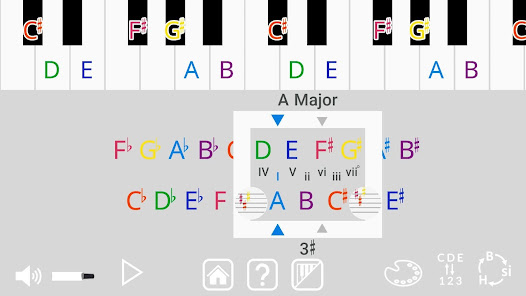
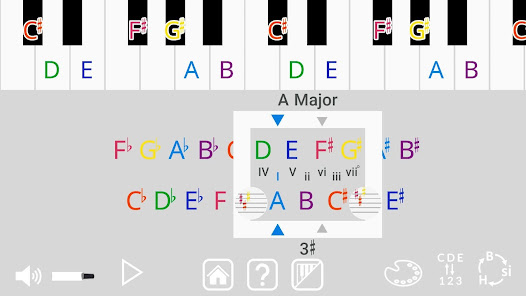
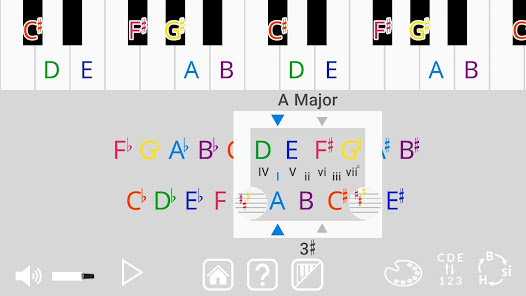
- Instantly see which notes belong to every key signature, just by dragging the window across the zigzag.
- Visualize how the notes change between key signatures by watching them move on the piano keys.
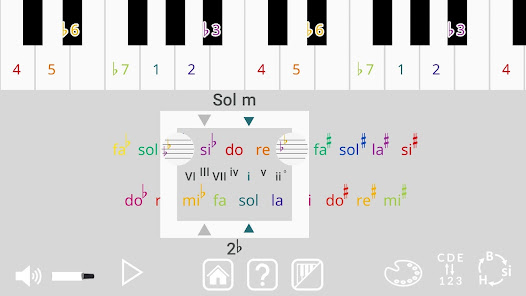
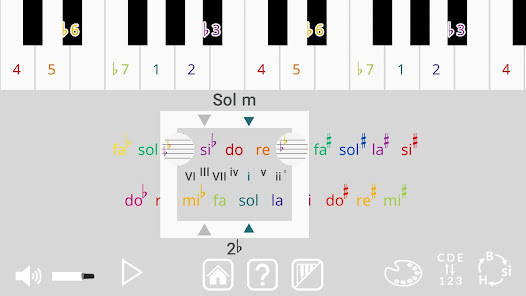
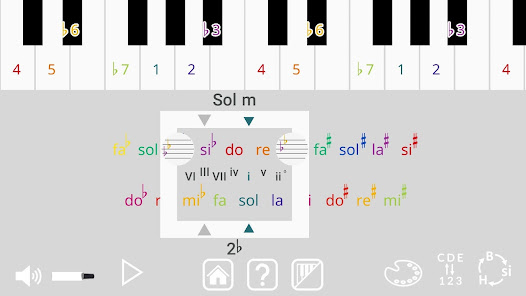
- Listen to major and minor scales to hear the difference that changing the tonic makes, even when the key signature is unchanged.
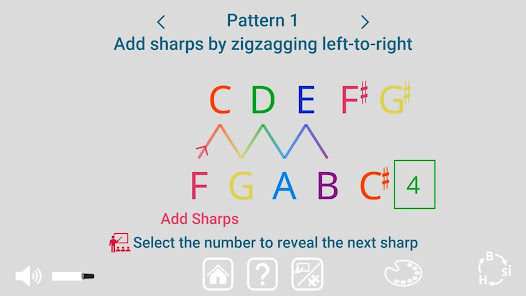
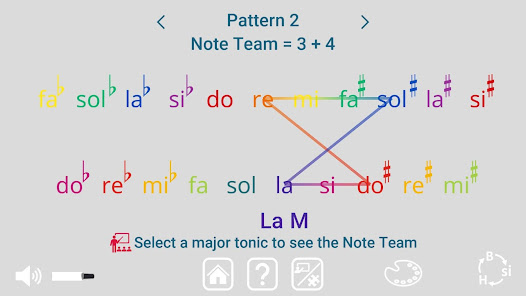
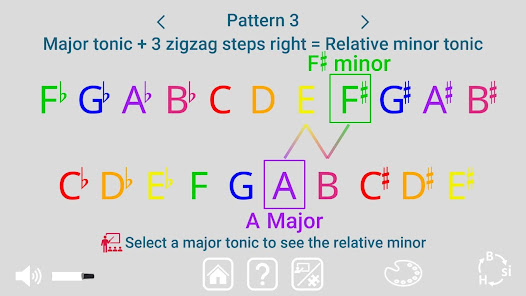
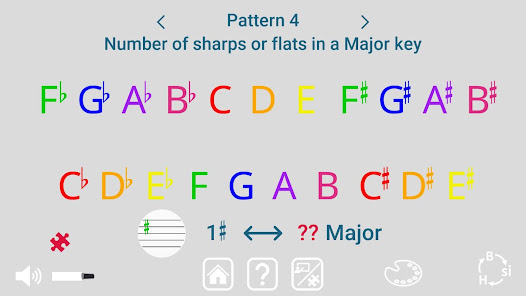
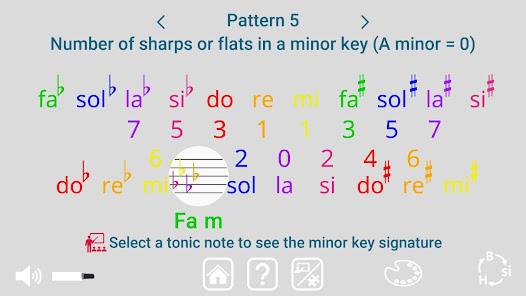
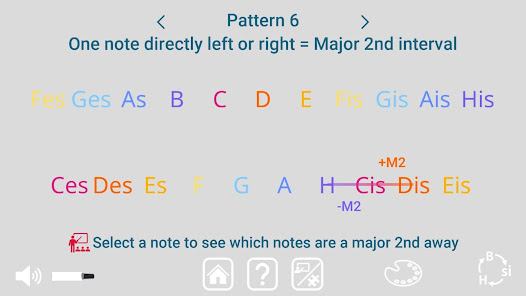
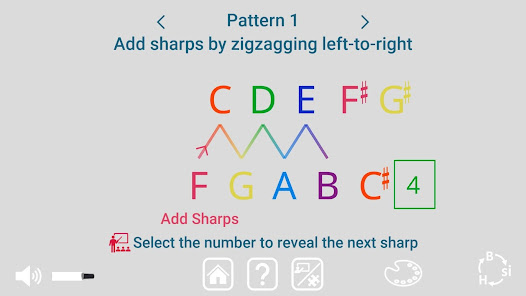
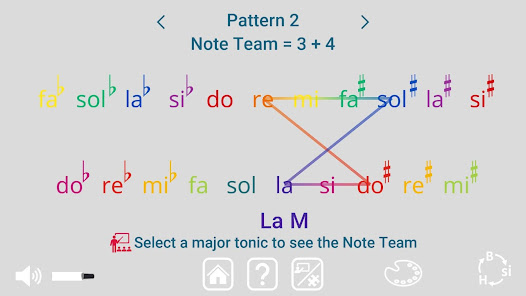
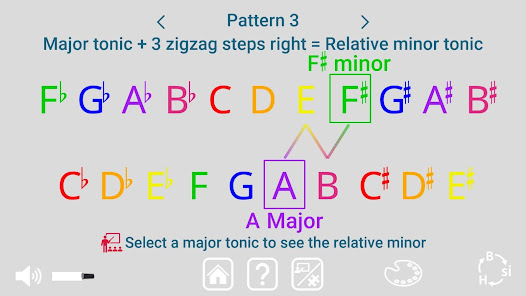
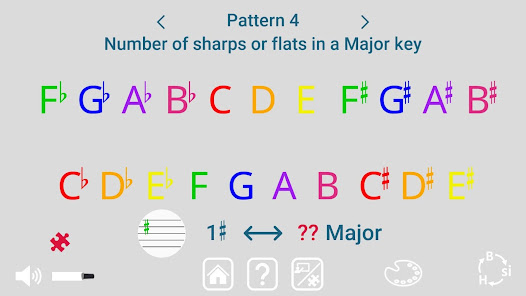
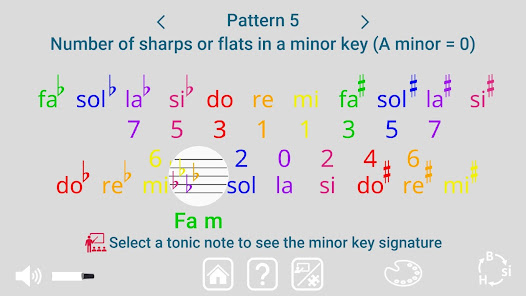
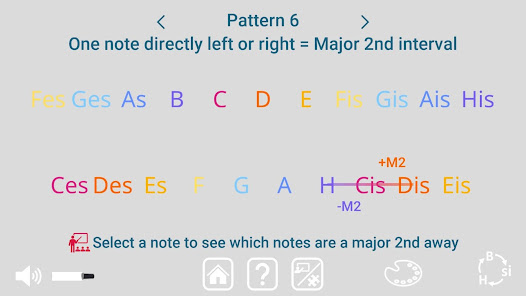
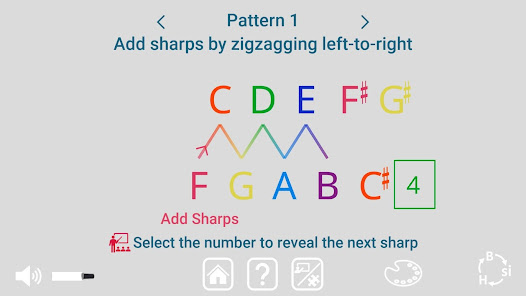
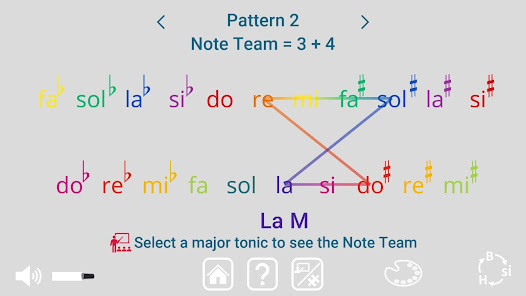
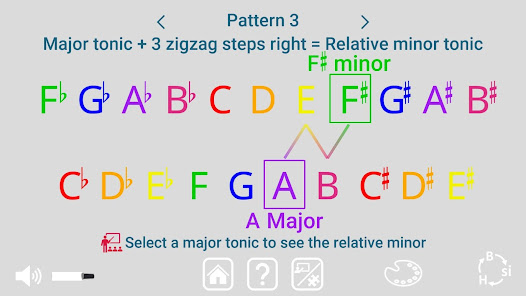
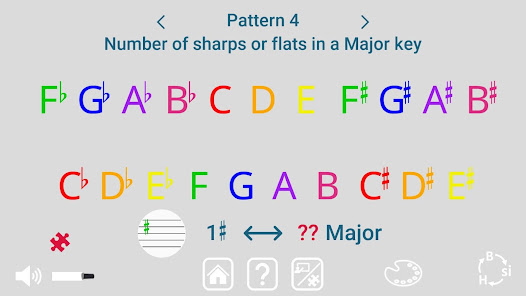
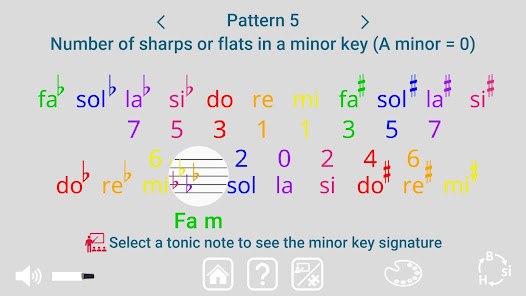
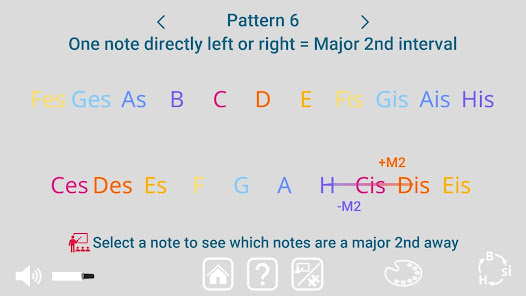
- Explore 7 different patterns in the Zigzag of Fifths, including the order sharps and flats are added to key signatures, relative minors, major 2nd and perfect 5th intervals, and more.
- Pick your preferred way to name the notes: English note letter names, Fixed Do solfege, or German note letter names.
- Change the color scheme: Match colored instruments, pick a scheme that is better for colorblindness, or use a monochromatic scheme if you prefer notes to be grayscale.
To explore Note Teams:
Simply drag the window along the Zigzag of Fifths to change which 7 notes are shown within the window. Each set of 7 notes is a Note Team with a unique key signature that shows which notes on the team are sharp or flat.
Switch between major and minor modes to change the tonic note, or Team Captain. Listen to the scale to hear how changing the musical mode changes the sound of the Note Team.
Make the piano visible, then drag the window to visualize how sharps and flats are added on the piano keyboard.
To explore patterns in the Zigzag of Fifths:
Cycle through all 7 patterns or jump to a specific pattern by opening the pattern menu (use the 'i' button on the main menu Explore Patterns icon or touch the "Pattern #" title to open the menu).
Each pattern has a learn and apply mode. Switch between modes using the right of the 3 central buttons.
Patterns:
1. Order sharps and flats are added
2. Note Teams (key signatures)
3. Relative minors
4. Number of sharps/flats in major keys
5. Number of sharps/flats in minor keys
6. Major 2nd intervals
7. Perfect 5th intervals
- Instantly see which notes belong to every key signature, just by dragging the window across the zigzag.
- Visualize how the notes change between key signatures by watching them move on the piano keys.
- Listen to major and minor scales to hear the difference that changing the tonic makes, even when the key signature is unchanged.
- Explore 7 different patterns in the Zigzag of Fifths, including the order sharps and flats are added to key signatures, relative minors, major 2nd and perfect 5th intervals, and more.
- Pick your preferred way to name the notes: English note letter names, Fixed Do solfege, or German note letter names.
- Change the color scheme: Match colored instruments, pick a scheme that is better for colorblindness, or use a monochromatic scheme if you prefer notes to be grayscale.
To explore Note Teams:
Simply drag the window along the Zigzag of Fifths to change which 7 notes are shown within the window. Each set of 7 notes is a Note Team with a unique key signature that shows which notes on the team are sharp or flat.
Switch between major and minor modes to change the tonic note, or Team Captain. Listen to the scale to hear how changing the musical mode changes the sound of the Note Team.
Make the piano visible, then drag the window to visualize how sharps and flats are added on the piano keyboard.
To explore patterns in the Zigzag of Fifths:
Cycle through all 7 patterns or jump to a specific pattern by opening the pattern menu (use the 'i' button on the main menu Explore Patterns icon or touch the "Pattern #" title to open the menu).
Each pattern has a learn and apply mode. Switch between modes using the right of the 3 central buttons.
Patterns:
1. Order sharps and flats are added
2. Note Teams (key signatures)
3. Relative minors
4. Number of sharps/flats in major keys
5. Number of sharps/flats in minor keys
6. Major 2nd intervals
7. Perfect 5th intervals
ଗତ ଅପଡେଟର ସମୟ
ଡେଭେଲପରମାନେ ଆପଣଙ୍କ ଡାଟାକୁ କିପରି ସଂଗ୍ରହ ଏବଂ ସେୟାର କରନ୍ତି ସେହି ଧାରଣା ସହିତ ସୁରକ୍ଷା ଆରମ୍ଭ ହୁଏ। ଆପଣଙ୍କ ବ୍ୟବହାର, ଅଞ୍ଚଳ ଏବଂ ବୟସ ଆଧାରରେ, ଡାଟା ଗୋପନୀୟତା ଓ ସୁରକ୍ଷା ପ୍ରାକ୍ଟିସ ଭିନ୍ନ ହୋଇପାରେ। ଡେଭେଲପର ଏହି ସୂଚନା ପ୍ରଦାନ କରିଛନ୍ତି ଏବଂ ସେ ସମୟାନୁସାରେ ଏହାକୁ ଅପଡେଟ କରିପାରନ୍ତି।

ତୃତୀୟ ପକ୍ଷଗୁଡ଼ିକ ସହ କୌଣସି ଡାଟା ସେୟାର କରାଯାଇନାହିଁ
ଡେଭେଲପରମାନେ କିପରି ସେୟାରିଂର ଘୋଷଣା କରନ୍ତି ସେ ବିଷୟରେ ଅଧିକ ଜାଣନ୍ତୁ

କୌଣସି ଡାଟା ସଂଗ୍ରହ କରାଯାଇନାହିଁ
ଡେଭେଲପରମାନେ କିପରି ସଂଗ୍ରହର ଘୋଷଣା କରନ୍ତି ସେ ବିଷୟରେ ଅଧିକ ଜାଣନ୍ତୁ

Play ପରିବାରଗୁଡ଼ିକ ସହ ସମ୍ବନ୍ଧିତ ନୀତିକୁ ଅନୁସରଣ କରିବା ପାଇଁ ପ୍ରତିଶ୍ରୁତିବଦ୍ଧ
ନୂଆ କଣ ଅଛି
Updated to support latest android SDK
ଆପ ସପୋର୍ଟ
ଡେଭେଲପରଙ୍କ ବିଷୟରେ
ATTUNE MUSIC AND MATH, LLC
support@stickeynotes.co
1067 S Hover St Ste E Pmb 645
Longmont, CO 80501-7903
United States
+1 720-340-1197


