
NCP Authenticator
1ହ+
ଡାଉନଲୋଡ

ସମସ୍ତେ
info


ଏହି ଆପ୍ ବିଷୟରେ
NCP Authenticator works with 2-Step Verification for your NCP VPN Access or any other online service using the TOTP method to provide an additional layer of security when signing in.
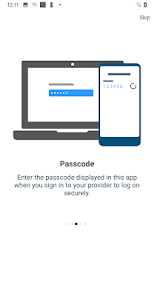
Once configured, 2-step authentication protects your account by requiring both your password and an additional passcode, thus adding an extra layer of security. NCP Authenticator will generate these passcodes for you in a convenient way, directly on your smartphone or tablet, without the need for Internet connection.
NCP Authenticator does not only operate with a NCP vpn account, but also with accounts from Google, Dropbox, PayPal and all the other providers who implement authentication in this standardized way.
For additional security QR codes generated by NCP’s management can enforce biometric authentication for starting NCP Authenticator.
Features
• Generates time-based OTP (One Time Password) codes
• SHA-1, SHA-256 and SHA-512 hash algorithm supported
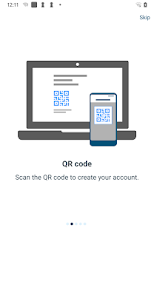
• Add an account easily by simply scanning a QR code with your device camera, via link in your smartphones browser or by adding it manually
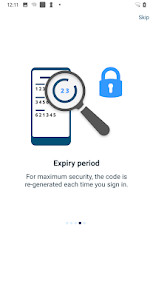
• The time-step for time-based passcodes can be 30 or 60 seconds
• Generated codes can be 6 to 8 digits wide
• No Internet/network connection needed, everything happens offline
• Copy any generated code to the clipboard for easy and fast access
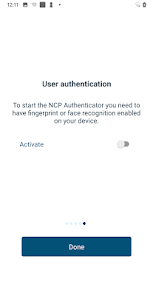
• High security thanks to optional biometric authentication before starting NCP Authenticator
Once configured, 2-step authentication protects your account by requiring both your password and an additional passcode, thus adding an extra layer of security. NCP Authenticator will generate these passcodes for you in a convenient way, directly on your smartphone or tablet, without the need for Internet connection.
NCP Authenticator does not only operate with a NCP vpn account, but also with accounts from Google, Dropbox, PayPal and all the other providers who implement authentication in this standardized way.
For additional security QR codes generated by NCP’s management can enforce biometric authentication for starting NCP Authenticator.
Features
• Generates time-based OTP (One Time Password) codes
• SHA-1, SHA-256 and SHA-512 hash algorithm supported
• Add an account easily by simply scanning a QR code with your device camera, via link in your smartphones browser or by adding it manually
• The time-step for time-based passcodes can be 30 or 60 seconds
• Generated codes can be 6 to 8 digits wide
• No Internet/network connection needed, everything happens offline
• Copy any generated code to the clipboard for easy and fast access
• High security thanks to optional biometric authentication before starting NCP Authenticator
ଗତ ଅପଡେଟର ସମୟ
ଡେଭେଲପରମାନେ ଆପଣଙ୍କ ଡାଟାକୁ କିପରି ସଂଗ୍ରହ ଏବଂ ସେୟାର କରନ୍ତି ସେହି ଧାରଣା ସହିତ ସୁରକ୍ଷା ଆରମ୍ଭ ହୁଏ। ଆପଣଙ୍କ ବ୍ୟବହାର, ଅଞ୍ଚଳ ଏବଂ ବୟସ ଆଧାରରେ, ଡାଟା ଗୋପନୀୟତା ଓ ସୁରକ୍ଷା ପ୍ରାକ୍ଟିସ ଭିନ୍ନ ହୋଇପାରେ। ଡେଭେଲପର ଏହି ସୂଚନା ପ୍ରଦାନ କରିଛନ୍ତି ଏବଂ ସେ ସମୟାନୁସାରେ ଏହାକୁ ଅପଡେଟ କରିପାରନ୍ତି।

ତୃତୀୟ ପକ୍ଷଗୁଡ଼ିକ ସହ କୌଣସି ଡାଟା ସେୟାର କରାଯାଇନାହିଁ
ଡେଭେଲପରମାନେ କିପରି ସେୟାରିଂର ଘୋଷଣା କରନ୍ତି ସେ ବିଷୟରେ ଅଧିକ ଜାଣନ୍ତୁ

କୌଣସି ଡାଟା ସଂଗ୍ରହ କରାଯାଇନାହିଁ
ଡେଭେଲପରମାନେ କିପରି ସଂଗ୍ରହର ଘୋଷଣା କରନ୍ତି ସେ ବିଷୟରେ ଅଧିକ ଜାଣନ୍ତୁ

Play ପରିବାରଗୁଡ଼ିକ ସହ ସମ୍ବନ୍ଧିତ ନୀତିକୁ ଅନୁସରଣ କରିବା ପାଇଁ ପ୍ରତିଶ୍ରୁତିବଦ୍ଧ
ନୂଆ କଣ ଅଛି
- General improvements
ଆପ ସପୋର୍ଟ
ଡେଭେଲପରଙ୍କ ବିଷୟରେ
N C P e GmbH Network Communications Products engineering
support@ncp-e.com
Dombühler Str. 2
90449 Nürnberg
Germany
+49 911 99680