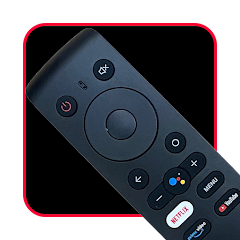
Remote for oneplus tv
Reklamalar mavjud
50 ming+
Yuklanmalar

Hamma uchun
info


Bu ilova haqida
Unlock the full potential of your OnePlus TV with the ultimate remote control app!
Remote for OnePlus TV is a powerful, all-in-one solution that transforms your smartphone into a fully functional remote. Whether you have the latest Smart Android TV or use an older model, our app allows you to control it seamlessly using either WiFi (Smart Remote) or IR Blaster (Infrared) technology.
🚀 WHY CHOOSE THIS APP? Say goodbye to lost remotes and battery replacements. Upgrade to a smarter, more convenient way to control your TV directly from your pocket.
🌟 KEY FEATURES 🌟
📶 Dual Connectivity Modes
WiFi Smart Control: Connect your phone and TV to the same WiFi network for instant, stable control. Perfect for OnePlus Android TVs.
IR Blaster Mode: No WiFi? No problem. Use your phone’s built-in IR sensor to control your TV offline (requires IR sensor on phone).
🖱️ Smart Touchpad & Keyboard
Trackpad Navigation: Swipe, scroll, and click with a smooth, mouse-like touchpad interface. Great for browsing apps like Netflix and YouTube.
Full Keyboard Input: Typing on your TV is finally easy! Use your phone's keyboard to search for movies quickly.
🔢 Enhanced Controls
Numpad: Dedicated channel number pad for quick switching.
Media Controls: Play, Pause, Rewind, and Volume controls at your fingertips.
Haptic Feedback: Feel a vibration for every button press (customizable intensity in settings).
⚙️ Smart Features
Auto-Discovery: Automatically scans and detects your OnePlus TV on the WiFi network.
Save Last Connected Device: Automatically reconnects to your TV when you open the app.
Dark Mode: A sleek, battery-saving dark interface for comfortable night-time viewing.
📝 HOW TO USE Method 1: WiFi (Smart TV)
Connect your Phone and TV to the same WiFi.
Open the app and wait for the scan.
Tap your TV name to connect.
If a code appears on TV, enter it in the app.
Method 2: IR (Infrared)
Select the IR Remote mode.
Point your phone at the TV.
Press buttons to control instantly.
🚨 DISCLAIMER This application is NOT an official product of OnePlus Technology. It is an independent utility developed by Everest App Store to provide enhanced remote control functionality for OnePlus TV owners.
WiFi Mode: Requires a Smart TV connected to the same WiFi network.
IR Mode: Requires a smartphone with a built-in IR Blaster (Infrared Sensor).
Privacy Policy: [https://everestappstore.blogspot.com/p/privacy-policy-remote-for-oneplus-tv.html] Support: everestappstore@gmail.com
Remote for OnePlus TV is a powerful, all-in-one solution that transforms your smartphone into a fully functional remote. Whether you have the latest Smart Android TV or use an older model, our app allows you to control it seamlessly using either WiFi (Smart Remote) or IR Blaster (Infrared) technology.
🚀 WHY CHOOSE THIS APP? Say goodbye to lost remotes and battery replacements. Upgrade to a smarter, more convenient way to control your TV directly from your pocket.
🌟 KEY FEATURES 🌟
📶 Dual Connectivity Modes
WiFi Smart Control: Connect your phone and TV to the same WiFi network for instant, stable control. Perfect for OnePlus Android TVs.
IR Blaster Mode: No WiFi? No problem. Use your phone’s built-in IR sensor to control your TV offline (requires IR sensor on phone).
🖱️ Smart Touchpad & Keyboard
Trackpad Navigation: Swipe, scroll, and click with a smooth, mouse-like touchpad interface. Great for browsing apps like Netflix and YouTube.
Full Keyboard Input: Typing on your TV is finally easy! Use your phone's keyboard to search for movies quickly.
🔢 Enhanced Controls
Numpad: Dedicated channel number pad for quick switching.
Media Controls: Play, Pause, Rewind, and Volume controls at your fingertips.
Haptic Feedback: Feel a vibration for every button press (customizable intensity in settings).
⚙️ Smart Features
Auto-Discovery: Automatically scans and detects your OnePlus TV on the WiFi network.
Save Last Connected Device: Automatically reconnects to your TV when you open the app.
Dark Mode: A sleek, battery-saving dark interface for comfortable night-time viewing.
📝 HOW TO USE Method 1: WiFi (Smart TV)
Connect your Phone and TV to the same WiFi.
Open the app and wait for the scan.
Tap your TV name to connect.
If a code appears on TV, enter it in the app.
Method 2: IR (Infrared)
Select the IR Remote mode.
Point your phone at the TV.
Press buttons to control instantly.
🚨 DISCLAIMER This application is NOT an official product of OnePlus Technology. It is an independent utility developed by Everest App Store to provide enhanced remote control functionality for OnePlus TV owners.
WiFi Mode: Requires a Smart TV connected to the same WiFi network.
IR Mode: Requires a smartphone with a built-in IR Blaster (Infrared Sensor).
Privacy Policy: [https://everestappstore.blogspot.com/p/privacy-policy-remote-for-oneplus-tv.html] Support: everestappstore@gmail.com
Oxirgi yangilanish
Xavfsizlik — dastur ishlab chiquvchilar maʼlumotlaringizni qanday jamlashi va ulashishini tushunishdan boshlanadi. Maʼlumotlar maxfiyligi va xavfsizlik amaliyotlari ilovadan foydalanish, hudud va yoshga qarab farq qilishi mumkin. Bu axborot dastur ishlab chiquvchi tomonidan taqdim etilgan va keyinchalik yangilanishi mumkin.

Tashqi hamkorlarga hech qanday axborot ulashilmagan
Dastur ishlab chiquvchilar axborot ulashilishini qanday aytishi haqida batafsil

Hech qanday maʼlumot jamlanmagan
Dastur ishlab chiquvchilar axborot jamlanishini qanday aytishi haqida batafsil

Maʼlumotlar uzatish vaqtida shifrlanadi

Maʼlumotlar oʻchmaydi
Ilova yuzasidan yordam
Dasturchi haqida
WHITE OWL SOLUTION PRIVATE LIMITED
everestappstore@gmail.com
Radha Bhawan
Kathmandu
Nepal
+977 986-1848660


