RightPlayer
50+
Yuklanmalar

Hamma uchun
info
Bu ilova haqida
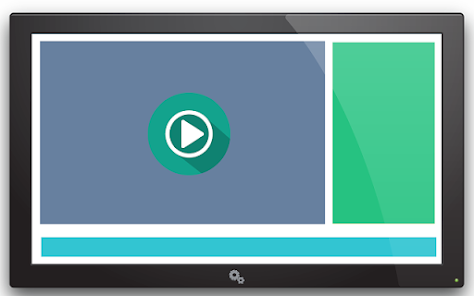
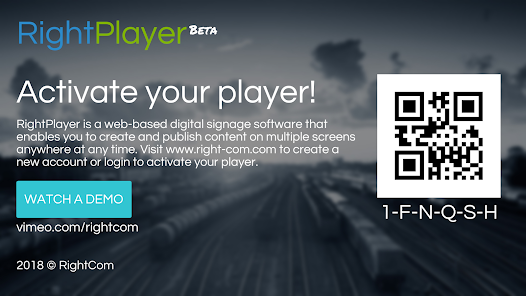
Create and publish content on multiple screens anywhere and at any time.
- Display the right content on the right screen
- Upload content. Assign screens. Publish.
Content Management: Import your content (images, videos, web pages, social feeds, etc.). Create folders to organize and categorize your content for easy access.
Screen Management: Control how your screens interact with RightPlayer. Group your screens and add tags to easily find them. Track screen activity and reboot remotely.
Schedule Management: Instantly publish screen content or schedule for later display by day, time and more.
Playlists: Create multiple playlists to display preferred content in a specific rotating order.
Apps & Templates: Select and customize an app or design your own template to create beautiful campaigns. Extend the power of RightPlayer with your favorite apps.
Hardware-Agnostic: RightPlayer works with your browser or any digital signage device that runs on Android, iOS, Chrome OS, Mac OS, Windows, Linux, or Fire OS.
Online & Offline: Mode Run campaigns with or without the internet. Set screens up for offline mode to store content locally and update it whenever possible.
Reports: Our comprehensive dashboard presents an overview of all signage activity, whether you have one screen or multiple screens in multiple locations.
User Management: Do you have team members? Invite them to work on digital signage for better collaboration and assign different roles based on your strategy. RightPlayer is flexible.
Workflows & Automation: Our smart digital signage system triggers the display of specific content on a selected screen based on pre-set rules.
Screen Health: Monitor screen health and status features such as connection, mode, version, and campaign activity. Track every setting from a single view.
Integration: Integrate RightPlayer with your business apps to increase the impact of your digital campaigns. Connect RightPlayer with your CRM, HR software, and more.
- Display the right content on the right screen
- Upload content. Assign screens. Publish.
Content Management: Import your content (images, videos, web pages, social feeds, etc.). Create folders to organize and categorize your content for easy access.
Screen Management: Control how your screens interact with RightPlayer. Group your screens and add tags to easily find them. Track screen activity and reboot remotely.
Schedule Management: Instantly publish screen content or schedule for later display by day, time and more.
Playlists: Create multiple playlists to display preferred content in a specific rotating order.
Apps & Templates: Select and customize an app or design your own template to create beautiful campaigns. Extend the power of RightPlayer with your favorite apps.
Hardware-Agnostic: RightPlayer works with your browser or any digital signage device that runs on Android, iOS, Chrome OS, Mac OS, Windows, Linux, or Fire OS.
Online & Offline: Mode Run campaigns with or without the internet. Set screens up for offline mode to store content locally and update it whenever possible.
Reports: Our comprehensive dashboard presents an overview of all signage activity, whether you have one screen or multiple screens in multiple locations.
User Management: Do you have team members? Invite them to work on digital signage for better collaboration and assign different roles based on your strategy. RightPlayer is flexible.
Workflows & Automation: Our smart digital signage system triggers the display of specific content on a selected screen based on pre-set rules.
Screen Health: Monitor screen health and status features such as connection, mode, version, and campaign activity. Track every setting from a single view.
Integration: Integrate RightPlayer with your business apps to increase the impact of your digital campaigns. Connect RightPlayer with your CRM, HR software, and more.
Oxirgi yangilanish
Xavfsizlik — dastur ishlab chiquvchilar maʼlumotlaringizni qanday jamlashi va ulashishini tushunishdan boshlanadi. Maʼlumotlar maxfiyligi va xavfsizlik amaliyotlari ilovadan foydalanish, hudud va yoshga qarab farq qilishi mumkin. Bu axborot dastur ishlab chiquvchi tomonidan taqdim etilgan va keyinchalik yangilanishi mumkin.


Nima yangiliklar
- Changed app launcher icons
- Reviewed unzip process and permission handler
- Performed code review and minor refactoring
- Reviewed unzip process and permission handler
- Performed code review and minor refactoring
Ilova yuzasidan yordam
Dasturchi haqida
RIGHTCOM LTD
devops@rightcom.com
C/O APEX FUND & CORPORATE SERVICES (MAURITIUS) LTD Lot 15 A3, 1st Floor, Cybercity
Ebene 72201
Mauritius
+229 01 62 48 08 91


