Easy Touch Screenshot
Reklamalar mavjud
1 ming+
Yuklanmalar

Hamma uchun
info
Bu ilova haqida
Easy touch Screenshot Capture apps are the most simple, smallest, and fastest screenshot-taking apps. You can easily take a screenshot within seconds.
The Screenshot App is a quickly capturing screenshot tool, which floats on the mobile screen all the time. It carries a lot of functions and tools in it. It is very useful for big-screen mobile on which it becomes very difficult to use with one hand. It gives the user good reach ability. If you have assistive touch you don’t need to do much effort to reach and use any tool. It will be one click away with an instant response.
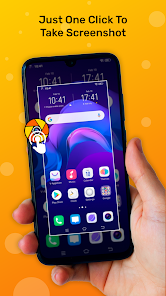
Using Easy Screenshot Captureapp with just one touch on the screen, you can quickly take a screenshot.
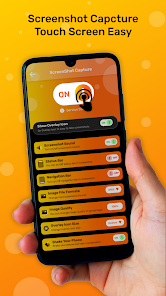
Easy Touch Screenshot Capture app is a screenshot capture tool, you can quickly take screenshots with just one touch on your screen. Now open the Easy Touch Screenshot app and give all permission on your device, then start the screenshot capture service, when you start the service, show the icon on your mobile screen, you can just click on the icon and then take a screenshot.
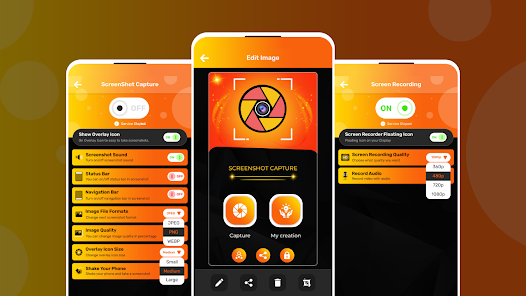
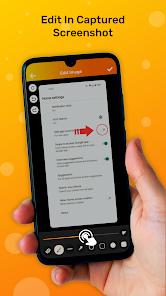
And you can edit an image, draw a line, draw anything on your screenshot image, add a sticker to your image, add text, and you can blur your image.
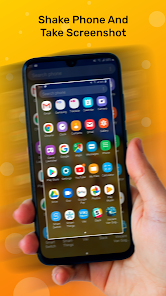
In settings, you can change the image file format, adjust overlay icon size and image quality, and on the status bar, it will appear on your mobile screen notification area. And the most important feature you can shake your mobile to take screenshots.
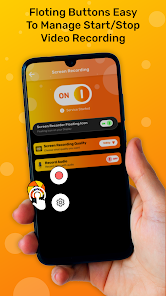
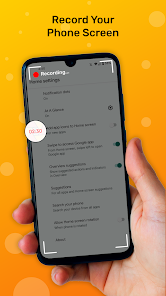
Easy touch Screen Recorder helps you record gaming videos without watermarks! This screen recorder app enables you to capture your victory moment, create funny videos, or record a lecture while you're studying online. Small, simple, and easy to use. Screen recorder app can easily record your screen video. You can record video without background audio and you can record video with audio.
Feature of Easy Touch Screenshot:-
► Easy and user-friendly interface.
► One touch Floating button.
► Image file format JPG, PNG.
► Turn on/off the sound after capturing the screenshot.
► Shake hands and take a screenshot
► Notification screenshot view
► Display floating view.
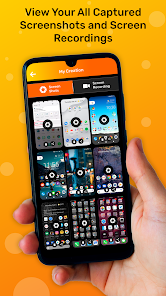
► Save the screenshot to the device.
► Share screenshots with your friends.
► Multiple Delete Screenshots functionality
► Image cropper, Blur, Filters, Rotate, Adjust, Vignette, Border
► Add text to the photo.
► Add an emoji sticker.
► Drawing on the captured image.
► Website Screenshot.
► Screen Recording with audio.
► Change the screen recording video quality.
Thanking you for downloading the Easy Touch screenshot, easy touch app. Please give a rating and comment if you like this application. And for more information, you can contact us.
Thank You!!
The Screenshot App is a quickly capturing screenshot tool, which floats on the mobile screen all the time. It carries a lot of functions and tools in it. It is very useful for big-screen mobile on which it becomes very difficult to use with one hand. It gives the user good reach ability. If you have assistive touch you don’t need to do much effort to reach and use any tool. It will be one click away with an instant response.
Using Easy Screenshot Captureapp with just one touch on the screen, you can quickly take a screenshot.
Easy Touch Screenshot Capture app is a screenshot capture tool, you can quickly take screenshots with just one touch on your screen. Now open the Easy Touch Screenshot app and give all permission on your device, then start the screenshot capture service, when you start the service, show the icon on your mobile screen, you can just click on the icon and then take a screenshot.
And you can edit an image, draw a line, draw anything on your screenshot image, add a sticker to your image, add text, and you can blur your image.
In settings, you can change the image file format, adjust overlay icon size and image quality, and on the status bar, it will appear on your mobile screen notification area. And the most important feature you can shake your mobile to take screenshots.
Easy touch Screen Recorder helps you record gaming videos without watermarks! This screen recorder app enables you to capture your victory moment, create funny videos, or record a lecture while you're studying online. Small, simple, and easy to use. Screen recorder app can easily record your screen video. You can record video without background audio and you can record video with audio.
Feature of Easy Touch Screenshot:-
► Easy and user-friendly interface.
► One touch Floating button.
► Image file format JPG, PNG.
► Turn on/off the sound after capturing the screenshot.
► Shake hands and take a screenshot
► Notification screenshot view
► Display floating view.
► Save the screenshot to the device.
► Share screenshots with your friends.
► Multiple Delete Screenshots functionality
► Image cropper, Blur, Filters, Rotate, Adjust, Vignette, Border
► Add text to the photo.
► Add an emoji sticker.
► Drawing on the captured image.
► Website Screenshot.
► Screen Recording with audio.
► Change the screen recording video quality.
Thanking you for downloading the Easy Touch screenshot, easy touch app. Please give a rating and comment if you like this application. And for more information, you can contact us.
Thank You!!
Oxirgi yangilanish
Xavfsizlik — dastur ishlab chiquvchilar maʼlumotlaringizni qanday jamlashi va ulashishini tushunishdan boshlanadi. Maʼlumotlar maxfiyligi va xavfsizlik amaliyotlari ilovadan foydalanish, hudud va yoshga qarab farq qilishi mumkin. Bu axborot dastur ishlab chiquvchi tomonidan taqdim etilgan va keyinchalik yangilanishi mumkin.

Tashqi hamkorlarga hech qanday axborot ulashilmagan
Dastur ishlab chiquvchilar axborot ulashilishini qanday aytishi haqida batafsil

Ushbu ilova quyidagi axborot turlarini toʻplashi mumkin
Suratlar va videolar va Qurilma yoki boshqa identifikatorlar

Maʼlumotlar uzatish vaqtida shifrlanadi

Maʼlumotlar oʻchmaydi
Ilova yuzasidan yordam
Dasturchi haqida
MEHUL S PATEL
testerixtech@gmail.com
60 SHANTI NAGAR SOC VED ROAD
NR. ASHOK VATIKA
SURAT, Gujarat 395004
India


