CreArt - AI Art Generator
Contains adsIn-app purchases
4.5star
12.7K reviews
100K+
Downloads

Teen
info
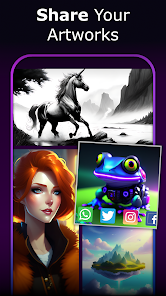
About this app
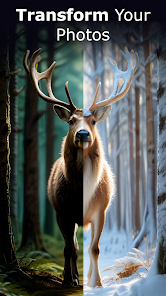
Delve into the realm of creativity with CreArt, the ultimate AI-Art Generator that transforms your text into stunning images. Discover a world where imagination comes to life.
✨Discover CreArt
► What is CreArt?
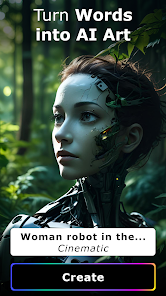
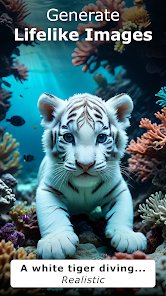
CreArt is an innovative AI-Art Generator, a groundbreaking app that can transform your written text into vibrant, unique images, in a few seconds. Our AI Image Generator has been expertly designed to ignite your creativity and bring your ideas to life. An AI model trained with many images, similar to popular tools like Midjourney, Stable Diffusion, Dall-e 2 and Jasper Art. It's like having a personal artist at your fingertips, ready to generate your visual fantasies on demand.
► How does it work?
Simply input some text that represents what you want to create and choose a style, and our advanced AI Drawing Generator and AI Photo Generator will interpret it to generate a unique piece of AI Art. You don't need to be a professional, only your words are the canvas.
► What styles can I choose from?
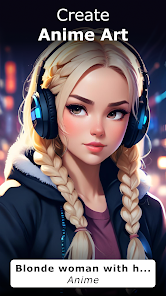
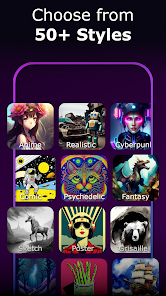
CreArt AI-Art Generator gives you the power to choose from over 50 different artistic styles, from Anime, Realistic, and Pencil, to Watercolor, Psychedelic, Clay, Wool, and styles inspired by famous painters, among many other incredible styles. With so many styles to choose from, your creations will never be monotonous. Do you want to create a fleece dinosaur in a forest of giant mushrooms? An Anime character having a coffee in a bar? An alien landscape in the style of your favorite painter? The choice is yours.
► Why should I choose CreArt?
CreArt is a powerful AI Image Generator that turns your ideas into Artworks, without requiring any design skills. Generate AI Art will be easier since we strive to make the interface simple and intuitive.
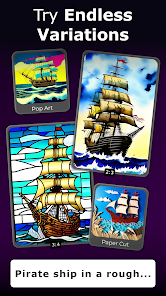
A versatile tool for creating AI-Generated Art with the possibility to choose between different aspect ratios, you can use your results for anything; As mobile or computer Wallpaper, posts on social networks, frame the picture and more. Design unique AI Generated Photos or AI Drawings and explore the unlimited potential of CreArt.
Unlike other Art Generator apps, our AI Image Generator is multilingual and supports more than 15 languages, including English.
► A new perspective on creativity
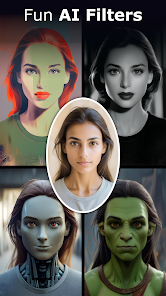
Our AI Photo and AI Image Generating capabilities will help you unleash your creativity for your projects. Mix and match styles inspired by different artists to create your own unique style. Craft styles: stuffed animals, figures, cross stitch, etc. Create illustrations for books. Create Anime or cartoon characters to your liking. Create spectacular AI Paintings. With CreArt, the possibilities for creativity are endless.
🎨Create Your Masterpiece
CreArt is not just another Art Generator Ai. This is an Artwork Maker where you, the creator, are in control. Use the power of your imagination to create amazing and unique AI Images that will belong only to you.
Your text + Your style = Your Artwork. Try CreArt: AI-Art Generator today and let the AI Image, AI Photo, and AI Art revolution begin. Discover CreArt now and start your artistic journey.
Terms of Use: https://waitos.github.io/creart/terms
Privacy Policy: https://waitos.github.io/creart/privacy
✨Discover CreArt
► What is CreArt?
CreArt is an innovative AI-Art Generator, a groundbreaking app that can transform your written text into vibrant, unique images, in a few seconds. Our AI Image Generator has been expertly designed to ignite your creativity and bring your ideas to life. An AI model trained with many images, similar to popular tools like Midjourney, Stable Diffusion, Dall-e 2 and Jasper Art. It's like having a personal artist at your fingertips, ready to generate your visual fantasies on demand.
► How does it work?
Simply input some text that represents what you want to create and choose a style, and our advanced AI Drawing Generator and AI Photo Generator will interpret it to generate a unique piece of AI Art. You don't need to be a professional, only your words are the canvas.
► What styles can I choose from?
CreArt AI-Art Generator gives you the power to choose from over 50 different artistic styles, from Anime, Realistic, and Pencil, to Watercolor, Psychedelic, Clay, Wool, and styles inspired by famous painters, among many other incredible styles. With so many styles to choose from, your creations will never be monotonous. Do you want to create a fleece dinosaur in a forest of giant mushrooms? An Anime character having a coffee in a bar? An alien landscape in the style of your favorite painter? The choice is yours.
► Why should I choose CreArt?
CreArt is a powerful AI Image Generator that turns your ideas into Artworks, without requiring any design skills. Generate AI Art will be easier since we strive to make the interface simple and intuitive.
A versatile tool for creating AI-Generated Art with the possibility to choose between different aspect ratios, you can use your results for anything; As mobile or computer Wallpaper, posts on social networks, frame the picture and more. Design unique AI Generated Photos or AI Drawings and explore the unlimited potential of CreArt.
Unlike other Art Generator apps, our AI Image Generator is multilingual and supports more than 15 languages, including English.
► A new perspective on creativity
Our AI Photo and AI Image Generating capabilities will help you unleash your creativity for your projects. Mix and match styles inspired by different artists to create your own unique style. Craft styles: stuffed animals, figures, cross stitch, etc. Create illustrations for books. Create Anime or cartoon characters to your liking. Create spectacular AI Paintings. With CreArt, the possibilities for creativity are endless.
🎨Create Your Masterpiece
CreArt is not just another Art Generator Ai. This is an Artwork Maker where you, the creator, are in control. Use the power of your imagination to create amazing and unique AI Images that will belong only to you.
Your text + Your style = Your Artwork. Try CreArt: AI-Art Generator today and let the AI Image, AI Photo, and AI Art revolution begin. Discover CreArt now and start your artistic journey.
Terms of Use: https://waitos.github.io/creart/terms
Privacy Policy: https://waitos.github.io/creart/privacy
Updated on
Safety starts with understanding how developers collect and share your data. Data privacy and security practices may vary based on your use, region, and age. The developer provided this information and may update it over time.


Ratings and reviews
4.5
11.7K reviews

Joseph Lesinski
- Flag inappropriate
- Show review history
March 27, 2024
I am really enjoying this app, it's very addicting. My only gripe is this one ad occasionally pops up for Qwikset and you can't close it! No "x" ever appears - I even left it on for 10 minutes! All you can do is close the app and start again. I don't mind the ads that you can close after 30 seconds, but you really need to do something about this particular ad. (It hasn't been coming up as much so I changed my review back to positive).
37 people found this review helpful
Waitos AI
April 10, 2024
We're glad to hear you're enjoying the app! Regarding the issue with the Qwikset ad, could you please send us an email at waitosapps@gmail.com with a screenshot of the ad? This will help us identify and report it. Your help is invaluable in improving the app experience for everyone. Thank you for your positive review.

Dustin Bevans
- Flag inappropriate
- Show review history
April 3, 2024
Neat. Ad balance is fair, amount of free vs paid stuff is very well done, UI is clean and easy to understand, doesn't take too long to generate and the AI itself can grasp most concepts. Beyond a few minor annoying bugs, and the fact that AI is an imperfect and emerging technology, I think there's really not a whole lot to improve on. Edit: I feel as if there's room for improvement with the ads now.
30 people found this review helpful
Waitos AI
March 17, 2024
Thank you very much for your support! Your feedback on the UI and AI performance is much appreciated. We're constantly working on fixing bugs and improving the technology. Thanks for recognizing our efforts and for your thoughtful insight!

John “survivor johnny” Tewelow
- Flag inappropriate
- Show review history
April 1, 2024
I'm less impressed after playing with it for a while. They seem to have changed it some. It ignores prompts and may give very deformed and misshapen images. The thing that bugs me the most is that it ignores prompts so much -Originally I gave 5 stars and this review - I'm impressed, it's pretty cool. higher quality picture output than the other apps I've played with
12 people found this review helpful
Waitos AI
February 24, 2024
Thank you very much for your support! :)
What's new
- Various bug fixes and improvements


