
Kineli
In-app purchases

Everyone
info
1+
Downloads




About this app
Get to know the people who matter most.
Kineli helps young children get to know their family and other close
caregivers through photos, voice recordings and exploration.
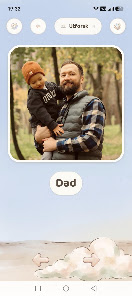
Add the most important people in your child’s life with just a few
photos and a recorded name. Children can explore at their own pace, tap
on familiar faces and hear familiar names again and again.
Kineli is designed for meaningful moments together. Whether your child
is sitting on your lap, exploring with grandparents or tapping
independently with little fingers, the people who matter most are always
just one tap away.
Instead of scrolling through a phone gallery filled with holiday photos,
receipts and random screenshots, your child gets a simple,
child-friendly gallery containing only the people who matter most.
Why parents choose Kineli
• Large photos and simple touch targets • Familiar faces and familiar
voices • No ads • No user accounts • Works offline • Photos and
recordings stay on your device
Children explore. The rest comes naturally.
Kineli helps young children get to know their family and other close
caregivers through photos, voice recordings and exploration.
Add the most important people in your child’s life with just a few
photos and a recorded name. Children can explore at their own pace, tap
on familiar faces and hear familiar names again and again.
Kineli is designed for meaningful moments together. Whether your child
is sitting on your lap, exploring with grandparents or tapping
independently with little fingers, the people who matter most are always
just one tap away.
Instead of scrolling through a phone gallery filled with holiday photos,
receipts and random screenshots, your child gets a simple,
child-friendly gallery containing only the people who matter most.
Why parents choose Kineli
• Large photos and simple touch targets • Familiar faces and familiar
voices • No ads • No user accounts • Works offline • Photos and
recordings stay on your device
Children explore. The rest comes naturally.
Get to know the people who matter most.
Updated on
Featured stories

Safety starts with understanding how developers collect and share your data. Data privacy and security practices may vary based on your use, region, and age. The developer provided this information and may update it over time.
- No data shared with third partiesLearn more about how developers declare sharing
- No data collectedLearn more about how developers declare collection
- Committed to follow the Play Families Policy


What’s new
Getting started is easier:
• Add family straight from Explore and “Where is?” – not only from Settings.
• Adding a person is quicker: photo, then name, and “Save” is always visible.
• The people list shows how many you have added and takes you straight to Explore.
• Add family straight from Explore and “Where is?” – not only from Settings.
• Adding a person is quicker: photo, then name, and “Save” is always visible.
• The people list shows how many you have added and takes you straight to Explore.
App support
About the developer
Åsebø Digital
kontakt@asebodigital.no
Skildheimsvegen 12
6875 HØYHEIMSVIK
Norway
+47 41 87 18 38