
TouchFree - Screen Touch Lock
Contains ads


Everyone
info
500+
Downloads

Everyone
Learn more


About this app
When handing your phone to a child to watch videos, TouchFree prevents accidental touches from closing apps or changing settings.
🔒 Full Touch Lock
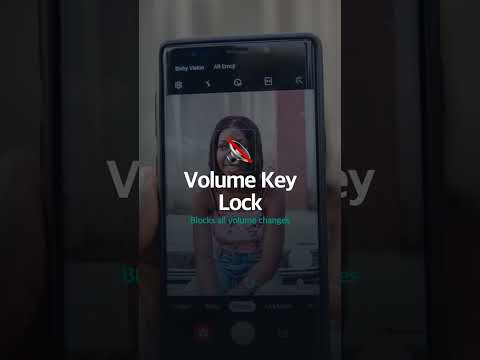
One tap locks your entire screen. Blocks volume buttons, home, back, and edge swipe gestures — everything.
✨ SuperTouch — Keep One Spot Tappable
Lock the whole screen but leave one spot active. Your child can tap play or pause while everything else stays locked, and the video keeps playing.
🛡️ Secure Protection
Unlock with PIN + fingerprint so only you can disable the lock. Kids can't turn it off.
🖼️ Your Photo, Your Lock Button
Use a photo of your baby, pet, or anything you love as the floating button. Rotate through multiple photos automatically.
⚡ Quick Settings Tile
Toggle lock ON/OFF instantly from your notification bar.
🎨 Fully Customizable
Adjust overlay size, color, and opacity to your preference.
🌙 Smart Behavior
Auto re-locks when the screen turns back on, so you don't have to set it up again.
🚫 No Ads While Locked
Absolutely no ads while the screen is locked.
🌍 33 Languages Supported
Available worldwide in 33 languages.
TouchFree is free and built for parents who want to hand their phone to kids worry-free.
ℹ️ Accessibility Service
This app uses Android's Accessibility Service to block volume keys, notification panel, and edge gestures while the touch lock is active. When SuperTouch is enabled, it also passes a single tap through to the one spot you choose. This service is used solely for the app's core lock functionality. No personal data is collected, stored, or transmitted.
🔒 Full Touch Lock
One tap locks your entire screen. Blocks volume buttons, home, back, and edge swipe gestures — everything.
✨ SuperTouch — Keep One Spot Tappable
Lock the whole screen but leave one spot active. Your child can tap play or pause while everything else stays locked, and the video keeps playing.
🛡️ Secure Protection
Unlock with PIN + fingerprint so only you can disable the lock. Kids can't turn it off.
🖼️ Your Photo, Your Lock Button
Use a photo of your baby, pet, or anything you love as the floating button. Rotate through multiple photos automatically.
⚡ Quick Settings Tile
Toggle lock ON/OFF instantly from your notification bar.
🎨 Fully Customizable
Adjust overlay size, color, and opacity to your preference.
🌙 Smart Behavior
Auto re-locks when the screen turns back on, so you don't have to set it up again.
🚫 No Ads While Locked
Absolutely no ads while the screen is locked.
🌍 33 Languages Supported
Available worldwide in 33 languages.
TouchFree is free and built for parents who want to hand their phone to kids worry-free.
ℹ️ Accessibility Service
This app uses Android's Accessibility Service to block volume keys, notification panel, and edge gestures while the touch lock is active. When SuperTouch is enabled, it also passes a single tap through to the one spot you choose. This service is used solely for the app's core lock functionality. No personal data is collected, stored, or transmitted.
One-tap screen lock for kids. Keep one spot tappable. No ads while locked.
Updated on
Safety starts with understanding how developers collect and share your data. Data privacy and security practices may vary based on your use, region, and age. The developer provided this information and may update it over time.


What’s new
• Blocked accidental 2-finger edge gestures (Home, Back, Recents) while locked.
• More reliable SuperTouch: multi-point taps and taps overlapping the floating button now land correctly.
• More compact SuperTouch setup screen, better suited to gesture-navigation phones.
• Reliability and stability improvements.
• More reliable SuperTouch: multi-point taps and taps overlapping the floating button now land correctly.
• More compact SuperTouch setup screen, better suited to gesture-navigation phones.
• Reliability and stability improvements.
Everyone
Learn moreApp support
About the developer
nlap
nlap.app@gmail.com
대한민국 14999 경기도 시흥시
장현천로 170, 804동 1603호(군자동, 장현 동원로얄듀크 메트로포레)
+82 10-9495-6733