
APPtoSD PRO

star
950 reviews

Everyone
info
10K+
Downloads

Everyone
Learn more


About this app
💡Automatic file moving feature is active in the Pro Version.💡
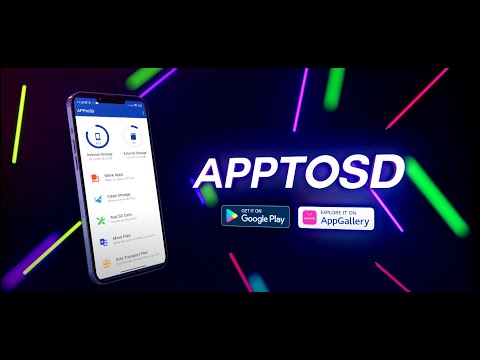
Automatic migration and ad-free use will be active in the Pro version. You can move more efficiently. APPtoSD can move apps, files to the sd card in the device, and also test the sd card performance and stability. Finally, you can clean both phone and sd card junk files. With the automatic file transfer feature, your work will be really easy.
💡Move App💡
Move App from internal storage to external storage to manage internal storage of Android device. Some apps not working properly with external storage installation APPtoSD also provides the ability to move apps to internal storage with easy portability and helps users to manage device storage according to users and application requirements.
APPtoSD, if newly installed application can be moved to external storage, user can move newly installed application to external storage and manage device internal storage to install other applications.
🗄️Attractive Design of App🗄️
APPtoSD design that highlights the feature of the app and helps the user to use it easily.
🗄️Categories Apps🗄️
APPtoSD categorizes which helps users find apps that can move or not easily, apps in Sd card storage, App only allow internal storage.
🗄️Sorting Apps🗄️
APPtoSD provides sorting function to help users sort and manage apps.
🗄️App Selection🗄️
Single, All and Only selected all the options available for APPtoSD ported apps.
📂File Moving📂
You can move your Android devices pictures, videos, documents, audios and all other files to your sd card. You can free up memory space on your phone. With detailed scanning, you access more files than other applications.
🧪SD Card Test🧪
You can test the robustness and adequacy of your memory card with a performance test. You can learn reading and writing proficiency. You can reach the results with live literacy graphs.
🧹Junk File Cleanup🧹
You can clean junk files on your memory card. It identifies and lists your memory card and unnecessary files in your phone. So you can get rid of these files.
🗜️Automatic File Moving🗜️
You can make your work easier with automatic file moving and you can move files to your memory card. With the auto move function, your files are automatically moved so you can free up memory space.
🛰️Support System🛰️
We are always with you with 24/7 Support.
You can Create a Support Request and find Answers to Frequently Asked Questions.
info@detective studio.com
www.apptosd.com
Automatic migration and ad-free use will be active in the Pro version. You can move more efficiently. APPtoSD can move apps, files to the sd card in the device, and also test the sd card performance and stability. Finally, you can clean both phone and sd card junk files. With the automatic file transfer feature, your work will be really easy.
💡Move App💡
Move App from internal storage to external storage to manage internal storage of Android device. Some apps not working properly with external storage installation APPtoSD also provides the ability to move apps to internal storage with easy portability and helps users to manage device storage according to users and application requirements.
APPtoSD, if newly installed application can be moved to external storage, user can move newly installed application to external storage and manage device internal storage to install other applications.
🗄️Attractive Design of App🗄️
APPtoSD design that highlights the feature of the app and helps the user to use it easily.
🗄️Categories Apps🗄️
APPtoSD categorizes which helps users find apps that can move or not easily, apps in Sd card storage, App only allow internal storage.
🗄️Sorting Apps🗄️
APPtoSD provides sorting function to help users sort and manage apps.
🗄️App Selection🗄️
Single, All and Only selected all the options available for APPtoSD ported apps.
📂File Moving📂
You can move your Android devices pictures, videos, documents, audios and all other files to your sd card. You can free up memory space on your phone. With detailed scanning, you access more files than other applications.
🧪SD Card Test🧪
You can test the robustness and adequacy of your memory card with a performance test. You can learn reading and writing proficiency. You can reach the results with live literacy graphs.
🧹Junk File Cleanup🧹
You can clean junk files on your memory card. It identifies and lists your memory card and unnecessary files in your phone. So you can get rid of these files.
🗜️Automatic File Moving🗜️
You can make your work easier with automatic file moving and you can move files to your memory card. With the auto move function, your files are automatically moved so you can free up memory space.
🛰️Support System🛰️
We are always with you with 24/7 Support.
You can Create a Support Request and find Answers to Frequently Asked Questions.
info@detective studio.com
www.apptosd.com
Moves apps - files to sd card and tests sd card. Junk file cleaning - Auto Moves
Updated on
Safety starts with understanding how developers collect and share your data. Data privacy and security practices may vary based on your use, region, and age. The developer provided this information and may update it over time.
- No data shared with third partiesLearn more about how developers declare sharing
- This app may collect these data typesApp activity, App info and performance, and Device or other IDs
- Data is encrypted in transit
- You can request that data be deleted


Ratings and reviews
864 reviews

Ian Ellis
- Flag inappropriate
- Show review history
September 6, 2026
Does not work! It would be nice if the app language could be changed to English, but even using Google to translate the language, APtoSD pro would only display apps that could be moved but stubbornly refused to move them to the SD card
Detective Studio
September 12, 2026
Hello. The temporary issue has been completely resolved. We sincerely apologize.

Adrian Mckee
- Flag inappropriate
- Show review history
September 7, 2026
changed language, I don't understand what it means. how to change it back to English
Detective Studio
September 12, 2026
Hello. The temporary issue has been completely resolved. We sincerely apologize.

Favorite 1
- Flag inappropriate
- Show review history
September 29, 2020
Doesn't work on my Samsung A01. Just takes me to app info in my own settings. **UPDATE** To Dev team, if you want to eliminate low ratings from people that have devices that your product doesn't work with, I suggest you at least include a link somewhere that can take customers somewhere where there is a list of devices that do work with your app. Should I give a higher rating on a product that doesn't work with my device? No.
16 people found this review helpful
Detective Studio
October 26, 2020
Hello, we researched your phone, it was found that the developer company prevented this from happening. Neither application can moving. You need to root the phone. The instructions are available on the help page. Follow the instructions will be resolved: www.bit.ly/DSHelp Please update your score. (Paid Refunded)
Everyone
Learn moreApp support
About the developer
Yahya Çınar
info@detectivestudio.com
BOZKURT MERKEZ MAHALLESİ ÇAKMAK SK.
NO: 5 DAİRE: A
37680 Türkiye/Kastamonu
Türkiye


