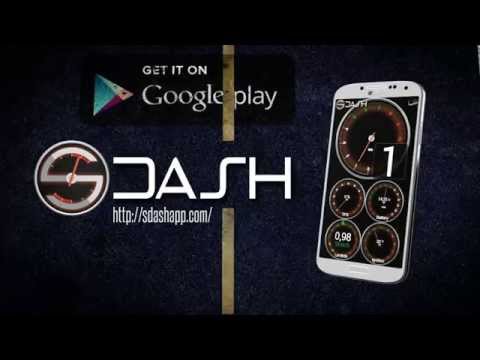

SDash: Hondata s300 Dashboard

star
65 reviews

Everyone
info
1K+
Downloads

Everyone
Learn more


About this app
Turn your Android device into the ultimate high-performance digital dashboard for your Honda / Acura / Swap!
SDash is a professional-grade, fully customizable digital dash logger designed to display, record, and export live data directly from your Hondata® s300 (OBD1) plug-in module.
No more balancing a bulky laptop on the passenger seat during tuning sessions or track days. With SDash, you get real-time engine monitoring and high-speed datalogging with a sleek, modern cockpit feel.
🚀 Key Features
Advanced Datalogging: Record your runs and export data for professional analysis and fine-tuning.
Limitless Customization: Build your perfect dash using 60+ available analog gauges, digital displays, and widgets.
Smart Alerts: Set custom visual thresholds (min/max) for any sensor and receive instant warnings to protect your engine.
Diagnostics on the Go: Read and identify ECU error codes (DTC/Check Engine Light) instantly without external scanners.
📊 Comprehensive Sensor Support
Monitor every parameter your s300 processes, neatly categorized for quick reference:
Performance: Engine Speed (RPM), Vehicle Speed (VSS), Gear, Ignition Advance.
Fuel & Air Management: Air/Fuel Ratio (Lambda/AFR - Gasoline, E85, or E100), Fuel Trims (STFT/LTFT), Manifold Pressure (MAP), Injector Duration & Duty Cycle.
Engine Health: Coolant Temp (ECT), Intake Air Temp (IAT), Knock Level, Battery Voltage.
Auxiliaries & Status: VTEC Status, Launch Control (Retard/Cut), IAB (Secondary Runners), Fuel Pump, AC Switch, and Check Engine Light (CEL).
🛠️ Hardware Requirements
To function, this application requires the following:
ECU with Hondata® s300 installed.
USB-OTG Compatible Android device.
USB Cable to connect your device directly to the s300 module.
📧 Support & Feedback
If you encounter any issues or have feature requests, please contact: support@sdashapp.com
Hondata® is a registered trademark of Hondata, Inc.
SDash is a professional-grade, fully customizable digital dash logger designed to display, record, and export live data directly from your Hondata® s300 (OBD1) plug-in module.
No more balancing a bulky laptop on the passenger seat during tuning sessions or track days. With SDash, you get real-time engine monitoring and high-speed datalogging with a sleek, modern cockpit feel.
🚀 Key Features
Advanced Datalogging: Record your runs and export data for professional analysis and fine-tuning.
Limitless Customization: Build your perfect dash using 60+ available analog gauges, digital displays, and widgets.
Smart Alerts: Set custom visual thresholds (min/max) for any sensor and receive instant warnings to protect your engine.
Diagnostics on the Go: Read and identify ECU error codes (DTC/Check Engine Light) instantly without external scanners.
📊 Comprehensive Sensor Support
Monitor every parameter your s300 processes, neatly categorized for quick reference:
Performance: Engine Speed (RPM), Vehicle Speed (VSS), Gear, Ignition Advance.
Fuel & Air Management: Air/Fuel Ratio (Lambda/AFR - Gasoline, E85, or E100), Fuel Trims (STFT/LTFT), Manifold Pressure (MAP), Injector Duration & Duty Cycle.
Engine Health: Coolant Temp (ECT), Intake Air Temp (IAT), Knock Level, Battery Voltage.
Auxiliaries & Status: VTEC Status, Launch Control (Retard/Cut), IAB (Secondary Runners), Fuel Pump, AC Switch, and Check Engine Light (CEL).
🛠️ Hardware Requirements
To function, this application requires the following:
ECU with Hondata® s300 installed.
USB-OTG Compatible Android device.
USB Cable to connect your device directly to the s300 module.
📧 Support & Feedback
If you encounter any issues or have feature requests, please contact: support@sdashapp.com
Hondata® is a registered trademark of Hondata, Inc.
Custom digital dash & datalogger for Hondata s300. 60+ widgets available!
Updated on
Safety starts with understanding how developers collect and share your data. Data privacy and security practices may vary based on your use, region, and age. The developer provided this information and may update it over time.
- No data shared with third partiesLearn more about how developers declare sharing
- This app may collect these data typesApp activity, App info and performance, and Device or other IDs
- Data is encrypted in transit
- Data can’t be deleted


Ratings and reviews
54 reviews

T.N .J
- Flag inappropriate
May 25, 2020
Not sure why everyones complaining. Works for me as of May 2020. Maybe everyone thinks this is a blue tooth app but it's not, you need an on the go adapter to plug into the hondata cable for this app to work. Most newer Samsung phones come with an on the go adapter for data transfer.
15 people found this review helpful
SDash Development
March 10, 2026
Hello! Thank you for the 5-star review and for helping the community understand the USB-OTG requirement! You're absolutely right. We’ve just released a major 2026 update with even better USB stability and a new 'Virtual Cockpit' UI. We hope you enjoy the new features on your Galaxy! Happy tuning!

Chris Cardona
- Flag inappropriate
February 10, 2023
Please,do your self a favor a do not download this app. This is not a bluetooth app. Yiu need to.conectbthe cable from the S300 to the android radio to make it work. Now, it works but, the layout is horrible the yiure very limited to the gauges. On the Analog guages are only on Celsius and not on Fahrenheits. The Speed only on Kilometers and not on Miles per hours. The costume gauge is terrible too. You will be fiting for hrs to make it look ok, not right,just ok. No money back eather.
1 person found this review helpful
SDash Development
March 9, 2026
Hello Chris! Sorry for the frustration. This app focuses on USB-OTG stability. For the UI, try the new 'Virtual Cockpit' in settings! It’s much easier to customize widgets and switch units to Fahrenheit and MPH. We've improved everything for a better experience. Please update and try! Any issues, contact support@sdashapp.com

Red Dragon
- Flag inappropriate
May 5, 2021
Amazing Application! I have reached out to the developer to see if they might do a quick application update. Some of my newer devices lag, plus an update would be fabulous after all this time! I've posted a YouTube video about this app because it's dope! This app works excellent and very responsive on my Lenovo Ideapad 320 running Prime OS (Android)! I bought a Lenovo FHD M10 Plus tablet for my car, but it lags running SDash. The tablet has fast hardware, so hope for an app update!
5 people found this review helpful
SDash Development
March 10, 2026
Hello! Thank you for the 5 stars and for sharing SDash on YouTube! We have great news: our major 2026 update is here! We’ve rebuilt the USB libraries and optimized performance specifically for newer tablets like your Lenovo M10 Plus to eliminate lag. Please update and check out the difference! Happy tuning and enjoy the ride!
What’s new
Bug fixes and performance improvements.
Everyone
Learn moreApp support
About the developer
CARLOS RAFAEL VOLPATO ALVES
rafael@sdashapp.com
Av. Carlos Gomes, 700 - sala 606, 5º andar
Boa Vista
PORTO ALEGRE - RS
90480-000
Brazil