
Assistant – testing and exams
Contains adsIn-app purchases
4.4star
18.2K reviews
1M+
Downloads

Everyone
info
About this app
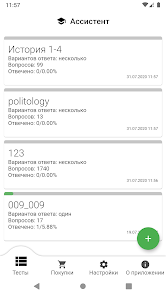
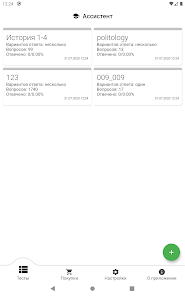
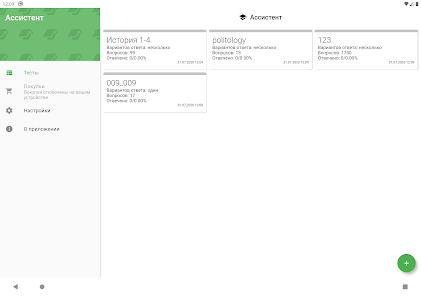
Assistant - great way to create your own test, prepare for exams, test your knowledge and improve your memory.
Well suited for employee testing, advanced training, for assessing candidates before hiring, for school and student tests.
The program is a mobile replacement for the outdated desktop application 🖥️ Assist, designed for training tests in qst and qsz formats, which are actively used in training in higher educational institutions of the CIS
You can also write your own tests with one or parts of the answers.
The created tests, as well as the opposite, can be sent as a qst or qsz file through any messenger, social or mail application.
💪 Key Features
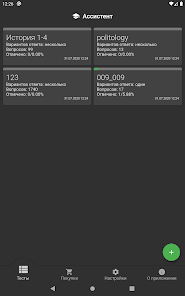
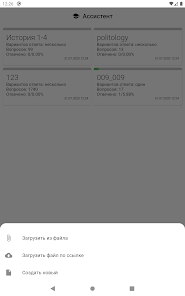
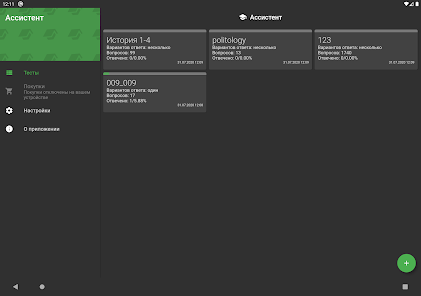
- Reading both qst and qsz formats
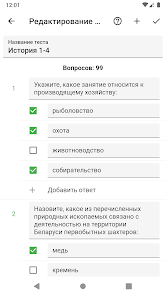
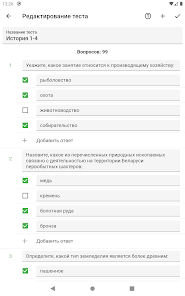
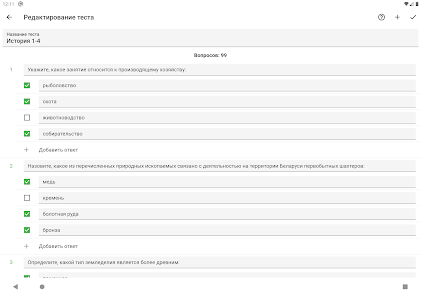
- Compilation of new and editing tests
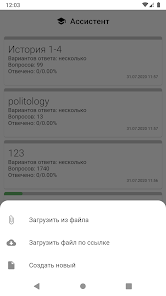
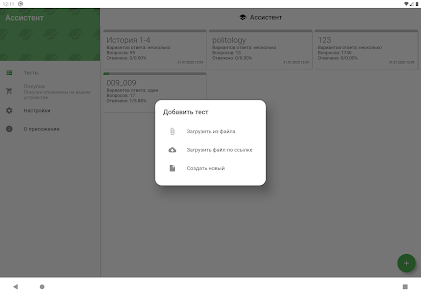
- Adding files by link from the Internet
- Ability to share the test in other applications
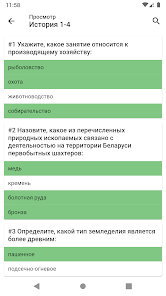
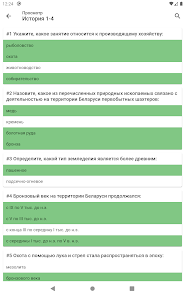
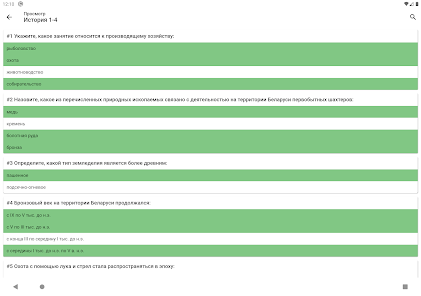
- View test content with all answer options
- View test content only with correct answers
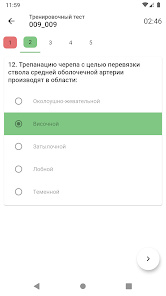
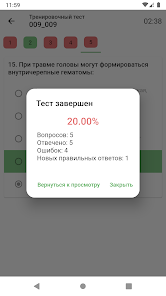
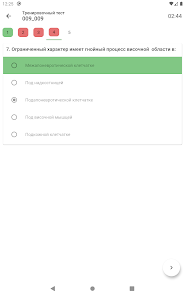
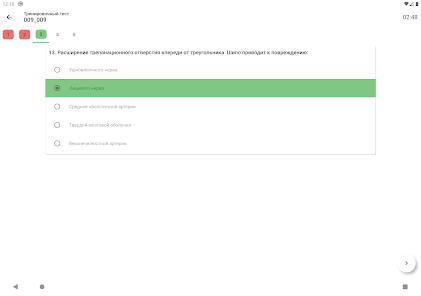
- Practice test or exam
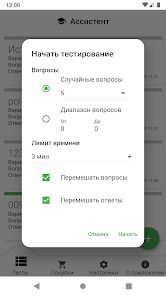
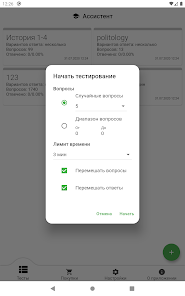
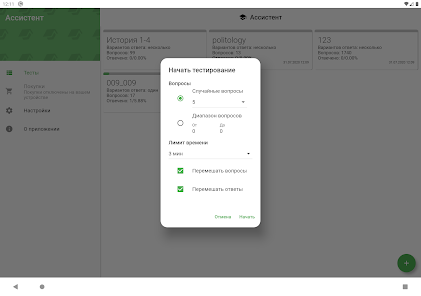
- Ability to solve all questions or a few random ones
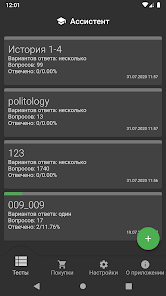
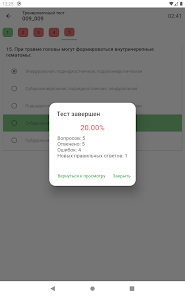
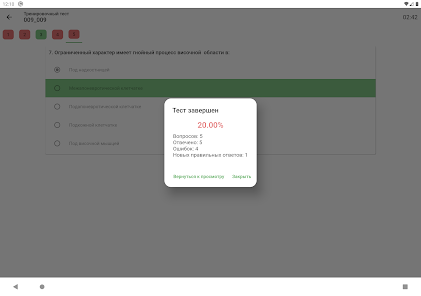
- View the number of correctly answered questions from the total
- Time limit for solving the test
📝 Writing tests
- The question can have one (radio) or several (checkbox) correct answers
- There may be questions in which you need to set the correct sequence of answers
- There may be questions that need the correct answer in the text box. Answers can be both text and numerical
- The test can have an unlimited number of questions, and a question has an unlimited number of answers
- Questions and answers can be moved
- You can add a hint to the question, which will be visible after answering the question
- You can attach one or more images to the question
- One image can be attached to the answer
💻 In the future release of a version for computers with operating systems Windows, MacOS and Linux.
The application is under active development.
If you find problems and wishes, write in reviews and email. 😉
If you have problems opening files, please ✍️ send them to support@assyst.app for analysis and error correction. 🙏
Well suited for employee testing, advanced training, for assessing candidates before hiring, for school and student tests.
The program is a mobile replacement for the outdated desktop application 🖥️ Assist, designed for training tests in qst and qsz formats, which are actively used in training in higher educational institutions of the CIS
You can also write your own tests with one or parts of the answers.
The created tests, as well as the opposite, can be sent as a qst or qsz file through any messenger, social or mail application.
💪 Key Features
- Reading both qst and qsz formats
- Compilation of new and editing tests
- Adding files by link from the Internet
- Ability to share the test in other applications
- View test content with all answer options
- View test content only with correct answers
- Practice test or exam
- Ability to solve all questions or a few random ones
- View the number of correctly answered questions from the total
- Time limit for solving the test
📝 Writing tests
- The question can have one (radio) or several (checkbox) correct answers
- There may be questions in which you need to set the correct sequence of answers
- There may be questions that need the correct answer in the text box. Answers can be both text and numerical
- The test can have an unlimited number of questions, and a question has an unlimited number of answers
- Questions and answers can be moved
- You can add a hint to the question, which will be visible after answering the question
- You can attach one or more images to the question
- One image can be attached to the answer
💻 In the future release of a version for computers with operating systems Windows, MacOS and Linux.
The application is under active development.
If you find problems and wishes, write in reviews and email. 😉
If you have problems opening files, please ✍️ send them to support@assyst.app for analysis and error correction. 🙏
Updated on
Safety starts with understanding how developers collect and share your data. Data privacy and security practices may vary based on your use, region, and age. The developer provided this information and may update it over time.

This app may share these data types with third parties
App activity, App info and performance, and Device or other IDs

No data collected
Learn more about how developers declare collection

Data is encrypted in transit

You can request that data be deleted
Ratings and reviews
4.4
17.8K reviews

A Google user
- Flag inappropriate
December 25, 2019
It's good to study & assessment of knowledge by testing. But should be give some features or update so students can open PDF,DOCS file too. Because to convert some files into QST/QSZ/TXT form Is not easy for a norm students. & If someone know how to use "my test x" app in Mobiles, please notify me, Again this app is very useful for a student, I appreciate team "denchik-dev". Thanks.! 🙂
47 people found this review helpful

Sithumi Perera
- Flag inappropriate
May 22, 2020
I am struggling to convert my pdfs to qst and qsz formats and I could not still find a way, it would be much easier if u could make it. possible to use it in pdf and doc. formats too
29 people found this review helpful

Ranachandra Wangambam
- Flag inappropriate
April 2, 2025
after the recent update, the app takes a long time to open and while using the app, the phone gets heated up quickly. and once the app is closed, it cools down. fix this.
What’s new
There hasn't been any new functionality for a long time, in this update:
- questions can be marked as favorites
- testing can be done on favorite questions
- testing can be done by question categories
- when viewing a test, questions can now be filtered by various parameters
- interface has been improved
- questions can be marked as favorites
- testing can be done on favorite questions
- testing can be done by question categories
- when viewing a test, questions can now be filtered by various parameters
- interface has been improved
App support
About the developer
Денис Бутко
support@assyst.app
Кооперативная 44
Гомель
Гомельская область 246047
Belarus


