
Muslim Pillars: Prayer & Quran
In-app purchases
4.9star
269 reviews
10K+
Downloads

Everyone
info


About this app
Muslim Pillars: Your Trusted Companion for Faith
Deepen your connection with Allah through the Muslim Pillars, the ultimate ad-free, privacy-first Islamic app designed for daily worship. Experience peace of mind with no ads, no tracking, and a seamless, secure journey to strengthen your faith.
Why Choose Muslim Pillars?
Accurate Prayer Times & Azan: Stay on track with precise Salah timings and beautiful Athan notifications, tailored to your location.
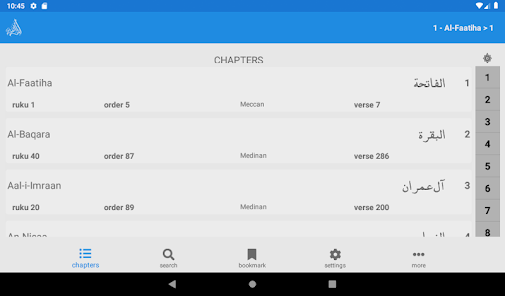
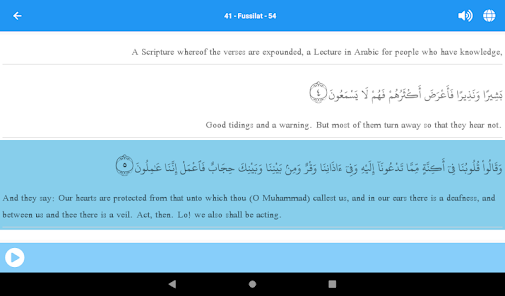
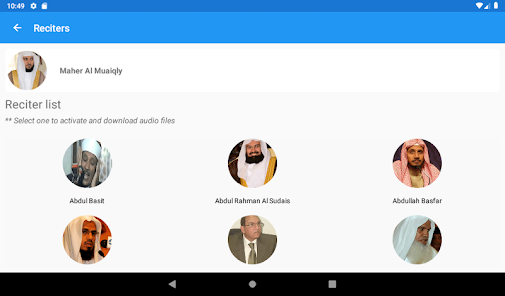
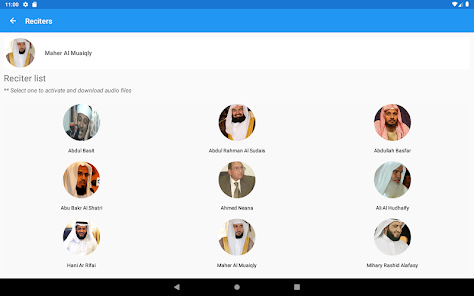
Quran Recitation & Translation: Dive into the Quran with verse-by-verse audio, translations in multiple languages, and customizable fonts for a personal touch.
Qibla Compass: Find the Kaaba effortlessly with our reliable, user-friendly Qibla locator, wherever you are.
Daily Tracker & Azkar: Build spiritual habits with prayer, fasting trackers, and morning and evening Azkar to keep your heart grounded.
Islamic Hadith & Supplications: Access authentic Hadith and Quranic Duas to enrich your knowledge and daily worship.
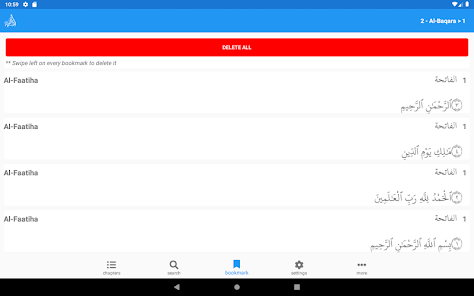
Personalized Experience: Bookmark your favorite verses, adjust themes, and share inspiring content with loved ones.
Privacy You Can Trust
Your faith is personal, and so is your data. Muslim Pillars is 100% ad-free and tracking-free, ensuring a safe, distraction-free experience. No compromises, just devotion.
Join a Global Community
From new Muslims to lifelong believers, the Muslim Pillars supports millions worldwide in their spiritual journey. Download now and make every moment a step closer to Allah.
Feedback Welcome!
We’re here to improve your experience. Share your thoughts, and let’s grow together in faith.
Deepen your connection with Allah through the Muslim Pillars, the ultimate ad-free, privacy-first Islamic app designed for daily worship. Experience peace of mind with no ads, no tracking, and a seamless, secure journey to strengthen your faith.
Why Choose Muslim Pillars?
Accurate Prayer Times & Azan: Stay on track with precise Salah timings and beautiful Athan notifications, tailored to your location.
Quran Recitation & Translation: Dive into the Quran with verse-by-verse audio, translations in multiple languages, and customizable fonts for a personal touch.
Qibla Compass: Find the Kaaba effortlessly with our reliable, user-friendly Qibla locator, wherever you are.
Daily Tracker & Azkar: Build spiritual habits with prayer, fasting trackers, and morning and evening Azkar to keep your heart grounded.
Islamic Hadith & Supplications: Access authentic Hadith and Quranic Duas to enrich your knowledge and daily worship.
Personalized Experience: Bookmark your favorite verses, adjust themes, and share inspiring content with loved ones.
Privacy You Can Trust
Your faith is personal, and so is your data. Muslim Pillars is 100% ad-free and tracking-free, ensuring a safe, distraction-free experience. No compromises, just devotion.
Join a Global Community
From new Muslims to lifelong believers, the Muslim Pillars supports millions worldwide in their spiritual journey. Download now and make every moment a step closer to Allah.
Feedback Welcome!
We’re here to improve your experience. Share your thoughts, and let’s grow together in faith.
Updated on
Safety starts with understanding how developers collect and share your data. Data privacy and security practices may vary based on your use, region, and age. The developer provided this information and may update it over time.

No data shared with third parties
Learn more about how developers declare sharing

No data collected
Learn more about how developers declare collection

Data is encrypted in transit

You can request that data be deleted
Ratings and reviews
4.9
264 reviews

A Karim HD
- Flag inappropriate
September 23, 2025
This is a good app, but I don't understand why I need to share my location to access prayer times when I can manually enter my location instead. If I must have my location activated and shared with the app for me to find out prayer times, I will probably delete it.
AZEE
September 24, 2025
Thank you for your rating and review!
We don’t collect any personal data. 😊
You are not sharing your location; the app only uses it to set prayer times automatically at startup. Advanced users have the option to disable this and set a custom location instead. Just a heads-up: the app is designed to work well for a wide variety of users.

Sri Kuncoro
- Flag inappropriate
December 28, 2021
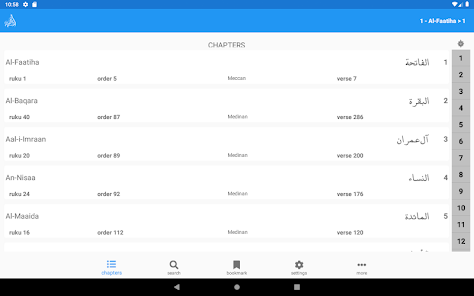
Your Windows version of the application is better, not only arranged according to chapters, but there is also an arrangement of the Quran according to location, order and size. why is the Android version only available in the order of chapters?
8 people found this review helpful

AZii
- Flag inappropriate
- Show review history
March 20, 2025
Salam. May Allah reward you for your amazing work. Maybe it has already been suggested. Must need the 'tick option' for each verse and each surah. Should say surah completed at the end. And (may Allah give the ability to finish 1 Khatam for an individual) you should have an option to untick the whole process and start all again. I understand bookmarks are there but ticks work better IMO. Colour Tajweed as well please.
1 person found this review helpful
AZEE
March 23, 2025
Thanks for your review. You can track your daily reading from the Focus section in the My Day tab. Click the last verse when you are done reading to keep your progress. You can use the Focus section or the recent tab to continue reading. For Khatam, click the last verse of the surah 114 when you finish the Quran. Contact us from the More section.
What’s new
We added a prayer times widget, fixed bugs, and improved the app's performance.
As always, we welcome your feedback. Please don't forget to rate and write your review to help grow our community.
As always, we welcome your feedback. Please don't forget to rate and write your review to help grow our community.
App support
phone
Phone number
+447459617140
About the developer
Abdul Rahman Hamidy
info@azeetech.net
10 Birkdale Drive
LEEDS
LS17 7SZ
United Kingdom


