Cookies help us deliver our services. By using our services, you agree to our use of cookiesLearn moreGot it
  • My Account
  • Search
  • Maps
  • YouTube
  • Play
  • News
  • Gmail
  • Drive
  • Calendar
  • Google+
  • Translate
  • Photos
More
  • Shopping
  • Wallet
  • Finance
  • Docs
  • Books
  • Blogger
  • Contacts
  • Hangouts
Even more from Google
Sign in
Hidden fields
Search
  • Apps
    • My apps
    • Shop
    • Games
    • Family
    • Editors' Choice
  • Movies & TV
    • My movies & TV
    • Shop
    • TV
    • Family
    • Studios
    • Networks
  • Music
    • My music
    • Shop
  • Books
    • My books
    • Shop
    • Comics
    • Textbooks
    • Children's Books
  • Newsstand
    • My newsstand
    • Shop
  • Devices
    • Shop
  • Entertainment
  • Account
  • Send gift
  • My wishlist
  • My Play activity
  • Parent Guide
    • Android Wear
    • Art & Design
    • Auto & Vehicles
    • Beauty
    • Books & Reference
    • Business
    • Comics
    • Communication
    • Dating
    • Education
    • Entertainment
    • Events
    • Finance
    • Food & Drink
    • Health & Fitness
    • House & Home
    • Libraries & Demo
    • Lifestyle
    • Maps & Navigation
    • Medical
    • Music & Audio
    • News & Magazines
    • Parenting
    • Personalization
    • Photography
    • Productivity
    • Shopping
    • Social
    • Sports
    • Tools
    • Travel & Local
    • Video Players & Editors
    • Weather
    • Games
    • Action
    • Adventure
    • Arcade
    • Board
    • Card
    • Casino
    • Casual
    • Educational
    • Music
    • Puzzle
    • Racing
    • Role Playing
    • Simulation
    • Sports
    • Strategy
    • Trivia
    • Word
    • Family
    • Ages 5 & Under
    • Ages 6-8
    • Ages 9 & Up
    • Popular Characters
    • Action & Adventure
    • Brain Games
    • Creativity
    • Education
    • Music & Video
    • Pretend Play
Home
Top Charts
New Releases
    • Settings
      • Android Device Manager
      Cover art

      Cellica Database(Internet)Form

      362
      Cellica Corporation Business
      Everyone Everyone
      Loading device compatibility...
      Item added to wishlist.
      Item removed from wishlist.
      1
        Cellica Database(Internet)Form- screenshot thumbnail     Cellica Database(Internet)Form- screenshot thumbnail     Cellica Database(Internet)Form- screenshot thumbnail     Cellica Database(Internet)Form- screenshot thumbnail     Cellica Database(Internet)Form- screenshot thumbnail     Cellica Database(Internet)Form- screenshot thumbnail     Cellica Database(Internet)Form- screenshot thumbnail     Cellica Database(Internet)Form- screenshot thumbnail     Cellica Database(Internet)Form- screenshot thumbnail     Cellica Database(Internet)Form- screenshot thumbnail     Cellica Database(Internet)Form- screenshot thumbnail     Cellica Database(Internet)Form- screenshot thumbnail
         Cellica Database(Internet)Form- screenshot
         Cellica Database(Internet)Form- screenshot
         Cellica Database(Internet)Form- screenshot
         Cellica Database(Internet)Form- screenshot
         Cellica Database(Internet)Form- screenshot
         Cellica Database(Internet)Form- screenshot
         Cellica Database(Internet)Form- screenshot
         Cellica Database(Internet)Form- screenshot
         Cellica Database(Internet)Form- screenshot
         Cellica Database(Internet)Form- screenshot
         Cellica Database(Internet)Form- screenshot
         Cellica Database(Internet)Form- screenshot

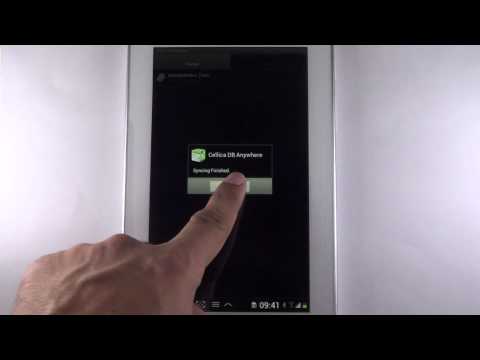
      Read and Write to any desktop side database Wirelessly with your Android Phone/Tablet(3G, GPRS, EDGE or Wi-Fi). Changes on Android device can synchronize wirelessly and instantly to desktop database. Also, any modifications to the desktop database can wirelessly and instantly send to Android device, so you will always have the most current information at your fingertips.

      You will need Cellica Database Desktop software. The Desktop can be connected to internet via your Wi-Fi router in another room, or desktop can be in your office few miles away connected to the internet.

      What our clients says: http://www.cellica.com/Testimonials.html

      Again, even if your Android device is not connected to Wi-Fi router, Android side Cellica Database application will use your cellular data network (3G/ 4G/ EDGE/ GPRS) to send data to/from your Android from/to your Desktop.

      User can work Offline when network is not available and submit data when network will available.


      Features:

      * Synchronize any desktop side database Wirelessly on your Android phone/Tablet(3G, 4G, EDGE or Wi-Fi).
      * Add/Edit/Delete data on Android Phone/Tablet, which will be immediately transfer to database on your Computer wirelessly.
      * Update data on the field, which will reflect to Server database(Desktop database).
      * Synchronize Table/View or Stored Procedure of your database with Android phone.
      * Apply SQL select queries, Filters, Sort the fields and sync data according to it.
      * Supported Databases: Microsoft Access(.mdb,.accdb)(97 and onwards), Microsoft Excel(.xls,.xlsx)(97 & onwards), Oracle, SQLServer, DB2, MySQL, PostgreSQL, FoxPro, dBase, R:BASE,Sybase, FileMaker Pro, Firebird & any ODBC Compliant Relational Database.
      * Create your own custom database on Android Device, or choose from one of the pre-designed templates such as VehicleInfo, BankAccount,MembershipInfo etc.
      * Data is secured as 128 bit AES used for encryption.
      * Supports Unicode language database such as Japanese, Chinese, Korean, Russian etc.
      * Supported Forms on Android phone and Tablet.
      * Design form on desktop with Label, Text Field, Buttons, Checkbox, Combo box, Page, Sub-form control.
      * Supports Sub forms, Design a master/detail form, or a parent/child form using sub form.
      * Send single record data on form as a .png image by Email.
      * Image control on form, Select image on device for each record.
      * Create form in Portrait/ Landscape mode.
      * Import/Export form design.
      * Support Bar code scanning.

      Software has 10 days evaluation period.

      Download and install desktop component of this software on windows based PC from the following link.
      http://www.cellica.com/DownloadforAndroid.html


      User Guide:
      http://www.cellica.com/AndroidCellicaDatabaseUserGuide.pdf


      Device side is free to download. User needs to purchase desktop software after 10 days evaluation period. Cost of desktop software is $39.99
      Purchase the full version software from the following link.
      http://www.cellica.com/internet.html

      Difference between Internet version and Wi-Fi version:

      Following are the additional features in this Wi-Fi version.

      1. Supports Signature control.
      2. Support images synchronization with desktop database.
      3. Instant data synchronization in both direction.
      4. No need of internet on device.


      Internet version allows to synchronize data from any where.
      Wi-Fi version supports synchronization of data only in local Wi-Fi area.

      Wi-Fi only version is not compatible with the Internet version in terms of Syncing.


      For Wifi Only version
      http://www.cellica.com/wifi.html

      For Internet version
      http://www.cellica.com/internet.html

      My review
      Review from

      Reviews

      3.8
      362 total
      5 183
      4 63
      3 34
      2 18
      1 64
      John Barber
      Beat App for MS Access Sync There is no other app that does what Celica does and it works fairly well. The ability to make custom forms is great. The pc desktop app is a little unstable and stops periodically, while I have to restart it, I've never lost data.
      wood land Nut
      No offline support? Can't install "free" desktop app without internet? If I could give zero stars I would for you not mentioning that. Classic data mining scam in "free" apps.
      Simon Kirby
      I have used this App for over three years to give me access to databases on my home PC, and with the ability to add and update records from my android device. The customer support has been prompt and effective.
      Hoa a best
      Kirk Bowden
      Wish it worked I find the interface at the PC to be clunky and juvenile. It resembles something homegrown in a hurry, not professional paid for product. It is difficult get the device screen to look the way you want because nothing on the PC is the same size as on the mobile devcice. Most of all, the data synchronizes occasionally. By occasionally, I mean hours or days. Manual synchronization doesn't help. I have wasted enough time with this product.
      David Levy
      Excellent for Accessing Access Databases Had initial problem searching Profile view on GalaxyS5. Issue: lack of obvious hard menu button on device. After several exchanges with Cellica support, we realized that long pressing the bottom left hard key (2 overlapping rectangles) brought up a menu that included a functional Search button. With that solved, the software is great -- updating in both directions so long as the desktop application is open and in sync mode. My initial troubles with Profiles led me to create Forms, and they work great.

      User reviews

      John Barber July 1, 2016
      Beat App for MS Access Sync There is no other app that does what Celica does and it works fairly well. The ability to make custom forms is great. The pc desktop app is a little unstable and stops periodically, while I have to restart it, I've never lost data.
      Full Review
      wood land Nut November 11, 2016
      No offline support? Can't install "free" desktop app without internet? If I could give zero stars I would for you not mentioning that. Classic data mining scam in "free" apps.
      Full Review
      Cellica Corporation November 15, 2016
      You are trying Internet version, To synchronize data from the field, you will need Internet on both device and desktop. Device side application supports offline data collection functionality. But you will need Internet on your computer to synchronize the data from the field.
      Simon Kirby January 11, 2017
      I have used this App for over three years to give me access to databases on my home PC, and with the ability to add and update records from my android device. The customer support has been prompt and effective.
      Full Review
      December 26, 2016
      Hoa a best
      Full Review
      Kirk Bowden February 10, 2015
      Wish it worked I find the interface at the PC to be clunky and juvenile. It resembles something homegrown in a hurry, not professional paid for product. It is difficult get the device screen to look the way you want because nothing on the PC is the same size as on the mobile devcice. Most of all, the data synchronizes occasionally. By occasionally, I mean hours or days. Manual synchronization doesn't help. I have wasted enough time with this product.
      Full Review
      Cellica Corporation February 16, 2015
      Dear Kirk, We apologize for the inconvenience. Our support team had informed you that you have installed WiFi version on your computer, not Internet version. So you are not able to sync the data. Please download the desktop software from the link we had sent you. If you get any problem with synchronization, send us email at support@cellica.com
      David Levy February 6, 2016
      Excellent for Accessing Access Databases Had initial problem searching Profile view on GalaxyS5. Issue: lack of obvious hard menu button on device. After several exchanges with Cellica support, we realized that long pressing the bottom left hard key (2 overlapping rectangles) brought up a menu that included a functional Search button. With that solved, the software is great -- updating in both directions so long as the desktop application is open and in sync mode. My initial troubles with Profiles led me to create Forms, and they work great.
      Full Review
      A Google User January 19, 2015
      Cellica Database - Excellence is written all over this App I have been totally happy for a number of years with this database and the seamless and trouble-free way it synchronizes between my Android mobile device and my Windows OS laptop Access database. It is easy to use even if one is not very knowledgeable about database structures. I am also very satisfied with the excellent and prompt support I receive from the Cellica Support Team whenever I had any enquiry about the product. I fully recommend this App which opens the way to keeping any collection of records on the move, with one's mind at rest that an instantaneous copy is being automatically kept on one's fixed home or work device.
      Full Review
      BEAR NW-HD28 April 27, 2015
      An excellent app to complement a desktop database Following extensive research trying to find a data capture and handling solution for android which would complement my existing desktop Access system, I found Cellica Database. I have tried numerous other systems and this one does everything I need. Sync's directly with my desktop database; online support is excellent (even when dealing with some stupid questions asked by yours truly); they even extended the trial period for me when I had to 'park' the project for a while to work on other things.
      Full Review
      Basil Pearson September 24, 2015
      Cellica Database Internet Version Superb even when I have problems, being not very computer literate, the support team help you through. I have used the app for three years now and it more than lives up to my expectations.
      Full Review
      Bob West July 9, 2015
      Excellent App Works as advertised. Saves hours getting information back to the office after carrying out inspections. Great support team behind a great product as well.
      Full Review
      Ed K August 2, 2015
      Can't make it work
      Full Review
      Gaurav Sachar July 24, 2015
      Gaurav Good software
      Full Review
      John Chugh September 29, 2014
      Information on the move The database works like charm and allows me to carry and edit information on the move. There is room for improvement in searching capability (which will make it even more powerful)
      Full Review
      ajeet yadav August 22, 2014
      For idea behind it
      Full Review
      Dijait Evans June 24, 2014
      Solid App I like this App very much but there is absolutely one thing missing. There should be a simple way to perform a filter. To simply click on text that you want to filter by, then click a filter button and BAM!!!!! Only the data that fits your criteria. That would make it a Really, REALLY good App!!!
      Full Review
      robert kakusuken June 16, 2014
      Multiple reasons
      Full Review
      Danny deNiro January 26, 2014
      Good one How can I make relation of 3 tables in a form ?
      Full Review
      Cellica Corporation January 27, 2014
      You can use "Go To Form" or combination of subform and "Go To Form" or Lookup ComboBox option to design multilevel relationship in Cellica Database. For more information please mail us at support@cellica.com Please check our knowledgebase articles on following link. http://cellica.kayako.com/Knowledgebase/List
      Gary Lash December 3, 2013
      Good product, great support. I have an Access database that I want to view on my phone/tablet. This meets my need. The support team responds quickly to get my issues resolved. I would give it five stars if I could sync with both phone and tablet. It syncs quickly and effortlessly, so I know my data is right. I tried HanDBase and couldn't get it synced.
      Full Review
      Cellica Corporation December 4, 2013
      Thank you appreciating the software and our support team. To synchronize 2 devices with one desktop, we have SOHO Edition. Check features supported by SOHO Edition on following link. http://www.cellica.com/pricing.html Please contact sales@cellica.com to get the trial version of SOHO Edition.
      A Google User January 14, 2014
      Awful.
      Full Review
      Alan Setchell October 5, 2013
      Won't install server on PC Those appeared to >Tesco Offers so much. But when I tried installing the PC software I get an error: Problem to install desktop on admin service.<1>
      Full Review
      Cellica Corporation October 14, 2013
      We apologize for the inconvenience. Could you please retry to install the desktop software?
      A Google User October 1, 2013
      Must have app for enterprises Serves all our needs of day to day data collection, which was a tedious a & time consuming job earlier. Support is quick
      Full Review
      A Google User April 3, 2012
      Cellica Database is a must have app I have been using this great app for six months now and have saved a lot of time as I can update my database in real time when I'm working on site. The tech support team are 1st class, and when I have needed help they are on the case immediately. Can't say enough about this app, It saves me between 2 and 3 hours a week from having to transfer work sheets onto my PC. Love it to bits guys, thank you for making life simple again!
      Full Review
      A Google User March 26, 2012
      Excellent tool for manipulating my access database remotely...
      Full Review
      A Google User March 17, 2012
      It's good But it would be nice to know what all the updates address.
      Full Review
      A Google User February 27, 2012
      Pretty Darn Slick This is a pretty good app. It is powerful, but to unleash the power you may have to spend some time with it. The people complaining about it not working is a mystery to me. I have 17 tables combined to create a form that I run my business from on an Asus Transformer. When it didn't work, it was because I didn't understand how to work it. When something doesn't seem to work it's easy to blame the app but the truth is it is usually operator error. Ya gotta set it up right. It does require more than a button push, but the results if you take the time are exceptional. With some polish it will be awesome. Setting up your form could be easier but it is more than functional as is. Both times I needed support, it came within hours.
      Full Review
      A Google User February 12, 2011
      HTC Desire User w/ MSAccess Easy to set up & get going right away. I tried HanDBase which limited their field size to 2000 characters & truncated a bunch of notes I have stored up over the years. When it came to questions I emailed, tech support got back to me almost immediately. The wireless sync is very impressive.
      Full Review
      A Google User January 14, 2011
      Love the program! For the first time in my life I am totally free from my laptop as I can now view and even manipulate any info I need from ms access
      Full Review
      A Google User October 26, 2011
      No support Bought desktop software needed for this. Worked for a while, encountered problem, tried for weeks to get support. Do not waste your money!
      Full Review
      A Google User October 30, 2011
      Robby This program does everything I need it to. I have a moble service & need to enter data into MS Access from the field. I would recommend it to anyone.
      Full Review
      A Google User October 19, 2011
      Useless to me - no Mac and no Forms ?!? 1) First I wanted to use Filemaker Forms from Mac - Mac is not supported. Useless to me. 2) Second I wanted to use Microsoft Access From from PC - Forms don't get imported, just tables - Useless to me. From Microsoft Access you can export a table wirelessly to Tablet, but Forms are not supported, so I would have to make a new form with Cellica software. Overall useless for my purposes.
      Full Review
      A Google User October 11, 2011
      Awesome Software Totally automated our day to day business. The enterprise works a dream. Great on the Acer Iconia.
      Full Review
      A Google User May 17, 2011
      Works terrific with Access. Makes my job much easier.
      Full Review
      A Google User May 7, 2011
      Only windows....had to uninstall...and u have to buy the desktop app aftr 10 days trail
      Full Review
      A Google User April 6, 2011
      I use this app everyday. It syncs with my ms access database. I have a sevice company. I see service calls without being in office. I love it.
      Full Review
      A Google User April 20, 2011
      65,535 is the typical record limit for a mobile phone database - not this one. I managed to sync a 300,00+ record database onto my Android. Awesome.
      Full Review
      A Google User March 4, 2011
      PC-side needs work but otherwise terrific app. Imported 4500-record DB without problem.
      Full Review
      A Google User March 11, 2011
      Very useful, but a bit rough around the edges still
      Full Review
      A Google User February 19, 2011
      Superb application that works as described, very responsive customer support. Best database app.
      Full Review
      A Google User February 14, 2011
      Doesn't work
      Full Review
      A Google User February 15, 2011
      Download page not working. Can't download pc portion of the app.
      Full Review
      Review deleted

      What's New

      Fixed the bug for Go to form on Sub form.

      Additional information

      Updated
      May 17, 2016
      Installs
      100,000 - 500,000
      Current Version
      6.0.7
      Requires Android
      1.5 and up
      Content Rating
      Everyone
      Learn more
      Permissions
      Report
      Flag as inappropriate
      Offered By
      Cellica Corporation
      Developer
      Visit website Email support@cellica.com
      3477 Corporate Parkway, Center Valley, PA 18034

      Similar See more

      MobiDB Database Designer Pro
      Pre-ordered
      MobiDB Database Designer Pro
      Perpetuum Software
      1
      Professional database management app for business users
      1
      FMDroid
      Pre-ordered
      FMDroid
      Blue Feather
      1
      Access FileMaker® Databases. Find, edit, sort, download containers, run scripts
      1
      Cellica Database(Wi-Fi) Forms
      Pre-ordered
      Cellica Database(Wi-Fi) Forms
      Cellica Corporation
      1
      Wi-Fi : View/Edit any desktop database from device. Design Forms for your device
      1
      AndrOpen Office
      Pre-ordered
      AndrOpen Office
      Akikazu Yoshikawa
      1
      AndrOpen Office is the world's first port of OpenOffice for Android.
      1
      ACCDB MDB Database Manager
      Pre-ordered
      ACCDB MDB Database Manager
      John Li
      1
      Open Microsoft Access Database on Android Device with Access Database Manager.
      1
      FM PRO Mobile
      Pre-ordered
      FM PRO Mobile
      Farm Credit Canada
      1
      Turn your Android phone or tablet into a field and crop management tool.
      1
      Forms
      Pre-ordered
      Forms
      Device Magic Inc
      1
      Use mobile forms to eliminate paperwork & get back to business.
      1
      e.Form
      Pre-ordered
      e.Form
      I-ON Communications
      1
      Accelerate business processes with e.Form!
      No more paper, mailing, faxing!
      1
      Inquiry Form
      Pre-ordered
      Inquiry Form
      KoolMind Technologies
      1
      Simple Inquiry APP for Showrooms to store information of Inquired Customers.
      1
      Fill and Sign PDF Forms
      Pre-ordered
      Fill and Sign PDF Forms
      Binary Solutions
      1
      Fill and Sign PDF forms containing AcroFields. Save and share created document.
      1
      Form.com Mobile
      Pre-ordered
      Form.com Mobile
      WorldAPP
      1
      Completely transform how you gather & connect field data with Form.com Mobile
      1
      Memento PRO License Key
      Pre-ordered
      Memento PRO License Key
      LuckyDroid
      1
      Flexible and easy to use database manager for Android
      1
      My Databases
      Pre-ordered
      My Databases
      Vadim Kadyrov
      1
      My own database? It's easy! Very useful and convenient!
      1
      Learn Microsoft  Access 2016
      Pre-ordered
      Learn Microsoft Access 2016
      DevOS
      1
      Start mastering Access,the world's most popular and powerful spreadsheet program
      1
      SSql Database Admin
      Pre-ordered
      SSql Database Admin
      SelimSql
      1
      SSql Database Admin
      1
      Mobile Form Builder
      Pre-ordered
      Mobile Form Builder
      Ben Messenger
      1
      Build mobile business forms and eliminate paperwork.
      1
      Bisnis Database
      Pre-ordered
      Bisnis Database
      OKEDATA
      1
      Business Database
      1

      More from developer

      Cellica Database Anywhere Form
      Pre-ordered
      Cellica Database Anywhere Form
      Cellica Corporation
      1
      Anywhere:View/Edit any desktop database from device.Design Forms for your device
      1
      Cellica Meter Reading Solution
      Pre-ordered
      Cellica Meter Reading Solution
      Cellica Corporation
      1
      Meter Reading Solution for Utilities (GAS/ Electric/Solar/Water )
      1
      Cellica Database(Wi-Fi) Forms
      Pre-ordered
      Cellica Database(Wi-Fi) Forms
      Cellica Corporation
      1
      Wi-Fi : View/Edit any desktop database from device. Design Forms for your device
      1
      US Army Body Fat % Calculator
      Pre-ordered
      US Army Body Fat % Calculator
      Cellica Corporation
      1
      1
      ©2017 Google Site Terms of Service Privacy Developers Artists About Google
      By purchasing this item, you are transacting with Google Payments and agreeing to the Google Payments Terms of Service and Privacy Notice .