Item added to wishlist.
Item removed from wishlist.
1
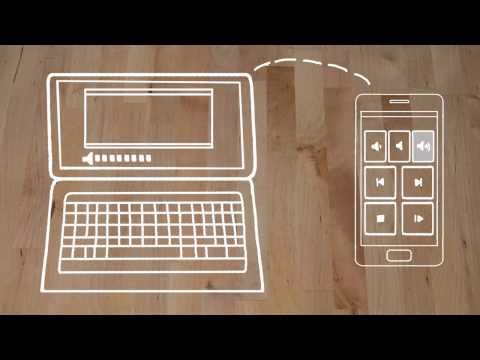
The one-and-only remote control app for your computer. Turns your device into a WiFi or Bluetooth universal remote control for Windows PC, Mac and Linux. Be lazy, you deserve it! Preloaded with support for 90+ programs including mouse & keyboard, media players, presentations, screen mirroring, power control, file manager, terminal, and much more.
Server: https://www.unifiedremote.com
“Fantastic tool for those of you who want to have a remote control for their computer for watching TV, or maybe for listening to music.” – Gizmodo
Key Features
• Easy server and app setup, that just works.
• Automatic server detection to easily find servers on your network.
• Server password protection and encryption for added security.
• Supports single and multi-touch mouse control.
• Wake On LAN to easily start your server.
• Includes light and dark color themes.
• Server is available for Windows, Mac, and Linux.
• Control other devices including Raspberry Pi and Arduino Yún.
• 18 free remotes
Full Version Features
• 90+ remotes
• Floating Remotes (use remotes over other apps)
• Custom Remotes
• Widgets & Quick Actions
• Voice commands
• Custom remotes
• IR actions
• NFC actions
• Android Wear (Quick Actions, Voice & Mouse)
Essentials
Mouse, Keyboard, Screen, Volume, and more.
Music
Spotify, iTunes, Google Music, Winamp, etc.
Video
VLC, BSPlayer, Windows Media Player, PotPlayer, etc.
Media Center
Kodi (XBMC), Plex, Windows Media Center, Boxee, etc.
Streaming
YouTube, Netflix, Hulu
Presentations
PowerPoint, Keynote, Google Presentation
Browsers
Chrome, Internet Explorer, Firefox, Opera
Other
Power, Monitor, Files, Task Manager, Commands, etc.
All Remotes
https://www.unifiedremote.com/remotes
Note that some remotes are not available for all operating systems.
Permissions
• system alert window: for floating remotes.
• read phone status: for auto-pause when receiving calls.
• control NFC: for NFC actions.
• full network access: for server connection.
• view network connections: for server connection.
• view Wi-Fi connections: for server connection.
• pair with Bluetooth devices: for server connection.
• control vibration: for optional haptic feedback.
• prevent phone from sleeping: for optional wake-lock.
• transmit infrared: for IR remote control.
• install shortcuts: for launcher shortcuts.
Server: https://www.unifiedremote.com
“Fantastic tool for those of you who want to have a remote control for their computer for watching TV, or maybe for listening to music.” – Gizmodo
Key Features
• Easy server and app setup, that just works.
• Automatic server detection to easily find servers on your network.
• Server password protection and encryption for added security.
• Supports single and multi-touch mouse control.
• Wake On LAN to easily start your server.
• Includes light and dark color themes.
• Server is available for Windows, Mac, and Linux.
• Control other devices including Raspberry Pi and Arduino Yún.
• 18 free remotes
Full Version Features
• 90+ remotes
• Floating Remotes (use remotes over other apps)
• Custom Remotes
• Widgets & Quick Actions
• Voice commands
• Custom remotes
• IR actions
• NFC actions
• Android Wear (Quick Actions, Voice & Mouse)
Essentials
Mouse, Keyboard, Screen, Volume, and more.
Music
Spotify, iTunes, Google Music, Winamp, etc.
Video
VLC, BSPlayer, Windows Media Player, PotPlayer, etc.
Media Center
Kodi (XBMC), Plex, Windows Media Center, Boxee, etc.
Streaming
YouTube, Netflix, Hulu
Presentations
PowerPoint, Keynote, Google Presentation
Browsers
Chrome, Internet Explorer, Firefox, Opera
Other
Power, Monitor, Files, Task Manager, Commands, etc.
All Remotes
https://www.unifiedremote.com/remotes
Note that some remotes are not available for all operating systems.
Permissions
• system alert window: for floating remotes.
• read phone status: for auto-pause when receiving calls.
• control NFC: for NFC actions.
• full network access: for server connection.
• view network connections: for server connection.
• view Wi-Fi connections: for server connection.
• pair with Bluetooth devices: for server connection.
• control vibration: for optional haptic feedback.
• prevent phone from sleeping: for optional wake-lock.
• transmit infrared: for IR remote control.
• install shortcuts: for launcher shortcuts.
My review
Review from
Reviews
4.7
42,948 total
5 35,691
4 5,033
3 909
2 480
1 835
Yazmine Choudry
Brilliant app! Great for controlling the laptop when it's plugged into the TV and not too expensive. It does seem to have problems every once in a while and once it's open it won't close, unless I restart my phone! A minor convenience but still annoying.
Mr A
Great app, use daily for controlling my mess mix match of Kodi, wmc & potplayer. It saves me having to move for 30 min to an hour at a time. Highly recommended. Would love to see a skinning feature. Good work developer!
Michael Elkevizth
It does the job, but the interface could certainly use some improvements. For instance the right click and, drag and drop on the mouse control are very hard to use compared to the Gmote app. Also, the VLC control forces you to use a hard coded password. Still needs some refinement.
Bogdan Voaidas
Great app but, i never managed to use widgets in a stable manner. Even now after many smartphones, android versions, app versions, i am not able to have a working widget setup. App crashes, i loose all the widgets, create again widgets, they stop working and so on. and after a while a bother again and then same issues. kind of annoying
Cal Reese
App is dogshit. It's nice when it works but it doesn't work often. I'll try to get it to connect for 5-10 minutes, no success, start a YouTube video or something locally at my laptop, go sit down, not touch anything on my phone, and then a couple minutes later when I pick my phone back up the connection is working. Extremely frustrating and unacceptable.
Mig S. Kirschman
Allows me to control my arcade cabinet's brain (a simple PC) without opening it up. Great tool that continues to get better! Developer resolved a bug for me within the week that I alerted them to it!
User reviews
Brilliant app! Great for controlling the laptop when it's plugged into the TV and not too expensive. It does seem to have problems every once in a while and once it's open it won't close, unless I restart my phone! A minor convenience but still annoying.
Great app, use daily for controlling my mess mix match of Kodi, wmc & potplayer. It saves me having to move for 30 min to an hour at a time. Highly recommended. Would love to see a skinning feature. Good work developer!
It does the job, but the interface could certainly use some improvements. For instance the right click and, drag and drop on the mouse control are very hard to use compared to the Gmote app. Also, the VLC control forces you to use a hard coded password. Still needs some refinement.
Great app but, i never managed to use widgets in a stable manner. Even now after many smartphones, android versions, app versions, i am not able to have a working widget setup. App crashes, i loose all the widgets, create again widgets, they stop working and so on. and after a while a bother again and then same issues. kind of annoying
App is dogshit. It's nice when it works but it doesn't work often. I'll try to get it to connect for 5-10 minutes, no success, start a YouTube video or something locally at my laptop, go sit down, not touch anything on my phone, and then a couple minutes later when I pick my phone back up the connection is working. Extremely frustrating and unacceptable.
Allows me to control my arcade cabinet's brain (a simple PC) without opening it up. Great tool that continues to get better! Developer resolved a bug for me within the week that I alerted them to it!
Till a month ago, a good application. In the last month, definitely the worst app I have ever bought. The File Manager didn't work for a long time and now, after the update, I could not add widgets. Tried to reinstall, which was a big mistake, because I couldn't disable notifications. That got fixed, but now the connection keeps dropping on wifi.
With its inbuilt VNC support, this app has it all. I set up quick buttons in my notification bar that map to YouTube keyboard shortcuts. I made a custom remote layout that acts as a gamepad. Everything can be customized and it's incredible. There are a few things that took a bit to get used to - like when you set the volume, it first turns the volume all the way down and then increases it back up. But once you've figured the quirks out, you'll be amazed by how much this app can do.
Love this app. Bought full version to support. But my wifi is down and I can no longer use. Please include a Bluetooth connection like some other similar apps. I would hate to have to switch over to them just because they have this other feature. So please add Bluetooth connection.
I love it! It's super useful. But I'd love to have a way to make the floating icon transparent while idle. That and the fact that they are quite awful to look at. Other than that it's quite a handy app.
It is the best in the West! The only thing I can point out is that it doesn't work with an Android box. But, as far as I'm aware, the Unified Temote team is working on it. So I hope the best!
Been using for years and I think it's the best out there. BUT recently the Remote Server on my Windows 10 started crashing randomly without any error messages in the log
Excellent app. Works flawlessly. No bugs, no lag. Includes keyboard. Connection via wi fi. You don't have to enable Bluetooth connection. Full version has more features such as volume control and more.
Have used this app for a while on different devices and it has worked beautifully. But now that I have a galaxy s8 plus, the screen goes black and the app freezes when I try to set up quick actions for my phone. Needs to be fixed.
This and, the now defunct, gesture search are my two favorite apps. I use my pc as my main entertainment center and having a remote for it is just the best. Easy set up as well. I bought the pro version just to show my support as you get plenty of features in the free version as well. Keep up the good work
Picked it up on sale after using the free version for a long time. Most useful purchase I've made all year. Set up is simple, usage is simple. Simple and brilliant
App specific remotes and a great basic input control as well. If you're consuming media and aren't gaming or creating content, this is good enough to replace a mouse and keyboard
I can't overstate how useful this app is. Dedicated remotes for many popular programs (Netflix, Spotify, Firefox, etc.). The controls are intuitive and the interface is easy to navigate.
Used to be buggy, dcying all the time or not finding the server at all, but not abymore Haven't had any connection problems in about 2 years. Completely essential in any phone.
It's pretty good. A little out of date now (interfaces are a little shoddy if I had to pick at hairs) but still very very good.
Everything I wanted and more. Only issue I have is there doesn't appear to be any dual/multi-monitor support for the desktop view. Otherwise perfect, nice work.
While its not without its problems, the app works as advertised. Some small complants, though: Occasionally you have to restart the app because it stops working entirely, and the screen-viewing feature only records your primary monitor, not any others you might have.
Coming from a computer programming student, amazing. After using the free version I had to buy the full version. Not only because the app is so well designed and has the smoothest interface, but because the developers behind this project deserve it. Enjoy the beer I just bought you guys!
This works incredibly well. Using a phone as essentially a touchpad and then having the phones on screen keyboard send to the computer is awesome. In my current use case, I didn't have an extra keyboard and mouse for setting up a Raspberry Pi, so I used this app to control my windows pc while having my real keyboard and mouse hooked to the Raspberry Pi. It works perfectly! Ive also used this app to control my PC from the bed for watching Amazon video or whatever.
Everything is good. A small inconvenient is that screen viewer is unstable. Worth 4 stars.
Really useful I highly recommend buying the full version. I congrstulate the creators of this app because it seems like a pain to have created.
Excellent function! I can use it as a perfectly working remote mouse to do anything on my computer. Best feature for me is the remote mouse and volume control. I gave it only 4 stars because I would enjoy a nice interface and design, otherwise, excellent app!
Still one of the best remote utilities for Windows PCs! Comes in very handy in a varying set of situations while server is lightweight enough to be sitting there in stand-by even during gaming.
Nice app. Got the paid version after using the free one for a few days. Disconnects a lot on my 5ghz network. Other than that it works great.
It's a great app only issue is that it disconnects most times which renders the remote unresponsive. Other wise it's packed with great features and it's future is very bright kudos to it's developers.
Crashed my whole system... after accidentally using the hibernation mode on the app controller my pc won't wake up from it anymore, my SSDs OS is corrupted and nothing works anymore... got to reinstall my whole OS now yay
If the mobile goes to sleep, the app doesn't work smoothly. Standby is blotchy. Other than that it works as advertised.
Just got it today now I'm bout to take it off my phone and laptop computers would like a refund thanks
Quick and effective. I originally got this on iOS simply to turn my computer off from my other room when I finish watching something. It's quick and easy and even better on android due to the quick access widgets. Pin as many actions as you like to your home screen or any 3 to the pull down notifications bar. Highly recommended!
Excellent. Been using it for a while and cannot find a problem with it.
Works great most of the time, Unified Remote server has some issues with Windows 10 and running as a service. Still works but you might have to leave a keyboard and/or mouse connected.
Got this on recommendation from a friend, was not disappointed, really good app. Short of buying a wireless mouse and keyboard it's the best solution for operating a living room PC I've found, just download the server on your PC, link this up and you're good to go! Well worth the money
Okay for basic mouse movement but two finger scrolling always ends up with a context menu opened which is really annoying. Stops working from time to time. Not really happy!
Constantly reconnecting,commands like all touch screens are hit and miss.i bought the full version and have had nothing but problems.gives nothing you cant get for free.waste of money.stick to a mouse
I tried it out and cant use my computer once i have used a remote to control an application such as spotify it locked up on me not letting me click with mouse on anything until i closed the server connection on laptop
Review deleted
What's New
Fixing broken Quick Actions and Widgets.
Additional information
Eligible for Family Library
Updated
November 1, 2017
Size
Varies with device
Installs
100,000 - 500,000
Current Version
Varies with device
Requires Android
Varies with device
Permissions
Report
Flag as inappropriate Offered By
Unified Intents
Developer
Visit website Email support@unifiedremote.com Privacy Policy
Unified Intents AB
c/o dgtlpost AB #100409
Östervångsplan 15
261 44, Landskrona
Sweden
