
Steering Wheel for Pc 900º
Contains ads

4.2star
1.57K reviews

Everyone
info
100K+
Downloads

Everyone
Learn more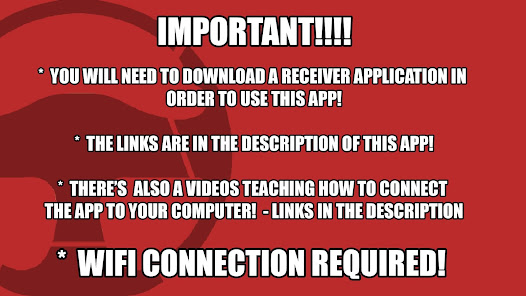

About this game
####### LINK TO THE RECEIVER #######
https://mega.nz/file/AqxjmIpa#ZYfWUtMC-91M1zXHdJDk6LKfxtd8P0iCadhSo7W5hhY
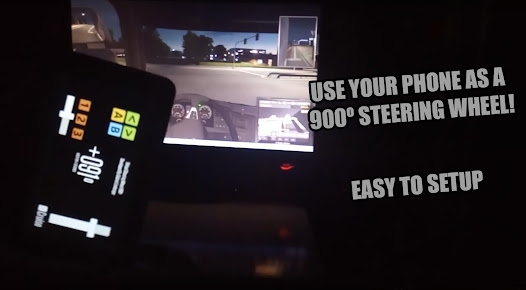
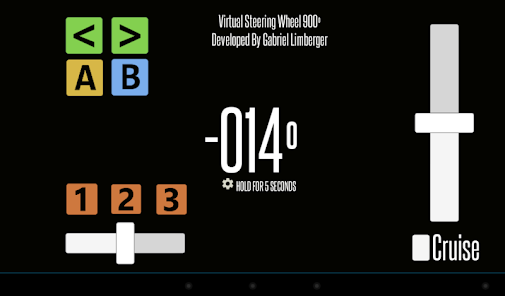
900SteeringWheel is an application developed to turn your mobile device into a virtual steering wheel.
Play games on your computer using your Android device to control them.
************* TUTORIAL TO CONNECT!!!! *************
Update Tutorial 2022:
https://youtu.be/9gnzWMF2o4U
Old Tutorials:
english:
https://www.youtube.com/watch?v=hMkvosQYG7I
português:
https://www.youtube.com/watch?v=LetQLdenCMs
***************************************************************
NEW UPDATE 12/07/2016
- HShifter Added!!!
- change on the z Axis orientation
Hshifter tutorial: [deprecated] https://900steeringwheel.wordpress.com/2016/07/13/how-to-configure-vjoy-to-use-900steeringwheel-hshifter
NEW UPDATE 29/05/2016
- Advertising removed!!!
- performance improvement
HOW TO USE 900SteeringWheel:
[deprecated] https://900steeringwheel.wordpress.com/2016/05/23/how-to-get-900steeringwheel-ready-to-use/
EXAMPLE TO CONFIGURE 900SteeringWheel to work on EuroTruck Simulator 2 : https://900steeringwheel.wordpress.com/2016/05/26/how-to-configure-900steeringwheel-to-eurotruck-simulator-2/
Official blog/website: https://900steeringwheel.wordpress.com/
Features:
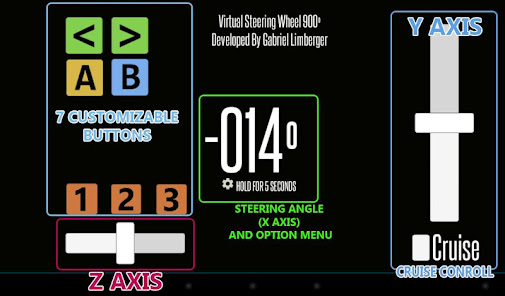
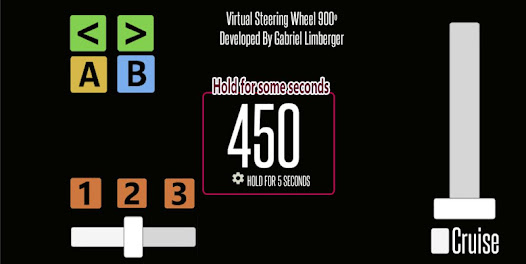
- 900° adjustable steering wheel, you can play from Eurotruck Simulator to Project CARS using the same application
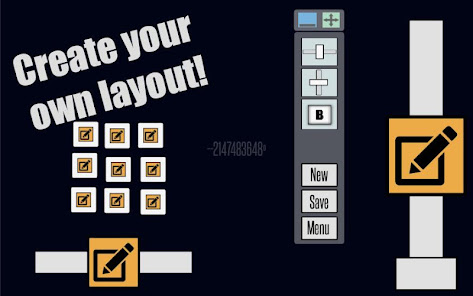
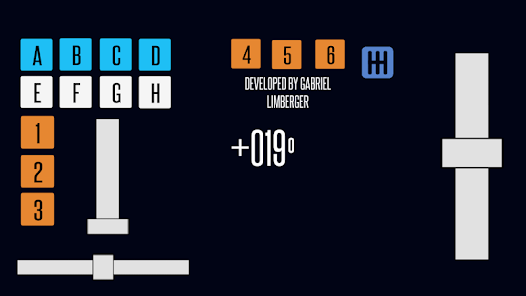
- 3 axis and 7 buttons, all customizables
- Cruise control
- HShifter
RoadMap:
- increace the connection estability
- remove trembling problems
IMPORTANT:
- Available only for windows
- 900SteeringWheel uses your wireless connection to work, so both devices(you mobile device and your computer) must be connected to the same WIFI!
- This application requires high performance from your mobile device and a stable WIFI connection(no internet connection required)!!!
Tested Devices:
Galaxy y - https://youtu.be/y8LLRVV5Yt0
Galaxy Tab 2 7' - https://www.youtube.com/watch?v=-Cy75fAkK4s
LG K10
Xperial L
https://mega.nz/file/AqxjmIpa#ZYfWUtMC-91M1zXHdJDk6LKfxtd8P0iCadhSo7W5hhY
900SteeringWheel is an application developed to turn your mobile device into a virtual steering wheel.
Play games on your computer using your Android device to control them.
************* TUTORIAL TO CONNECT!!!! *************
Update Tutorial 2022:
https://youtu.be/9gnzWMF2o4U
Old Tutorials:
english:
https://www.youtube.com/watch?v=hMkvosQYG7I
português:
https://www.youtube.com/watch?v=LetQLdenCMs
***************************************************************
NEW UPDATE 12/07/2016
- HShifter Added!!!
- change on the z Axis orientation
Hshifter tutorial: [deprecated] https://900steeringwheel.wordpress.com/2016/07/13/how-to-configure-vjoy-to-use-900steeringwheel-hshifter
NEW UPDATE 29/05/2016
- Advertising removed!!!
- performance improvement
HOW TO USE 900SteeringWheel:
[deprecated] https://900steeringwheel.wordpress.com/2016/05/23/how-to-get-900steeringwheel-ready-to-use/
EXAMPLE TO CONFIGURE 900SteeringWheel to work on EuroTruck Simulator 2 : https://900steeringwheel.wordpress.com/2016/05/26/how-to-configure-900steeringwheel-to-eurotruck-simulator-2/
Official blog/website: https://900steeringwheel.wordpress.com/
Features:
- 900° adjustable steering wheel, you can play from Eurotruck Simulator to Project CARS using the same application
- 3 axis and 7 buttons, all customizables
- Cruise control
- HShifter
RoadMap:
- increace the connection estability
- remove trembling problems
IMPORTANT:
- Available only for windows
- 900SteeringWheel uses your wireless connection to work, so both devices(you mobile device and your computer) must be connected to the same WIFI!
- This application requires high performance from your mobile device and a stable WIFI connection(no internet connection required)!!!
Tested Devices:
Galaxy y - https://youtu.be/y8LLRVV5Yt0
Galaxy Tab 2 7' - https://www.youtube.com/watch?v=-Cy75fAkK4s
LG K10
Xperial L
Updated on
Safety starts with understanding how developers collect and share your data. Data privacy and security practices may vary based on your use, region, and age. The developer provided this information and may update it over time.

No data shared with third parties
Learn more about how developers declare sharing

No data collected
Learn more about how developers declare collection
Ratings and reviews
4.2
1.5K reviews

A Google user
- Flag inappropriate
December 1, 2018
I would recommend everyone to use Monect PC Remote instead. I tried 900 Wheel and struggle with racing game Project Cars 2: > Slow respond (sometimes it took you 0.5sec for the in-game wheel to rotate, which in a racing game, 0.5sec is devastating. > Freeze: sometimes it just unrespondive for 1-2sec. Sure I lost the game. Then I tried Monect with my same PC, same game, same wifi at home: > Almost immediate respond: super smooth, feel like I was holding the real wheel in-game. > Zero Freezing. Sorry Gabriel for this, but it's the real world: there are still many products better and you need to upgrade your apps. Hope 900 Wheel will get better soon.
5 people found this review helpful

Saroush Haroon
- Flag inappropriate
January 12, 2023
It's easier to setup easy to launch the controls are great It's got a great connection doesn't lag the steering on accelerometer feels great if you got some old steering at home it's a cheap and great way i have played euro truck simulator 2 and American truck simulator with this and it was really fun. Thankue sooo much develover for this great app Keep up the good work
1 person found this review helpful
A Google user
- Flag inappropriate
- Show review history
April 9, 2019
Everything is good besides one major problem and 2 quirks. I get 1 second lag every minute ( i have a good wifi) which prevents me from playing the game for longer. There are also problems (maybe just me) with buttons not reacting when holding one button already. Also accelerometer kinda goofs the program by moving it forward that angle is suddenly + - 300 and my trucks don't like that. Please help i send an email describing what i tested. Problem solver can be Usb then connection is not needed.
5 people found this review helpful
What’s new
App added back to the store
Everyone
Learn moreApp support
About the developer
Gabriel Kipper Limberger
gabrielimberger1@gmail.com
R. Eng. João Luderitz, 550 - 1008A
Sarandi
PORTO ALEGRE - RS
91130-050
Brazil


