
TCL TV Screen Mirroring
Contains adsIn-app purchases

4.4star
1.26K reviews
50K+
Downloads

Everyone
info


About this app
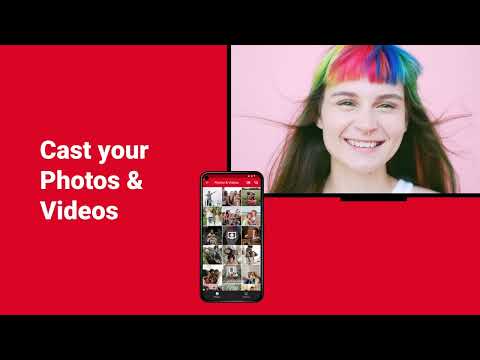
TCL screen mirroring app connects your TCL TV from your android phone & tablet. With this screen mirroring app for TCL, you can easily stream your phone or tablet's screen onto your TCL smart TV, allowing you to share photos, videos, and more on the android TV screen. Connect your android device to the same WiFi network as your TV, and start screen sharing. Screen mirroring for TCL has a user-friendly interface and a quick and easy setup. Enjoy all of your favorite content on the big screen with AirBeamTV's TCL screen mirroring app for free.
Screen mirroring from remote, just like Miracast, allows you to share the content from your phone on a larger screen, such as a TCL smart TV, either based on the Roku TV OS, DLNA or on the Android TV operating system. This can be useful for a variety of reasons, such as sharing photos or videos with friends and family, or using your phone's apps to cast online on a bigger screen.
Benefits of screen mirroring your phone from remote to your TCL smart TV using a mirroring app from AirBeamTV for free:
- Easy screen share to see and share content on a larger smart TV screen size
- Remote control of your TCL TV from your phone
- Stream and watch online videos or movies on your android TV
- TV cast to give presentations or demonstrations using your phone's content
This works on any TCL Smart TV from the 2012 models onward, including TCL Android TVs, TCL Roku TVs and TCL DLNA TVs. Make sure that your Android phone or tablet is on the same Wifi network as your TCL Smart TV to start screen mirroring for free.
Connect your phone or tablet from remote to your TCL smart TV. Cast and stream online to your TV from your Android phone or tablet.
Purchase TCL screen mirroring Pro Version through an in app purchase to enable endless screen mirroring and screen sharing.
*DRM: Some apps block Screen Mirroring. This means that application developers can choose themselves if they want to block Screen Mirroring. For instance, Netflix, Disney and Amazon Prime have decided to block this. We cannot change this.
Support: support@airbeam.tv
Screen mirroring from remote, just like Miracast, allows you to share the content from your phone on a larger screen, such as a TCL smart TV, either based on the Roku TV OS, DLNA or on the Android TV operating system. This can be useful for a variety of reasons, such as sharing photos or videos with friends and family, or using your phone's apps to cast online on a bigger screen.
Benefits of screen mirroring your phone from remote to your TCL smart TV using a mirroring app from AirBeamTV for free:
- Easy screen share to see and share content on a larger smart TV screen size
- Remote control of your TCL TV from your phone
- Stream and watch online videos or movies on your android TV
- TV cast to give presentations or demonstrations using your phone's content
This works on any TCL Smart TV from the 2012 models onward, including TCL Android TVs, TCL Roku TVs and TCL DLNA TVs. Make sure that your Android phone or tablet is on the same Wifi network as your TCL Smart TV to start screen mirroring for free.
Connect your phone or tablet from remote to your TCL smart TV. Cast and stream online to your TV from your Android phone or tablet.
Purchase TCL screen mirroring Pro Version through an in app purchase to enable endless screen mirroring and screen sharing.
*DRM: Some apps block Screen Mirroring. This means that application developers can choose themselves if they want to block Screen Mirroring. For instance, Netflix, Disney and Amazon Prime have decided to block this. We cannot change this.
Support: support@airbeam.tv
Updated on
Safety starts with understanding how developers collect and share your data. Data privacy and security practices may vary based on your use, region, and age. The developer provided this information and may update it over time.


Ratings and reviews
4.3
1.19K reviews

Flagg Simmons
- Flag inappropriate
December 24, 2022
I understand stand this is new but can you fix it so it will work for more than a few minutes. But just to be clear it is the only one I could find that works for me at all. I would just like it to work longer to be able to watch a show or something without it disconnecting and then having to reconnect. I am running it on a Motorola g fast.
6 people found this review helpful
AirBeamTV BV
January 3, 2023
Hi Flagg! The mirroring feature is limited to 3 minutes for free users. When u decide to "Go Pro" this limitation will be lifted and you will be able to enjoy our unlimited mirroring experience! Please contact us through the “send AirBeamTV Log” option in the app or contact us via email at support@airbeam.tv, if you have any other questions!

Steve Hopkins
- Flag inappropriate
March 22, 2024
Installed app, selected screen mirroring, device list comes up and my TV is on it *yeah!* select TV and *nothing else happens... ever!!* complete waste of my time, more than likely your's too...
3 people found this review helpful
AirBeamTV BV
April 2, 2024
Hi! Based on your review, we cannot gauge exactly what went wrong. However, a number of reasons can be the source of this problem (e.g. network, Android, or TV settings). Please send us your 'AirBeamTV log' info from within the app. Also, feel free to contact support directly for more help! (support@airbeam.tv)

Joe C
- Flag inappropriate
February 7, 2024
Other options to do this without having to pay for mirroring. If it didn't fail when I used it, I would have given more stars.
7 people found this review helpful
AirBeamTV BV
February 9, 2024
Hi! Based on your review, we cannot gauge exactly what went wrong. However, a number of reasons can be the source of this problem (e.g. network, Android, or TV settings). Please continue to send us your 'AirBeamTV log' info from within the app or feel free to contact support directly for more help! (support@airbeam.tv)
What's new
Bugfixes and performance improvements


