PyCode - IDE for Python
In-app purchases
4.4star
2.34K reviews

Everyone
info
100K+
Downloads

Everyone
Learn more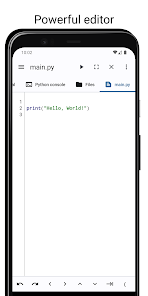
About this app
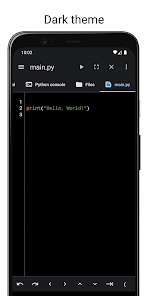
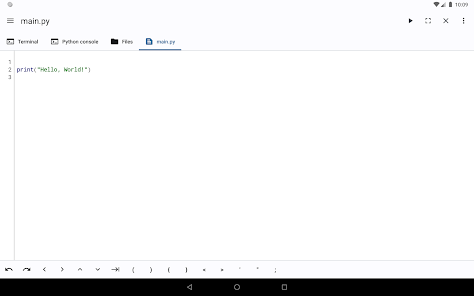
PyCode is an integrated development environment(IDE) for developing Python programs on your device.
It features a powerful editor, built in Python interpreter, terminal and file manager.
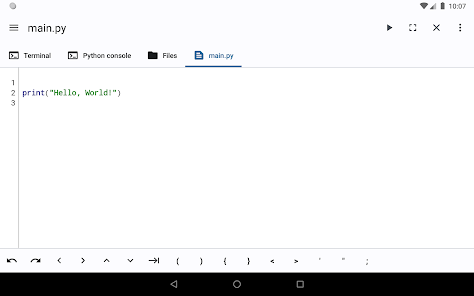
Editor
- Run python code
- Auto indentation
- Auto save
- Undo and Redo.
- Support for characters not normally present in the virtual keyboard like tabs and arrows.
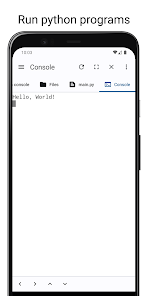
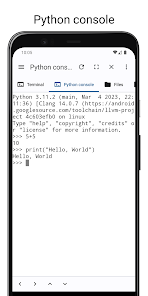
Python Console
- Run python code on an interpreter directly
- Run python files
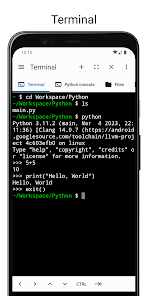
Terminal
- Preinstalled python3 and python2
- Access the shell and commands that ship with android.
- Support for tab and arrows even if the virtual keyboard lacks them.
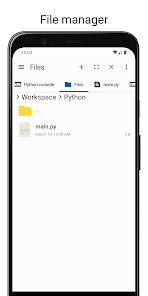
File Manager
- Access your files without leaving the app.
- Copy, Paste and Delete.
It features a powerful editor, built in Python interpreter, terminal and file manager.
Features
Editor
- Run python code
- Auto indentation
- Auto save
- Undo and Redo.
- Support for characters not normally present in the virtual keyboard like tabs and arrows.
Python Console
- Run python code on an interpreter directly
- Run python files
Terminal
- Preinstalled python3 and python2
- Access the shell and commands that ship with android.
- Support for tab and arrows even if the virtual keyboard lacks them.
File Manager
- Access your files without leaving the app.
- Copy, Paste and Delete.
Updated on
Safety starts with understanding how developers collect and share your data. Data privacy and security practices may vary based on your use, region, and age. The developer provided this information and may update it over time.

No data shared with third parties
Learn more about how developers declare sharing

No data collected
Learn more about how developers declare collection
Ratings and reviews
4.6
2.09K reviews

John D
- Flag inappropriate
January 9, 2026
Nice, simple Python IDE that allows you to write and save Python scripts on the go and doesn't ask for a slew of unnecessary permissions like other coding apps. However, editor syntax highlighting doesn't seem to work at all on my device (Galaxy Note10 Lite, Android 13) even when the option is enabled, which is very unfortunate
1 person found this review helpful

John Caroscos
- Flag inappropriate
- Show review history
March 31, 2025
Its default syntax highlighting is good, but not great. I think there's some syntaxes that this app doesn't support that the actual Python supports or it is just the version that this IDE uses. I've also encountered a bug where my font size is set to 14. And whenever this app auto indents it indents to 16 spaces according to code editor by Rhythm Software. If you don't wanna encounter this, with the current version of mine(3.2.0), set the font size to default. I'm also changing to Code Editor.
6 people found this review helpful

Abdul Majid
- Flag inappropriate
September 4, 2024
Sir, the app is excellent. Only one thing is little disappointing. The indentation gap is very small when loaded with a file. I believe it is very important to easily identify where indentation is wrong. So I would be grateful if you adjust the indentation space by default. When I load the file, the indentation space by default is very small.
72 people found this review helpful
ALIF Technology
September 4, 2024
Could you contact me on aliftech6@gmail.com and elaborate more.
The default indentation can be changed in the settings and the editor tries to auto detect your indentation if it's different from the default.
What’s new
Bug fixes
Everyone
Learn moreApp support
About the developer
Abdirahman Mohammed
aliftech6@gmail.com
Schweigaards gate 54C
0656 Oslo
Norway


