
Auto Blur Faces


Everyone
info
100+
Downloads

Everyone
Learn more


About this app
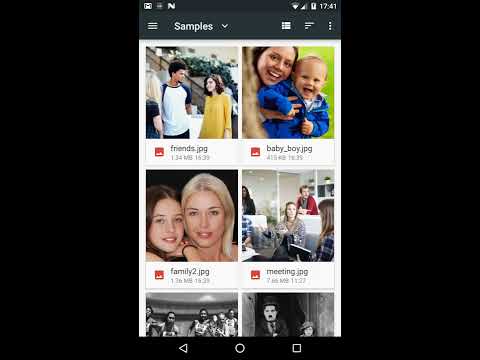
Auto Blur Faces automatically detects and blurs (pixellates) faces in your pictures.
Pictures can be processed one by one or in batch.
Pictures can be selected within Auto Blur Faces or from a third party app and sent to Auto Blur Faces.
Auto Blur Faces can detect and blur automatically several faces in a single picture.
Auto Blur Faces can save you a lot of time if you have many pictures to process.
Blurred pictures are stored in the "AutoFaceBlur" folder in your phone's Pictures Gallery.
Auto Blur Faces will try its best to detect faces but detection is not guaranteed to work in all cases.
For instance, detection can fail if :
* faces are partly masked with hands, clothes, shades, spectacles, etc
* faces are upside down
* faces features (eyes, nose, mouth, cheeks) are not clearly visible (low light, low contrast, etc)
Pictures can be processed one by one or in batch.
Pictures can be selected within Auto Blur Faces or from a third party app and sent to Auto Blur Faces.
Auto Blur Faces can detect and blur automatically several faces in a single picture.
Auto Blur Faces can save you a lot of time if you have many pictures to process.
Blurred pictures are stored in the "AutoFaceBlur" folder in your phone's Pictures Gallery.
Auto Blur Faces will try its best to detect faces but detection is not guaranteed to work in all cases.
For instance, detection can fail if :
* faces are partly masked with hands, clothes, shades, spectacles, etc
* faces are upside down
* faces features (eyes, nose, mouth, cheeks) are not clearly visible (low light, low contrast, etc)
Auto Blur Faces automatically detects and blurs faces in your pictures !
Updated on
Safety starts with understanding how developers collect and share your data. Data privacy and security practices may vary based on your use, region, and age. The developer provided this information and may update it over time.
- No data shared with third partiesLearn more about how developers declare sharing
- This app may collect these data typesApp info and performance
- Data is encrypted in transit
- Data can’t be deleted


Everyone
Learn moreApp support
About the developer
LAURENT ERIC
eric@appyhand.com
247 CHE DE CASSELAGNAT
73230 SAINT-ALBAN-LEYSSE
France
+33 6 64 48 46 55


