
ArgyllPRO ColorMeterDemo


Everyone
info
5K+
Downloads

Everyone
Learn more


About this app
This Demo version of ArgyllPRO ColorMeter has some reduced functionality.
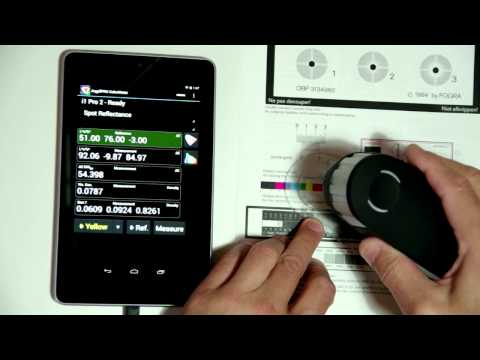
The ArgyllPRO ColorMeter is an innovative Android application designed for both Tablets and Phones, that lets you use your USB connected color measurement instruments on the go, as well as save them for use later. The popular color instruments supported can be used for a wide range of common light and color measurement tasks, so ColorMeter provides a great deal of flexibility and configurability, allowing you to customize it to the task at hand and switch tasks rapidly.
Of interest to Designers, Graphic Artists, Photographers, Architectural and Theater Lighting Designers, Printing Professionals, Colorists, Film professionals and TV & Digital Cinema calibrators.
This free demonstration version of ArgyllPRO ColorMeter is fully functional, except that it shows the closest of one of the 8 pre-determined Demo instrument readings instead of the true measurement values from your instrument, times out after 3 Weeks, and also encourages you to return a short survey about your experience.
If you think the software will be useful to you, and you have confirmed that your color measurement instrument functions with this demo version on your Android device, then you can purchase the fully functional version of ArgyllPRO ColorMeter from Google Play.
For more details about ColorMeter, including full application documentation, see http://www.argyllpro.com.au/
The EULA is here https://www.argyllcms.com/pro/eula.html
The Privacy Policy is here: https://www.argyllcms.com/pro/PrivacyPolicy.html
The ArgyllPRO ColorMeter is an innovative Android application designed for both Tablets and Phones, that lets you use your USB connected color measurement instruments on the go, as well as save them for use later. The popular color instruments supported can be used for a wide range of common light and color measurement tasks, so ColorMeter provides a great deal of flexibility and configurability, allowing you to customize it to the task at hand and switch tasks rapidly.
Of interest to Designers, Graphic Artists, Photographers, Architectural and Theater Lighting Designers, Printing Professionals, Colorists, Film professionals and TV & Digital Cinema calibrators.
This free demonstration version of ArgyllPRO ColorMeter is fully functional, except that it shows the closest of one of the 8 pre-determined Demo instrument readings instead of the true measurement values from your instrument, times out after 3 Weeks, and also encourages you to return a short survey about your experience.
If you think the software will be useful to you, and you have confirmed that your color measurement instrument functions with this demo version on your Android device, then you can purchase the fully functional version of ArgyllPRO ColorMeter from Google Play.
For more details about ColorMeter, including full application documentation, see http://www.argyllpro.com.au/
The EULA is here https://www.argyllcms.com/pro/eula.html
The Privacy Policy is here: https://www.argyllcms.com/pro/PrivacyPolicy.html
Demo Color Measurement application for USB color measurement instruments.
Updated on
Safety starts with understanding how developers collect and share your data. Data privacy and security practices may vary based on your use, region, and age. The developer provided this information and may update it over time.
- No data shared with third partiesLearn more about how developers declare sharing
- No data collectedLearn more about how developers declare collection


What’s new
Added "Find Note" entry to the navigation menu.
Attempted to fix XmlBlock$Parser.getStyleAttribute Null Pointer crash on startup.
Fix problem of display type CCMX/CCSS not being selected properly.
Fix problem with latest SDK versions that debug logs are not viewable.
Fix problem with IES TM-30-15 plot not reliably updating when stepping through measurement log.
Updated instrument drivers.
Attempted to fix XmlBlock$Parser.getStyleAttribute Null Pointer crash on startup.
Fix problem of display type CCMX/CCSS not being selected properly.
Fix problem with latest SDK versions that debug logs are not viewable.
Fix problem with IES TM-30-15 plot not reliably updating when stepping through measurement log.
Updated instrument drivers.
Everyone
Learn moreApp support
About the developer
Graeme W Gill
cgtpl3145@gmail.com
P.O. Box 67
Holmesglen VIC 3148
Australia