Aruba Utilities
4.2star
474 reviews
100K+
Downloads

Everyone
info





About this app
Aruba Utilities includes a number of tools for monitoring and troubleshooting wireless LANs from HPE Aruba Networking. Some tools work with any WLAN, others are clients for specific Aruba APIs.
Support is through email to the developer, or via the HPE Aruba Networking Community site
http://community.arubanetworks.com/t5/Aruba-Apps/bd-p/Aruba-Apps
A user guide is available
http://community.arubanetworks.com/t5/Aruba-Apps/Aruba-Utilities-user-guide/td-p/246783
Aruba Utilities includes:
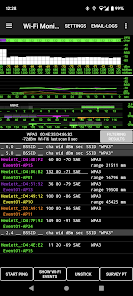
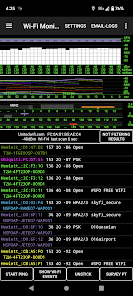
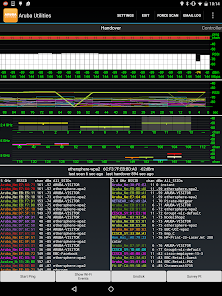
• A Wi-Fi Monitor showing the Wi-Fi environment, including the current access point, RF channels, RSSI measurements and up/down PHY rates, other access points audible to the device and handover events. AP names are displayed (when configured on the AP, of course).
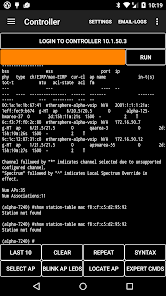
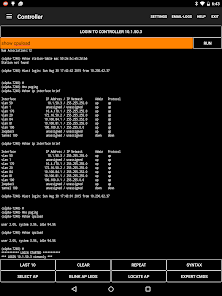
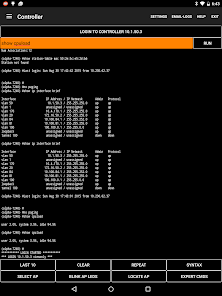
• A Telnet/SSH client that works with Aruba devices, allowing network configuration and monitoring from a mobile platform.
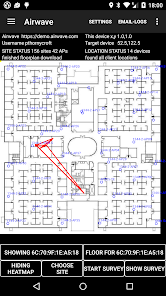
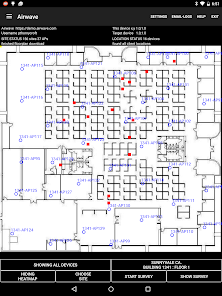
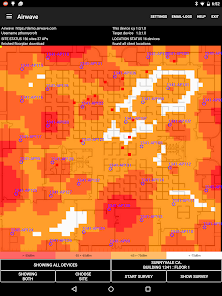
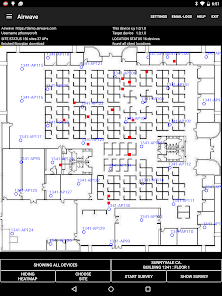
• An AirWave client that downloads the floorplan image and AP details from the network’s management system. See where APs are located relative to your position, and touch AP icons for details of current loading, channels and power. Also an estimated heatmap and a site survey function that links actual coverage measurements to locations on the floorplan.
• A Central API client. Central is quite tricky to set up on a phone screen, as the Ids and tokens are long, and need to be copy-pasted into the app. I'm still working on a good way of driving JSON queries from the phone UI.
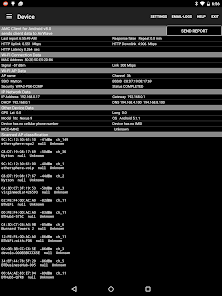
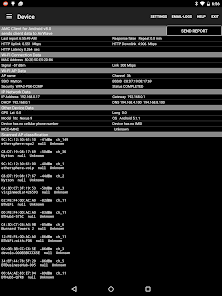
• The Device tab shows information including Wi-Fi, IP, DHCP, cellular status.
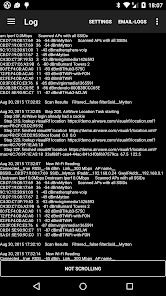
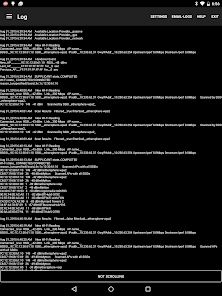
• Measurements are written to a plain-text log file and various csv report files that can be emailed - you address the email - for use later.
• A Bluetooth Low Energy (BLE) scan reports nearby iBeacons, Aruba beacons and other BLE devices with UUID, index values and signal strength measurements. Also the BluConsole function.
• CBRS is a window into the cellular side of the phone. It's useful for public and private 4G network troubleshooting.
• Ranging is an FTM/802.11mc/rtt client, giving distance measurements when used with FTM-enabled access points.
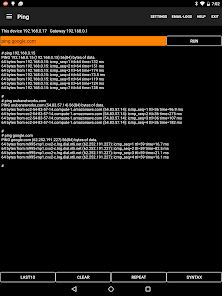
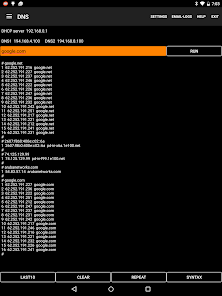
• Android versions of iPerf, Ping, DNS and mDNS provide network testing functionality.
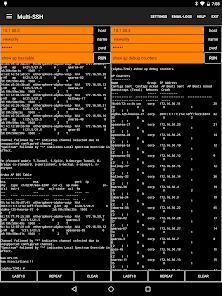
• The multi-SSH tab offers side-by-side telnet windows for managing multiple devices simultaneously: needs a big screen, most useful on a tablet.
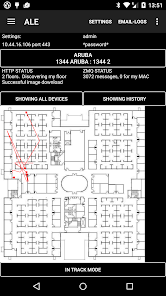
• The ALE client tab exercises the Analytics and Location Engine.
Aruba Utilities was developed by the CTO Group in HPE Aruba Networking as a testbed for our research into WLAN measurement and optimization techniques. It will be of interest to network engineers with multi-AP WLANS, especially Aruba WLANs.
Support is through email to the developer, or via the HPE Aruba Networking Community site
http://community.arubanetworks.com/t5/Aruba-Apps/bd-p/Aruba-Apps
A user guide is available
http://community.arubanetworks.com/t5/Aruba-Apps/Aruba-Utilities-user-guide/td-p/246783
Aruba Utilities includes:
• A Wi-Fi Monitor showing the Wi-Fi environment, including the current access point, RF channels, RSSI measurements and up/down PHY rates, other access points audible to the device and handover events. AP names are displayed (when configured on the AP, of course).
• A Telnet/SSH client that works with Aruba devices, allowing network configuration and monitoring from a mobile platform.
• An AirWave client that downloads the floorplan image and AP details from the network’s management system. See where APs are located relative to your position, and touch AP icons for details of current loading, channels and power. Also an estimated heatmap and a site survey function that links actual coverage measurements to locations on the floorplan.
• A Central API client. Central is quite tricky to set up on a phone screen, as the Ids and tokens are long, and need to be copy-pasted into the app. I'm still working on a good way of driving JSON queries from the phone UI.
• The Device tab shows information including Wi-Fi, IP, DHCP, cellular status.
• Measurements are written to a plain-text log file and various csv report files that can be emailed - you address the email - for use later.
• A Bluetooth Low Energy (BLE) scan reports nearby iBeacons, Aruba beacons and other BLE devices with UUID, index values and signal strength measurements. Also the BluConsole function.
• CBRS is a window into the cellular side of the phone. It's useful for public and private 4G network troubleshooting.
• Ranging is an FTM/802.11mc/rtt client, giving distance measurements when used with FTM-enabled access points.
• Android versions of iPerf, Ping, DNS and mDNS provide network testing functionality.
• The multi-SSH tab offers side-by-side telnet windows for managing multiple devices simultaneously: needs a big screen, most useful on a tablet.
• The ALE client tab exercises the Analytics and Location Engine.
Aruba Utilities was developed by the CTO Group in HPE Aruba Networking as a testbed for our research into WLAN measurement and optimization techniques. It will be of interest to network engineers with multi-AP WLANS, especially Aruba WLANs.
Updated on
Safety starts with understanding how developers collect and share your data. Data privacy and security practices may vary based on your use, region, and age. The developer provided this information and may update it over time.

No data shared with third parties
Learn more about how developers declare sharing

No data collected
Learn more about how developers declare collection

Data is encrypted in transit

Data can’t be deleted
Ratings and reviews
4.2
427 reviews

B F
- Flag inappropriate
December 19, 2022
No ssids listed workaround: Since updating my S20 to Android 13, I could not see any SSIDs, even my own. I went into the "permissions" settings in Android, found the app, and manually added "Location", while using the app. Now the app can see wifi info again.
1 person found this review helpful

Nigel Bowden
- Flag inappropriate
November 13, 2023
Excellent wireless troubleshooting app. Would love to see the channel width & security fields in the CSV export if possible (please?)
2 people found this review helpful
CTODeveloper at HPE Aruba Networking
December 6, 2023
Hi Nigel. I've added this to the CsvScanFile. It will be out in the next release,.
Peter

ken tsm
- Flag inappropriate
March 7, 2021
Excellent tool for wifi. More technical but a Hidden gem and much more informative than easy tools.
12 people found this review helpful
What's new
2023-12-22 Build v190 for Android
- HandoverTab better security descriptions (WPA3p, WPA3e etc). See 'help' for explanation
- APDetailTab now shows channel width, center freq & primary channel
- DeviceTab several small changes to reflect what’s available and not available on newer Android
- Removed some unused permissions
- Added channel width and security type to emailed csvscanfile
- New OUI file
- LogTab and csvLogFile: Increase limit 150k > 750k with trimBy 40k > 100k
- HandoverTab better security descriptions (WPA3p, WPA3e etc). See 'help' for explanation
- APDetailTab now shows channel width, center freq & primary channel
- DeviceTab several small changes to reflect what’s available and not available on newer Android
- Removed some unused permissions
- Added channel width and security type to emailed csvscanfile
- New OUI file
- LogTab and csvLogFile: Increase limit 150k > 750k with trimBy 40k > 100k
App support
phone
Phone number
+14082274500