
Riverty is the new AfterPay
500K+
Downloads

Everyone
info
About this app
Rivery is the new Afterpay
New name, endless possibilities
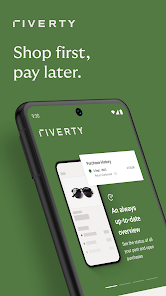
Riverty builds on AfterPay's many years of experience while offering a clear view of the future. We are full of new ideas, ambitions and innovative solutions. Our goal? Help you manage your finances even better.
Your payments, made easy
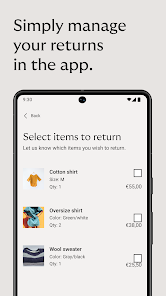
Shop your way, pay the way you want: later & only for what you love. Not for what you send back. Shopping as it should be.
More clarity
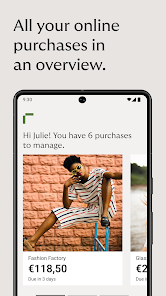
The Riverty app and its design gives you a clear overview of all your orders and expenses. No other business, no distractions. Everything at a glance in one place.
More time
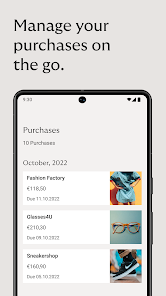
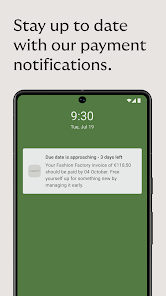
Pay on the go, wherever you are. Save time and enjoy the feeling of always having everything at hand. With the Riverty app, payments are simple and safe.
More freedom
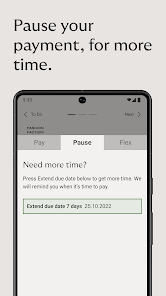
Is a payment not convenient? Do you need some extra time? No problem. With the new pause button you can postpone the payment date of an invoice. This way you don't have to stress and you have more time to enjoy your purchase. Exactly as it should be.
Direct contact with our customer service
Do you have a question? Our team is always ready to help you. You can quickly and easily contact Customer Care in the Riverty app.
New name, endless possibilities
Riverty builds on AfterPay's many years of experience while offering a clear view of the future. We are full of new ideas, ambitions and innovative solutions. Our goal? Help you manage your finances even better.
Your payments, made easy
Shop your way, pay the way you want: later & only for what you love. Not for what you send back. Shopping as it should be.
More clarity
The Riverty app and its design gives you a clear overview of all your orders and expenses. No other business, no distractions. Everything at a glance in one place.
More time
Pay on the go, wherever you are. Save time and enjoy the feeling of always having everything at hand. With the Riverty app, payments are simple and safe.
More freedom
Is a payment not convenient? Do you need some extra time? No problem. With the new pause button you can postpone the payment date of an invoice. This way you don't have to stress and you have more time to enjoy your purchase. Exactly as it should be.
Direct contact with our customer service
Do you have a question? Our team is always ready to help you. You can quickly and easily contact Customer Care in the Riverty app.
Updated on
Safety starts with understanding how developers collect and share your data. Data privacy and security practices may vary based on your use, region, and age. The developer provided this information and may update it over time.


What's new
Performance and Technical Improvements
General Enhancements
- Optimization of Codebase: Refactored and optimized code to improve application performance and maintainability.
- Reduced Load Times: Minimized application load times through efficient resource management and optimized asset delivery.
General Enhancements
- Optimization of Codebase: Refactored and optimized code to improve application performance and maintainability.
- Reduced Load Times: Minimized application load times through efficient resource management and optimized asset delivery.