Beatmate - Metronome App
1K+
Downloads

Everyone
info
About this app
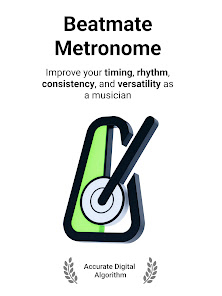
Beat Mate metronome algorithm is designed to provide an accurate and consistent sense of timing for musicians during practice or performance. Its primary purpose is to help musicians maintain a steady tempo or beat.
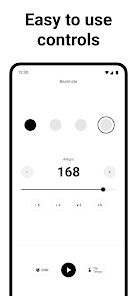
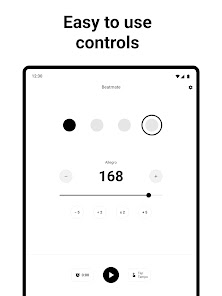
Beatmate app is the lightweight app with no ads, clear controls and simple user interface.
Here are the key features of the BeatMate Metronome:
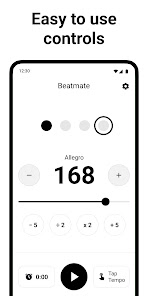
* Tap Tempo *
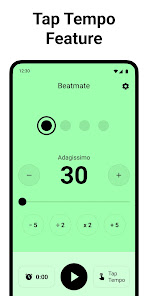
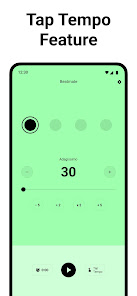
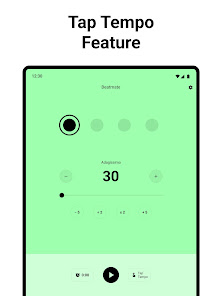
The Tap Tempo feature empowers you to tailor your metronome's tempo to match your personal playing style. Whether you're a jazz pianist, rock drummer, or classical guitarist, you can effortlessly set the metronome to reflect your preferred pace, enhancing your practice experience and overall musicality. You can set the desired tempo simply by tapping a button or key in rhythm with your desired beat. It's as easy as tapping along with your foot or drumstick.
* Session timer and Total practice timer *
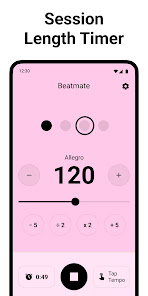
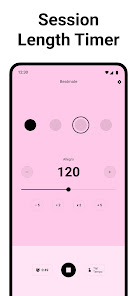
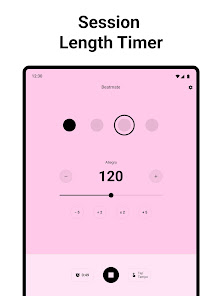
A session timer helps you establish a structured practice routine by setting specific time intervals for your practice sessions. By allocating dedicated time slots for different practice activities, such as warm-up, technical exercises, repertoire, or sight-reading, musicians can ensure a balanced and productive practice session. The session timer acts as a reminder, keeping you on track and preventing excessive time spent on a single task.
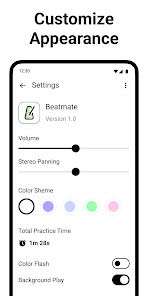
* Volume control *
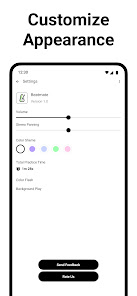
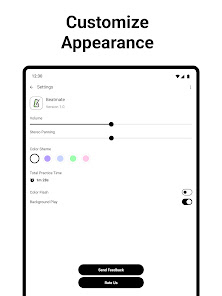
Volume control feature in the Metronome app enables musicians to adjust the metronome sound level to suit their practice environment, maintain balance with their instrument or backing track, facilitate gradual tempo training, develop listening skills, and cater to their personal preferences.
* Panorama control *
The panorama control allows to adjust the positioning of the metronome sound in the stereo field. This feature is particularly useful for musicians practicing with headphones or in a stereo setup. By controlling the left-right placement of the metronome sound, users can create a sense of spatial awareness, making it easier to differentiate between the metronome click and their instrument's sound. It provides a more immersive and realistic experience during practice.
* Background play *
The background play and usage feature of a metronome app enables musicians to multitask, integrate the metronome seamlessly into various musical contexts, practice along with audio playback, maintain tempo during recordings or live performances, and enhance the overall quality and precision of their musical performances. It adds convenience, flexibility, and versatility to the metronome app, making it an indispensable tool for musicians across different musical scenarios.
* Color flash *
Enable visual response that will help you stay focused and in sync with the beat and metronome.
* Customise appearance *
Select different color schemes that suit your visual preferences and make the beat subdivisions and accents more prominent and clear.
* No Ads *
Banner ads, particularly when served from external sources, can impact the overall performance and stability of the metronome app. These ads may consume additional system resources, leading to slower response times, lags, or even crashes. Our Metronome app without ads offers better performance and reliability, ensuring a smooth and responsive experience for you.
* Accurate algorithm *
We know that achieving precise timing is crucial for musicians, especially when practicing complex passages or ensemble performances. We've created the algorithm that keeps the app lightweight and not loading CPU while using metronome.
Beatmate app is the lightweight app with no ads, clear controls and simple user interface.
Here are the key features of the BeatMate Metronome:
* Tap Tempo *
The Tap Tempo feature empowers you to tailor your metronome's tempo to match your personal playing style. Whether you're a jazz pianist, rock drummer, or classical guitarist, you can effortlessly set the metronome to reflect your preferred pace, enhancing your practice experience and overall musicality. You can set the desired tempo simply by tapping a button or key in rhythm with your desired beat. It's as easy as tapping along with your foot or drumstick.
* Session timer and Total practice timer *
A session timer helps you establish a structured practice routine by setting specific time intervals for your practice sessions. By allocating dedicated time slots for different practice activities, such as warm-up, technical exercises, repertoire, or sight-reading, musicians can ensure a balanced and productive practice session. The session timer acts as a reminder, keeping you on track and preventing excessive time spent on a single task.
* Volume control *
Volume control feature in the Metronome app enables musicians to adjust the metronome sound level to suit their practice environment, maintain balance with their instrument or backing track, facilitate gradual tempo training, develop listening skills, and cater to their personal preferences.
* Panorama control *
The panorama control allows to adjust the positioning of the metronome sound in the stereo field. This feature is particularly useful for musicians practicing with headphones or in a stereo setup. By controlling the left-right placement of the metronome sound, users can create a sense of spatial awareness, making it easier to differentiate between the metronome click and their instrument's sound. It provides a more immersive and realistic experience during practice.
* Background play *
The background play and usage feature of a metronome app enables musicians to multitask, integrate the metronome seamlessly into various musical contexts, practice along with audio playback, maintain tempo during recordings or live performances, and enhance the overall quality and precision of their musical performances. It adds convenience, flexibility, and versatility to the metronome app, making it an indispensable tool for musicians across different musical scenarios.
* Color flash *
Enable visual response that will help you stay focused and in sync with the beat and metronome.
* Customise appearance *
Select different color schemes that suit your visual preferences and make the beat subdivisions and accents more prominent and clear.
* No Ads *
Banner ads, particularly when served from external sources, can impact the overall performance and stability of the metronome app. These ads may consume additional system resources, leading to slower response times, lags, or even crashes. Our Metronome app without ads offers better performance and reliability, ensuring a smooth and responsive experience for you.
* Accurate algorithm *
We know that achieving precise timing is crucial for musicians, especially when practicing complex passages or ensemble performances. We've created the algorithm that keeps the app lightweight and not loading CPU while using metronome.
Updated on
Safety starts with understanding how developers collect and share your data. Data privacy and security practices may vary based on your use, region, and age. The developer provided this information and may update it over time.

No data shared with third parties
Learn more about how developers declare sharing

No data collected
Learn more about how developers declare collection
What's new
We are glad to release the very first version of the lightweight BPM metronome Beatmate with precise algorithm, tap tempo and background play.


