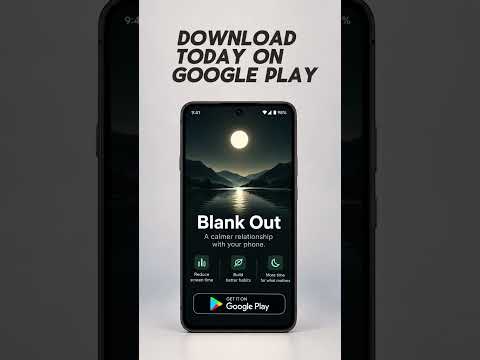

Blank Out
Contains adsIn-app purchases


Everyone
info
100+
Downloads


About this app
Most app blockers force you to stop using your favorite apps all at once. That might work for a few days, but lasting habits are built through gradual change.
Blank Out takes a different approach.
Instead of suddenly blocking apps, Blank Out creates a personalized plan that gradually reduces your daily screen time. Small weekly changes make it easier to build healthier habits that last.
And when you need to focus right now, Blank Out gives you powerful tools to block distractions, reduce visual stimulation, and take back control of your phone.
Features
• Personalized Screen Time Plans – Create a plan that gradually reduces the time you spend on distracting apps each week.
• Custom Reduction Speeds – Choose how quickly you want to reduce your screen time, with small weekly adjustments that fit your goals.
• Daily App Time Limits – Set limits for distracting apps and receive a warning before your time runs out.
• Scheduled App Blocking – Automatically block selected apps during work, school, sleep, or other times when you want to stay focused.
• Block Now – Start a focus session whenever you need a break from distracting apps.
• Lock Mode – Customize how difficult it is to get past a blocking screen. Add a delay before continuing or remove the continue option for stronger blocking.
• Gray Mode – Make your phone less visually stimulating with a customizable gray screen overlay. Adjust the intensity and schedule it to turn on automatically.
• Screen Time Goals – Set personal goals for your selected apps and overall daily phone usage.
• Progress Tracking – Track your screen time, follow your reduction plan, and see how your habits improve over time.
• Free and Premium Plans – Start with essential screen time tools for free, or unlock additional customization and advanced features with Premium.
Why Blank Out?
Many screen time apps rely on strict limits that are easy to ignore or disable. Blank Out focuses on long-term behavior change by helping you reduce your screen time gradually instead of forcing drastic changes overnight.
Your plan adjusts your allowed time in small weekly steps, helping you work toward your goals at a sustainable pace.
Whether you want to spend less time scrolling, focus better at work, improve your study habits, or simply be more present, Blank Out gives you the tools to make lasting changes.
Make a plan. Make a change.
Accessibility Service Usage
Blank Out uses Android's AccessibilityService API as part of its app-blocking functionality.
The Accessibility Service allows Blank Out to detect when you open an app that you have chosen to limit or block. This enables Blank Out to display its blocking screen when a selected app reaches its time limit or is scheduled to be blocked.
Accessibility access is optional and must be enabled by the user through Android's Accessibility settings. Blank Out uses this access to provide the app-blocking features selected by the user.
Blank Out does not use the AccessibilityService API to change device settings without permission, prevent users from disabling or uninstalling apps, bypass Android privacy controls, or perform actions on the user's behalf.
Display Over Other Apps Permission
Blank Out uses Android's "Display over other apps" permission for its optional Gray Mode feature.
Gray Mode displays a customizable, translucent gray tint over your screen to make your phone less visually stimulating.
Users can adjust the tint intensity, schedule when Gray Mode activates, and turn the feature on or off.
This permission is requested when the user enables Gray Mode. Users can disable the feature within Blank Out or revoke overlay permission through Android settings.
Blank Out takes a different approach.
Instead of suddenly blocking apps, Blank Out creates a personalized plan that gradually reduces your daily screen time. Small weekly changes make it easier to build healthier habits that last.
And when you need to focus right now, Blank Out gives you powerful tools to block distractions, reduce visual stimulation, and take back control of your phone.
Features
• Personalized Screen Time Plans – Create a plan that gradually reduces the time you spend on distracting apps each week.
• Custom Reduction Speeds – Choose how quickly you want to reduce your screen time, with small weekly adjustments that fit your goals.
• Daily App Time Limits – Set limits for distracting apps and receive a warning before your time runs out.
• Scheduled App Blocking – Automatically block selected apps during work, school, sleep, or other times when you want to stay focused.
• Block Now – Start a focus session whenever you need a break from distracting apps.
• Lock Mode – Customize how difficult it is to get past a blocking screen. Add a delay before continuing or remove the continue option for stronger blocking.
• Gray Mode – Make your phone less visually stimulating with a customizable gray screen overlay. Adjust the intensity and schedule it to turn on automatically.
• Screen Time Goals – Set personal goals for your selected apps and overall daily phone usage.
• Progress Tracking – Track your screen time, follow your reduction plan, and see how your habits improve over time.
• Free and Premium Plans – Start with essential screen time tools for free, or unlock additional customization and advanced features with Premium.
Why Blank Out?
Many screen time apps rely on strict limits that are easy to ignore or disable. Blank Out focuses on long-term behavior change by helping you reduce your screen time gradually instead of forcing drastic changes overnight.
Your plan adjusts your allowed time in small weekly steps, helping you work toward your goals at a sustainable pace.
Whether you want to spend less time scrolling, focus better at work, improve your study habits, or simply be more present, Blank Out gives you the tools to make lasting changes.
Make a plan. Make a change.
Accessibility Service Usage
Blank Out uses Android's AccessibilityService API as part of its app-blocking functionality.
The Accessibility Service allows Blank Out to detect when you open an app that you have chosen to limit or block. This enables Blank Out to display its blocking screen when a selected app reaches its time limit or is scheduled to be blocked.
Accessibility access is optional and must be enabled by the user through Android's Accessibility settings. Blank Out uses this access to provide the app-blocking features selected by the user.
Blank Out does not use the AccessibilityService API to change device settings without permission, prevent users from disabling or uninstalling apps, bypass Android privacy controls, or perform actions on the user's behalf.
Display Over Other Apps Permission
Blank Out uses Android's "Display over other apps" permission for its optional Gray Mode feature.
Gray Mode displays a customizable, translucent gray tint over your screen to make your phone less visually stimulating.
Users can adjust the tint intensity, schedule when Gray Mode activates, and turn the feature on or off.
This permission is requested when the user enables Gray Mode. Users can disable the feature within Blank Out or revoke overlay permission through Android settings.
Change your Screen Time for good, not just for a day.
Updated on
Safety starts with understanding how developers collect and share your data. Data privacy and security practices may vary based on your use, region, and age. The developer provided this information and may update it over time.


What’s new
Fixed bugs
App support
About the developer
TRENTON WEDEL
blankout.app1@gmail.com
1125 Pronghorn Trail
Chino Valley, AZ 86323-5880
United States


