
Clicks Keyboard

star
104 reviews

Everyone
info
10K+
Downloads

Everyone
Learn more


About this app
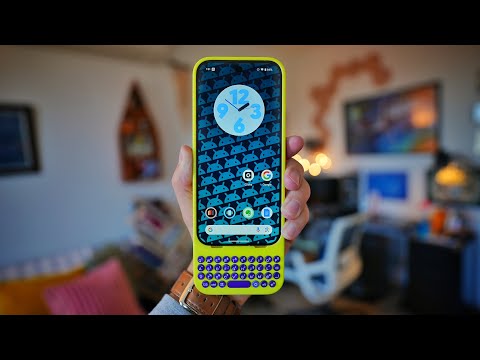
The Clicks app lets you customize your Clicks Keyboard settings and preferences.
Keyboard backlight - Control the brightness and dim timeout of the keyboard backlight.
Caps lock - Control the behaviour of the shift key. When turned on, pressing the shift key once makes the next charater a capital letter. Double clicking the shift key enables shift lock. When disabled, you must press and hold shift to get a captial letter.
Alt lock - Control the behaviour of the '123' key. When turned on, pressing the '123' key once makes the next typed character a number of symbol. Double clicking the shift key enables number lock - (great for typing phone numbers of long number strings!). When disabled, you must press and hold '123' to get numbers and symbols.
Key customization - Configure the function of keys like the Clicks key, alt and Gemini button
Cursor mode - Enable cursor mode to use WASD and IJKL as directional cursor keys
Update your keyboard firmware over the air to optimize the typing experience.
* Certain features and functionality are dependent on your Clicks model.
Keyboard backlight - Control the brightness and dim timeout of the keyboard backlight.
Caps lock - Control the behaviour of the shift key. When turned on, pressing the shift key once makes the next charater a capital letter. Double clicking the shift key enables shift lock. When disabled, you must press and hold shift to get a captial letter.
Alt lock - Control the behaviour of the '123' key. When turned on, pressing the '123' key once makes the next typed character a number of symbol. Double clicking the shift key enables number lock - (great for typing phone numbers of long number strings!). When disabled, you must press and hold '123' to get numbers and symbols.
Key customization - Configure the function of keys like the Clicks key, alt and Gemini button
Cursor mode - Enable cursor mode to use WASD and IJKL as directional cursor keys
Update your keyboard firmware over the air to optimize the typing experience.
* Certain features and functionality are dependent on your Clicks model.
The Clicks app lets you customize your Clicks Keyboard settings and preferences
Updated on
Safety starts with understanding how developers collect and share your data. Data privacy and security practices may vary based on your use, region, and age. The developer provided this information and may update it over time.
- No data shared with third partiesLearn more about how developers declare sharing
- No data collectedLearn more about how developers declare collection


Ratings and reviews
102 reviews

*Kim Zick (rummik)
- Flag inappropriate
- Show review history
September 4, 2026
Offers some configurability, but lacks the ability to customize the layout so that it can be used for writing code, since the sym and shift keys are unable to be used in combination like on a regular keyboard, and the only brackets you can add are square brackets -- no support for curly braces or angle brackets. I don't mind some media keys, but I'd rather an advanced mode to just specify key code/character. It also always shows software keyboards when connected with no way to change it.
3 people found this review helpful

HSH
- Flag inappropriate
August 21, 2026
a lot of the keyboard shortcut information in the app is useless for the new non-phone-specific Power Keys. For example the intro tutorial gets stuck at the emoji input step because it tells you to do something thats doesnt exist on PK. You need to update this app so it shows the correct infor depending on the connected hardware. Also annoying there's no ability to customize keyboard shortcuts. overall app not much use.
3 people found this review helpful

Mattie Petres
- Flag inappropriate
- Show review history
July 7, 2026
Great for my power keyboard I guess. not the most helpful though and what it does do feels half baked. The shortcuts it has are wrong ctrl Y doesn't open YouTube and ctrl p doesn't open up music for example. The media shortcuts don't work at all on my OnePlus. and Pls just add custom shortcuts for every key when not used for typing like on blackberry. you already have it for the number row just do it for everything! it shouldn't be a tall ask since we already have the app. Pls fix! thank you!
4 people found this review helpful
What’s new
Fix stability issues.
Everyone
Learn moreApp support
About the developer
CLICKS TECHNOLOGY LTD
dev@clicks.tech
2 Stone Buildings
LONDON
WC2A 3TH
United Kingdom
+886 936 823 088