
ControlMole: Screen Time Limit
In-app purchases


Everyone
info
5+
Downloads

Everyone
Learn more


About this app
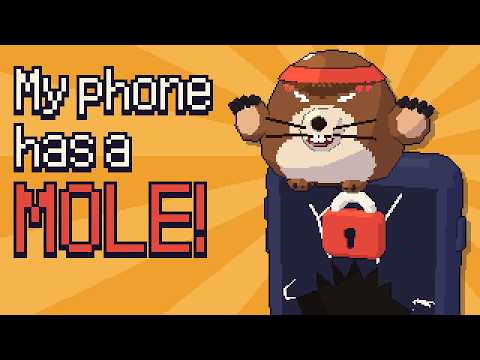
Meet Mole. He lives in a burrow on your phone, and he has one job: keeping your brain out of the rot. Dig dig!
ControlMole is an app blocker and screen time limit for anyone who wants to stop doomscrolling, cut down on social media and beat phone addiction, without an app that nags like a bank.
Set a daily limit for your brainrot apps. Mole keeps count, cheers you on while you're under it, and the moment you break it... he digs right out over the app and blocks it for the rest of the day.
"Whoa, whoa, WHOA! That's 74 minutes today, buddy. Put the phone down and go do literally anything else!"
HOW THE APP BLOCKER WORKS
• One daily screen time limit, from 15 minutes to 4 hours, for short-video, social and dating apps. Add any other app you like.
• App limits and timers: give any single app its own daily limit.
• Blocking: once you're over, opening a watched app makes Mole dig out full-screen. "Okay, I'm done" sends you home.
• "Just 5 more minutes?" Fine, but answer his questions first: trivia, mental math, words backwards. Every snooze gets harder.
• Doomscroll breaks: stay in one app longer than your doomscroll length and Mole jumps out until you take five.
• Bedtime: he gets grumpy if you're still scrolling after lights out.
• Website blocker too (optional Mole watch): brainrot sites in Chrome, Firefox, Samsung Internet, Brave, Edge and more count toward your limit.
• Alerts at 80% of your limit and when you break it, even with the app closed.
STOP DOOMSCROLLING, NOT JUST MINUTES
Mole looks at how you use your phone, not only how long. Your rot score (0–100) adds up minutes, your longest sitting, app hopping and all those "just checking" opens, and he calls out your worst habit by name. It's the social media blocker that actually notices doomscrolling.
EASY TO TIGHTEN, HARD TO LOOSEN
Making a rule stricter is always free. Raising your limit or switching something off means an "Are you sure?", a short wait and a few questions, and it gets harder the closer you are to your limit. Past-you made these rules for a reason.
MOLE LOCK
Most app blockers are one tap away from the bin. Know you'd just delete him the moment he got annoying? Switch on Mole Lock and ControlMole can't be uninstalled on a whim: ask to leave, sit through a 24-hour wait, and only then does he let go. It beats the impulse; it isn't a cage.
A FRIEND, NOT A NAG
• A chunky low-poly mole with ten moods, from zen to absolutely furious. Drag him to spin him round.
• A screen time widget and an app icon that change face with his mood.
• Streaks and 15 achievements, each a little 3D trophy on a dirt plinth. They reward time away and stricter rules, never time in the app. No XP, no levels, and nothing is ever taken away.
• Every win gets a disco dance.
PRIVATE WHERE IT COUNTS
No ads, no account. Your app usage and the sites you visit are read on your phone and stay there. To fix bugs, Mole sends anonymous crash reports and basic app analytics (Firebase), but never which apps or sites you use.
PERMISSIONS, PLAINLY
• Usage access: to count minutes in the apps you choose to watch.
• Notifications: for the 80% and limit-broken alerts.
• Accessibility service (optional Mole watch): to see which app is in front so Mole can block it, and to read only the address bar of supported browsers so brainrot sites count. Page content is never read, and what Mole sees stays on your phone.
• Device admin (optional Mole Lock): only so Android asks you to switch it off before ControlMole can be uninstalled. You can switch it off in Settings at any time.
Reduce screen time, beat phone addiction, take back your evenings and give your brain a proper digital detox. Dig dig. See you in the burrow!
ControlMole is an app blocker and screen time limit for anyone who wants to stop doomscrolling, cut down on social media and beat phone addiction, without an app that nags like a bank.
Set a daily limit for your brainrot apps. Mole keeps count, cheers you on while you're under it, and the moment you break it... he digs right out over the app and blocks it for the rest of the day.
"Whoa, whoa, WHOA! That's 74 minutes today, buddy. Put the phone down and go do literally anything else!"
HOW THE APP BLOCKER WORKS
• One daily screen time limit, from 15 minutes to 4 hours, for short-video, social and dating apps. Add any other app you like.
• App limits and timers: give any single app its own daily limit.
• Blocking: once you're over, opening a watched app makes Mole dig out full-screen. "Okay, I'm done" sends you home.
• "Just 5 more minutes?" Fine, but answer his questions first: trivia, mental math, words backwards. Every snooze gets harder.
• Doomscroll breaks: stay in one app longer than your doomscroll length and Mole jumps out until you take five.
• Bedtime: he gets grumpy if you're still scrolling after lights out.
• Website blocker too (optional Mole watch): brainrot sites in Chrome, Firefox, Samsung Internet, Brave, Edge and more count toward your limit.
• Alerts at 80% of your limit and when you break it, even with the app closed.
STOP DOOMSCROLLING, NOT JUST MINUTES
Mole looks at how you use your phone, not only how long. Your rot score (0–100) adds up minutes, your longest sitting, app hopping and all those "just checking" opens, and he calls out your worst habit by name. It's the social media blocker that actually notices doomscrolling.
EASY TO TIGHTEN, HARD TO LOOSEN
Making a rule stricter is always free. Raising your limit or switching something off means an "Are you sure?", a short wait and a few questions, and it gets harder the closer you are to your limit. Past-you made these rules for a reason.
MOLE LOCK
Most app blockers are one tap away from the bin. Know you'd just delete him the moment he got annoying? Switch on Mole Lock and ControlMole can't be uninstalled on a whim: ask to leave, sit through a 24-hour wait, and only then does he let go. It beats the impulse; it isn't a cage.
A FRIEND, NOT A NAG
• A chunky low-poly mole with ten moods, from zen to absolutely furious. Drag him to spin him round.
• A screen time widget and an app icon that change face with his mood.
• Streaks and 15 achievements, each a little 3D trophy on a dirt plinth. They reward time away and stricter rules, never time in the app. No XP, no levels, and nothing is ever taken away.
• Every win gets a disco dance.
PRIVATE WHERE IT COUNTS
No ads, no account. Your app usage and the sites you visit are read on your phone and stay there. To fix bugs, Mole sends anonymous crash reports and basic app analytics (Firebase), but never which apps or sites you use.
PERMISSIONS, PLAINLY
• Usage access: to count minutes in the apps you choose to watch.
• Notifications: for the 80% and limit-broken alerts.
• Accessibility service (optional Mole watch): to see which app is in front so Mole can block it, and to read only the address bar of supported browsers so brainrot sites count. Page content is never read, and what Mole sees stays on your phone.
• Device admin (optional Mole Lock): only so Android asks you to switch it off before ControlMole can be uninstalled. You can switch it off in Settings at any time.
Reduce screen time, beat phone addiction, take back your evenings and give your brain a proper digital detox. Dig dig. See you in the burrow!
App blocker with a grumpy mole: daily app limits to help you stop doomscrolling
Updated on
Safety starts with understanding how developers collect and share your data. Data privacy and security practices may vary based on your use, region, and age. The developer provided this information and may update it over time.
- No data shared with third partiesLearn more about how developers declare sharing
- This app may collect these data typesLocation, Financial info and 3 others
- Data is encrypted in transit
- You can request that data be deleted


What’s new
Hi there, I'm Mole, dig dig! This is my very first day on the job. Pick the apps that eat your time, give them a daily limit, and I'll pop up and nudge you back out of the rot when you go over. Thanks for letting me move in!
Everyone
Learn moreApp support
About the developer
Magisk Enterprises ApS
support@kairiapp.com
Bjarkesvej 11, sal 1th
2000 Frederiksberg
Denmark
+45 52 70 86 52