
Auto Screen On Off(Smart Cover

star
28.1K reviews

Everyone
info
1M+
Downloads

Everyone
Learn more


About this app
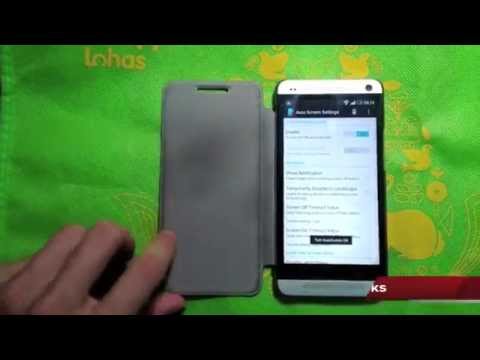
Sometimes the power button is hard to press, or you want to save protect the hardware power button for longer use. This app and provided notification/widget can save you from accessing the power button all the time.
Feature:
1. By detecting p-sensor, automatically turn on/off the screen for you.
2. Allows you to only enable the function during charging.
3. Allows you to disable the feature when the screen is rotated.
4. You can set separate timeout values for screen on/off delay to prevent from accidentally triggering the feature.
5. A widget is supported to quickly toggle the function.
6. Notification is supported to quickly toggle function, or directly turn screen off.
7. Power Save Mode: works on some devices. Try if it works for YOU!
8. Play sound or vibrate while close.
9. Exclude apps you don't want automatically screen off feature
10. A widget to turn off screen! great power saver yet useful
Usage:
0. Modify Settings in "Auto Screen Settings" app and enable the function
or
1. Add widget "AutoScreenOnOff" to your home screen
2. Press once on the icon to trigger Device Management Confirmation Dialog.
3. Agree to activate device management. (This is required to turn off the screen)
4. Now everything should work now. Try cover your hand over the top area of the screen (where the proximity sensor might be located) to see if it works.
Attention:
- Since it uses proximity sensor to detect whether the screen should be on or off, this may use some power consumption. So, if you are not using your device for a long time, suggest you turning off the function.
- If you wants to uninstall the app, please do it from top of the app.
Translation Helps from:
Hai Long Hoang: Vietnamese
WebFrogeye : French
Ján Kučera: Slovak
Renek: Czech
Xander Stone: Dutch
Andrew: Russian, Ukranian
Paul L. Scholz: German
ps. If you have any suggestions, questions, bug reports, or you are willing to help translate strings, please send me email. leinadkao@gmail.com
Feature:
1. By detecting p-sensor, automatically turn on/off the screen for you.
2. Allows you to only enable the function during charging.
3. Allows you to disable the feature when the screen is rotated.
4. You can set separate timeout values for screen on/off delay to prevent from accidentally triggering the feature.
5. A widget is supported to quickly toggle the function.
6. Notification is supported to quickly toggle function, or directly turn screen off.
7. Power Save Mode: works on some devices. Try if it works for YOU!
8. Play sound or vibrate while close.
9. Exclude apps you don't want automatically screen off feature
10. A widget to turn off screen! great power saver yet useful
Usage:
0. Modify Settings in "Auto Screen Settings" app and enable the function
or
1. Add widget "AutoScreenOnOff" to your home screen
2. Press once on the icon to trigger Device Management Confirmation Dialog.
3. Agree to activate device management. (This is required to turn off the screen)
4. Now everything should work now. Try cover your hand over the top area of the screen (where the proximity sensor might be located) to see if it works.
Attention:
- Since it uses proximity sensor to detect whether the screen should be on or off, this may use some power consumption. So, if you are not using your device for a long time, suggest you turning off the function.
- If you wants to uninstall the app, please do it from top of the app.
Translation Helps from:
Hai Long Hoang: Vietnamese
WebFrogeye : French
Ján Kučera: Slovak
Renek: Czech
Xander Stone: Dutch
Andrew: Russian, Ukranian
Paul L. Scholz: German
ps. If you have any suggestions, questions, bug reports, or you are willing to help translate strings, please send me email. leinadkao@gmail.com
Automatically turn ON or OFF the screen by detecting the proximity sensor.
Updated on
Safety starts with understanding how developers collect and share your data. Data privacy and security practices may vary based on your use, region, and age. The developer provided this information and may update it over time.
- No data shared with third partiesLearn more about how developers declare sharing
- No data collectedLearn more about how developers declare collection


Ratings and reviews
27.2K reviews

A Google user
- Flag inappropriate
November 2, 2019
In the past I've been use to a phone with an actual wake/ home button at the bottom of the scree and I was disappointed when this new Samsung phone didn't have one. I ask EE if I could change it but apparently they are all like this now, a wake button on the side and with the folding case was always difficult to find and press. I try a few apps to wake phones, finger print recognition etc but never had much luck. This one is so simple and reliable. Thank you for your invention. Charles Tibbetts
9 people found this review helpful

Nick D. Clements
- Flag inappropriate
June 17, 2021
I would pay for this. I bought a new case for my Note8, and it doesn't automatically turn off the phone when I close it. I'm so used to being able to just slap the cover shut and have the phone turn off, it's really been tripping me up. This app worked like a charm, instantly! Thank you!
13 people found this review helpful

Eric Feldman
- Flag inappropriate
April 25, 2022
I was hoping this app would do 2 things - turn off my screen when I close my flip cover and turn my screen on when I open the flip cover. I guess my expectations were unrealistically high. A message to developer about this went unanswered. Sigh ... Guess I am looking for another flip cover app.
5 people found this review helpful
What’s new
v2.9 (2015/09/27)
* fix excluded application list issue
v2.8 (2015/03/19)
* still use custom layout for notification, but more compatible with new devices.
v2.7.2 (2015/03/17)
* fix exclude-app list not working. Now it really works!!
* use latest notification layout
* fix excluded application list issue
v2.8 (2015/03/19)
* still use custom layout for notification, but more compatible with new devices.
v2.7.2 (2015/03/17)
* fix exclude-app list not working. Now it really works!!
* use latest notification layout
Everyone
Learn moreApp support
About the developer
高 茂原
daniel.kao@gmail.com
黎明路57巷27號3樓
新店區
新北市, Taiwan 23155


