
Assine PDF
In-app purchases

Everyone
info
1K+
Downloads

Everyone
Learn more




About this app
Sign PDF — Electronic signature, stamps and PDF editing with privacy and security
Sign PDF is the complete application for those who need to sign, stamp, fill out and organize PDF documents directly on their cell phone, with maximum practicality, privacy and control.
Ideal for professionals, students, companies and anyone who values agility, security and ease when dealing with digital documents.
🔒 Privacy and security first
- No data is sent to servers. All processing is done locally on your device.
- No mandatory registration: You do not need to create an account to use the main functions.
- Extra protection: Activate authentication by PIN or biometrics (fingerprint) to prevent misuse of your signatures, even if the device is unlocked.
- Security settings: Sensitive changes require authentication, increasing protection against unauthorized access.
✍️ Easy and natural electronic signature
- Sign documents with your finger or pen, simulating the experience of signing on paper.
- Save your designed signatures to reuse whenever you need.
- Apply your signature to all pages of the PDF with just one click (PRO feature).
🏷️ Custom stamps and free text
- Create custom text stamps (e.g.: “Checked”, “Approved”, “Received on…”) and save for quick use.
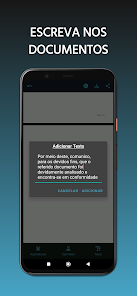
- Insert free text anywhere in the PDF to fill in, add notes or additional information.
📝 Intuitive visual editing
- Easily drag, move and resize signatures, stamps and texts on the screen.
- Add blank pages to include new content (PRO feature).
📂 Save, share and stay in control
- Export your signed PDFs to your mobile storage, send via WhatsApp, email or any other app.
- Share documents quickly and securely, without relying on the cloud or external servers.
- The app automatically cleans temporary files, helping to keep your device's space optimized.
🚀 Works 100% offline
- All essential functions can be used without internet.
- You have full control over your documents, even in environments without an internet connection.
FREEMIUM MODEL — FREEDOM TO CHOOSE
FREE Version
- Sign, stamp and insert texts in PDFs with no usage limits.
- No intrusive ads.
- Allows you to save up to 2 drawn signatures and 1 custom stamp.
- Saved PDFs display a discreet watermark.
- Unlimited editing and sharing.
PRO Version (Annual Subscription)
- Save unlimited signatures and stamps.
- Remove the watermark from documents.
- Add blank pages at any time.
- Sign all PDF pages at once.
- Enable biometric (fingerprint) protection for your signatures.
- Get priority access to new features and improvements.
Upgrade to PRO and unlock the full potential of Assine PDF!
FEATURES YOU ONLY FIND HERE
- Does not require registration, nor does it depend on the cloud.
- Does not limit the number of documents you can edit or sign.
- Allows you to sign all pages at once — a rare feature even in paid apps.
- Total focus on privacy, ease of use and security.
- Clean, intuitive and hassle-free interface.
FREQUENTLY ASKED QUESTIONS
How does the PRO subscription work?
The PRO subscription is annual, processed with total security by Google Play. You can cancel the automatic renewal at any time in your Google Play account settings. After cancellation, you maintain access to the PRO features until the end of the period already paid for.
Do I need internet to use it?
No! All essential functions work offline. The internet is only required to activate or restore the PRO subscription.
Is the app safe?
Yes! Assine PDF adopts good security practices, PIN/biometric protection and never stores or sends your data to external servers.
Sign PDF is the complete application for those who need to sign, stamp, fill out and organize PDF documents directly on their cell phone, with maximum practicality, privacy and control.
Ideal for professionals, students, companies and anyone who values agility, security and ease when dealing with digital documents.
🔒 Privacy and security first
- No data is sent to servers. All processing is done locally on your device.
- No mandatory registration: You do not need to create an account to use the main functions.
- Extra protection: Activate authentication by PIN or biometrics (fingerprint) to prevent misuse of your signatures, even if the device is unlocked.
- Security settings: Sensitive changes require authentication, increasing protection against unauthorized access.
✍️ Easy and natural electronic signature
- Sign documents with your finger or pen, simulating the experience of signing on paper.
- Save your designed signatures to reuse whenever you need.
- Apply your signature to all pages of the PDF with just one click (PRO feature).
🏷️ Custom stamps and free text
- Create custom text stamps (e.g.: “Checked”, “Approved”, “Received on…”) and save for quick use.
- Insert free text anywhere in the PDF to fill in, add notes or additional information.
📝 Intuitive visual editing
- Easily drag, move and resize signatures, stamps and texts on the screen.
- Add blank pages to include new content (PRO feature).
📂 Save, share and stay in control
- Export your signed PDFs to your mobile storage, send via WhatsApp, email or any other app.
- Share documents quickly and securely, without relying on the cloud or external servers.
- The app automatically cleans temporary files, helping to keep your device's space optimized.
🚀 Works 100% offline
- All essential functions can be used without internet.
- You have full control over your documents, even in environments without an internet connection.
FREEMIUM MODEL — FREEDOM TO CHOOSE
FREE Version
- Sign, stamp and insert texts in PDFs with no usage limits.
- No intrusive ads.
- Allows you to save up to 2 drawn signatures and 1 custom stamp.
- Saved PDFs display a discreet watermark.
- Unlimited editing and sharing.
PRO Version (Annual Subscription)
- Save unlimited signatures and stamps.
- Remove the watermark from documents.
- Add blank pages at any time.
- Sign all PDF pages at once.
- Enable biometric (fingerprint) protection for your signatures.
- Get priority access to new features and improvements.
Upgrade to PRO and unlock the full potential of Assine PDF!
FEATURES YOU ONLY FIND HERE
- Does not require registration, nor does it depend on the cloud.
- Does not limit the number of documents you can edit or sign.
- Allows you to sign all pages at once — a rare feature even in paid apps.
- Total focus on privacy, ease of use and security.
- Clean, intuitive and hassle-free interface.
FREQUENTLY ASKED QUESTIONS
How does the PRO subscription work?
The PRO subscription is annual, processed with total security by Google Play. You can cancel the automatic renewal at any time in your Google Play account settings. After cancellation, you maintain access to the PRO features until the end of the period already paid for.
Do I need internet to use it?
No! All essential functions work offline. The internet is only required to activate or restore the PRO subscription.
Is the app safe?
Yes! Assine PDF adopts good security practices, PIN/biometric protection and never stores or sends your data to external servers.
Updated on
Safety starts with understanding how developers collect and share your data. Data privacy and security practices may vary based on your use, region, and age. The developer provided this information and may update it over time.

No data shared with third parties
Learn more about how developers declare sharing

No data collected
Learn more about how developers declare collection
What’s new
Corrigido o bug na qual a barra de navegação do sistema operacional Android se sobrepunha à barra de navegação da aplicação em determinados dispositivos.
Everyone
Learn moreApp support
phone
Phone number
+5547999919786
About the developer
Diego Viana dos Santos
diegoviana300@gmail.com
R. Dorval Luz
Santa Terezinha
BRUSQUE - SC
88352-400
Brazil