
HotspotKey

10+
Downloads

Everyone
info


About this app
How does it work in 3 easy steps?
1. Initial Connection: When you open the app for the first time, you just need to enter your Mikrotik router credentials. The app will take care of the rest!
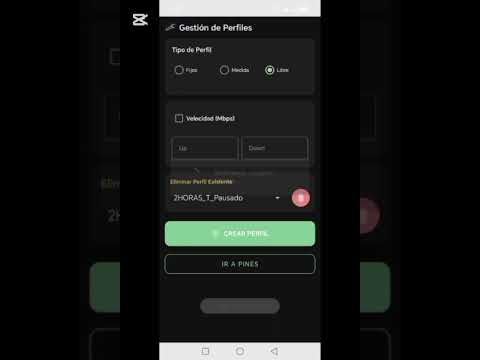
2. Quick Setup: The app will guide you through configuring your router's Hotspot and creating connection profiles for your PINs.
3. PIN Generation: Once configured, you'll access the main view to generate access PINs instantly.
Flexible Access PINs
You can generate PINs for different durations to suit your needs:
• 1, 2, 4 hours
• 1 day
• 1 week
• 1 month
Download HotspotKey and take full control of your network in an innovative way. Thank you for being part of our community
1. Initial Connection: When you open the app for the first time, you just need to enter your Mikrotik router credentials. The app will take care of the rest!
2. Quick Setup: The app will guide you through configuring your router's Hotspot and creating connection profiles for your PINs.
3. PIN Generation: Once configured, you'll access the main view to generate access PINs instantly.
Flexible Access PINs
You can generate PINs for different durations to suit your needs:
• 1, 2, 4 hours
• 1 day
• 1 week
• 1 month
Download HotspotKey and take full control of your network in an innovative way. Thank you for being part of our community
Updated on
Safety starts with understanding how developers collect and share your data. Data privacy and security practices may vary based on your use, region, and age. The developer provided this information and may update it over time.

No data shared with third parties
Learn more about how developers declare sharing

This app may collect these data types
Personal info and Device or other IDs

Data is encrypted in transit

You can request that data be deleted
App support
About the developer
Torres Alvarado Daniel Alexander
dydtecnologia@gmail.com
Puerto Ordaz Estado Bolivar Venezuela
Los Raudales Torre 3
Guayana 8050, Bolívar
Venezuela