
PICNIC-AI Photo Edit&SkyFilter
Contains adsIn-app purchases

star
234K reviews

Everyone
info
10M+
Downloads

Everyone
Learn more


About this app
PICNIC is a free AI photo editor & sky filter camera app.
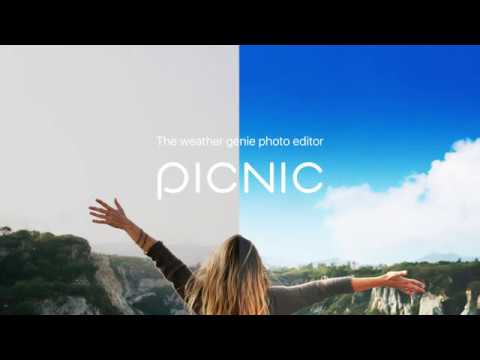
Turn gloomy weather and blurry photos into perfect shots with AI photo editing tools.
From gray skies and low-resolution photos to privacy concerns,
solve everything at once with PICNIC.
Enhance light, color, mood, and atmosphere with AI sky filters.
Upgrade photo quality and apply natural face blur with the AI photo enhancer.
Make every travel photo more beautiful with just one tap.
-
[Key Features]
● AI Photo Editor
· AI Image Upscaler
Automatically sharpen blurry photos with AI photo enhancer.
Upgrade low-resolution images to clearer, high-quality photos.
· AI Blur Face
Automatically detects faces and applies natural blur.
You can also manually select specific areas for mosaic.
Use the blur face app feature to safely share photos without privacy concerns.
● AI Sky Filter Camera
· AI Automatic Sky Detection
AI sky changer automatically detects the sky and brightens dull, cloudy scenes.
· 33 Mood Sky Filters
From Santorini mornings to Paris sunsets and New York skylines.
The best sky replacement and photo filter for any mood.
· One-Tap Easy Editing
Apply camera filters and adjust brightness and color with a single tap.
No complicated settings — the simplest free photo editor.
-
[Perfect For]
✓ Travelers on cloudy days who need sky replacement
✓ Anyone wanting a free sky changer for travel photos
✓ Enhancing old or blurry photos with the AI photo enhancer
✓ Blur faces for social media with the blur face app
[Why PICNIC?]
✓ #1 Sky Filter, 33 mood sky presets
✓ AI Photo Enhancer, automatic image upscaler
✓ AI Face Blur, one-tap privacy protection
✓ Trusted by 10M+ users worldwide
✓ All features completely free
Download PICNIC now and transform every photo into a masterpiece.
-
[App Permissions]
PICNIC only accesses permissions that are essential for providing the service.
Optional Permissions
· Camera: Used for taking photos
· Storage: Used to save captured or edited images to your device
(Required on Android 10 or earlier)
· Location: Used to record location information in photo metadata
*You can use the app without granting optional permissions,
but features that require these permissions may be limited until access is granted.
Turn gloomy weather and blurry photos into perfect shots with AI photo editing tools.
From gray skies and low-resolution photos to privacy concerns,
solve everything at once with PICNIC.
Enhance light, color, mood, and atmosphere with AI sky filters.
Upgrade photo quality and apply natural face blur with the AI photo enhancer.
Make every travel photo more beautiful with just one tap.
-
[Key Features]
● AI Photo Editor
· AI Image Upscaler
Automatically sharpen blurry photos with AI photo enhancer.
Upgrade low-resolution images to clearer, high-quality photos.
· AI Blur Face
Automatically detects faces and applies natural blur.
You can also manually select specific areas for mosaic.
Use the blur face app feature to safely share photos without privacy concerns.
● AI Sky Filter Camera
· AI Automatic Sky Detection
AI sky changer automatically detects the sky and brightens dull, cloudy scenes.
· 33 Mood Sky Filters
From Santorini mornings to Paris sunsets and New York skylines.
The best sky replacement and photo filter for any mood.
· One-Tap Easy Editing
Apply camera filters and adjust brightness and color with a single tap.
No complicated settings — the simplest free photo editor.
-
[Perfect For]
✓ Travelers on cloudy days who need sky replacement
✓ Anyone wanting a free sky changer for travel photos
✓ Enhancing old or blurry photos with the AI photo enhancer
✓ Blur faces for social media with the blur face app
[Why PICNIC?]
✓ #1 Sky Filter, 33 mood sky presets
✓ AI Photo Enhancer, automatic image upscaler
✓ AI Face Blur, one-tap privacy protection
✓ Trusted by 10M+ users worldwide
✓ All features completely free
Download PICNIC now and transform every photo into a masterpiece.
-
[App Permissions]
PICNIC only accesses permissions that are essential for providing the service.
Optional Permissions
· Camera: Used for taking photos
· Storage: Used to save captured or edited images to your device
(Required on Android 10 or earlier)
· Location: Used to record location information in photo metadata
*You can use the app without granting optional permissions,
but features that require these permissions may be limited until access is granted.
AI photo editor & sky filter camera. Replace skies, enhance photos, blur faces
Updated on
Safety starts with understanding how developers collect and share your data. Data privacy and security practices may vary based on your use, region, and age. The developer provided this information and may update it over time.


Ratings and reviews
232K reviews

Emily Cruz
- Flag inappropriate
May 5, 2026
I used to love this app BEFORE they had mandatory ads that of course you have to pay extra for to remove. I also find the app's ability to replace the sky isn't as good as it used to be. It just puts a faded new sky over the existing one instead of replacing it fully.
66 people found this review helpful

Jenna Talia
- Flag inappropriate
July 22, 2023
I never imagined how advanced a photo app could be. I always choose a filter longer than how I took the photo in the first place. App is easy to use, good design, realistic filters, and outstanding results. I'm just flabbergasted of how you can change the entire sky. Props to the devs. Could improve design. Thanks!
203 people found this review helpful

A Google user
- Flag inappropriate
February 16, 2020
Really good effects, the best I have seen so far, most of these are actually useful and a couple of them are perfect for my use. Hopefully this app will develop further in the future, try adding rain, thunder...and maybe divide all effects into classes...make them all good as so far and I would pay for a full version. Lite version shoul have additional ones as well but with PICNIC watermark.
316 people found this review helpful
What’s new
• Improved the first screen ad display for a more convenient app experience.
• Added a section introducing ALTools apps.
• Added a section introducing ALTools apps.
Everyone
Learn moreApp support
About the developer
(주)이스트소프트
estsoftandroid@gmail.com
서초구 반포대로 3 (서초동)
서초구, 서울특별시 06711
South Korea
+82 10-9765-6757


