
FineVu Cloud & Wi-Fi
1K+
Downloads

Everyone
info
About this app
Support Android Version 10.0 or above.
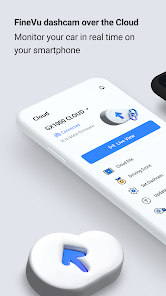
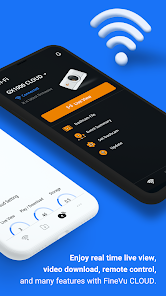
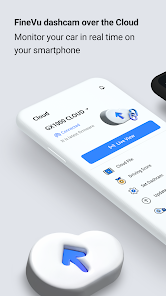
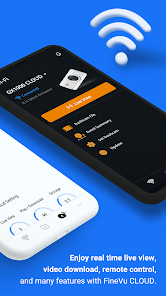
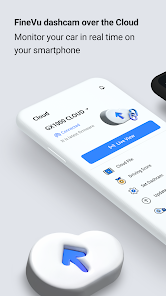
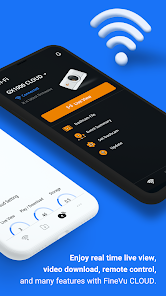
FineVu CLOUD & Wi-Fi app supports Live View, recorded video playback, event summary, dash cam settings, and updates by connecting the dash cam to your smartphone over the Cloud and Wi-Fi.
[Features shared between Wi-Fi and Cloud]
- Dash cam connection:
Activate Wi-Fi by tapping the Wi-Fi button on the dash cam, and connect to your smartphone.
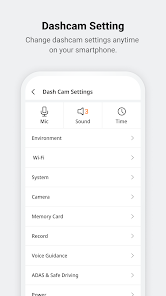
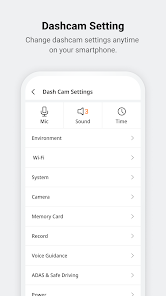
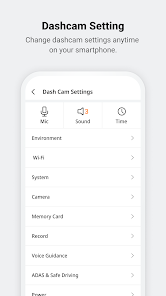
- Dash cam Setting:
Set and control your dash cam with the app.
- Storage:
Set aside videos downloaded from the dash cam. The stored videos can be played, regardless of the connection with the app.
[Cloud Features]
- Live View:
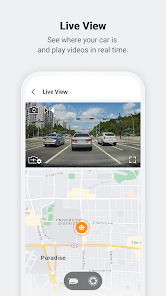
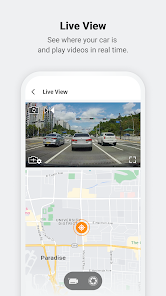
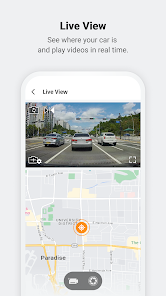
Connect the dash cam to the Cloud, and play the Live video in real time with the app.
- Cloud File:
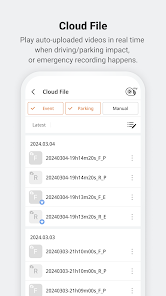
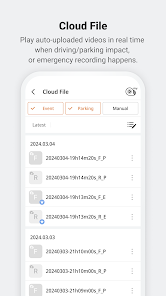
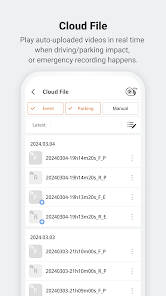
Play videos automatically uploaded to the Cloud when driving events, parking events, or manual recordings occur.
- Driving Score:
Analyze your driving style by the last and monthly driving scores we provide.
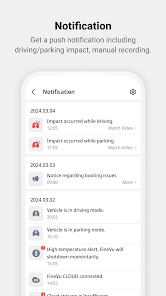
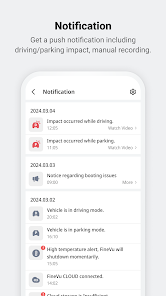
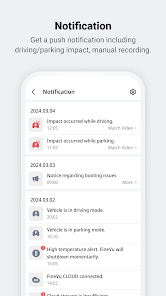
- Push Notification:
Get a push notification in real time, including switching to driving/parking mode, and detecting impacts.
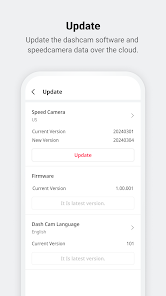
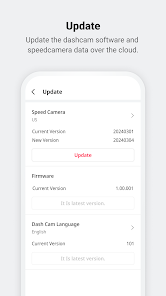
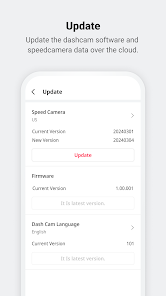
- Update:
Update the dash cam firmware and speed camera data over the Cloud.
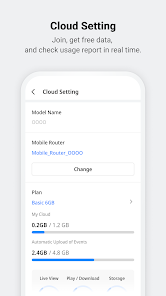
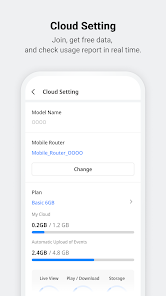
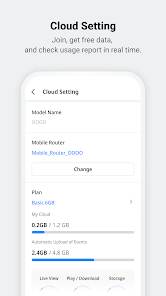
- Cloud Setting:
Check the Cloud connection status, Cloud plan, and usage report in real time.
[Wi-Fi Features]
- Dash cam File:
Play and download videos recorded in the driving and parking mode.
- Event Summary:
Check whether the dash cam is turned off, high temperature or low voltage is blocked, as well as driving records, and history of impacts while parking.
- Update:
Update the dash cam’s latest firmware and speed camera data (once a month) over the Wi-Fi.
[Applied Model]
Domestic: X3500 POWER / LXQ600 POWER / X3300 NEW
[Caution]
※ If you connect to Bluetooth or Wi-Fi via the smartphone’s system settings, an operation may be restricted. Try connecting only with the app.
※ If you do not use the app for a long time, the permission you have accepted may be automatically denied.
※ Some smartphones may not work depending on the device specifications, such as OS version, and supported resolution.
※ If you switch to parking mode while the dash cam is connecting to Wi-Fi, your smartphone may be disconnected.
※ If the ‘Switch to mobile data’ function is on in the Wi-Fi advanced settings, the connection between the dash cam and Wi-Fi may be restricted. Please turn off the function.
※ If you connect to the Cloud via 'Mobile Hotspot' while the ‘Power Saving mode’ function is on, the connection between the dash cam and Cloud may be restricted. Please turn off the function.
※ If you use the VPN, it may cause Wi-Fi connection issues. Please pause the VPN, and use the app.
----------------------------------------------------------------------------------------------------------------------
[Access Permission]
- Location: Dash cam Wi-Fi search and connection
- Photo, Video: Driving/Parking recording videos, Screenshots, Driving records save
- Bluetooth: Dash cam model search
- Camera: User’s profile photoshoot
[Developer Contact]
8th Floor, Fine Venture Bldg., 41, Seongnam-dearo 925beon-gil, Bundang-gu, Seongnam-si, Gyeonggi-do, 463-828 KOREA (+82 31 788 8800)
A/S contact: 1588-4458
----------------------------------------------------------------------------------------------------------------------
Please email us For the app troubleshooting. (finevu-cs@finedigital.com)
FineVu CLOUD & Wi-Fi app supports Live View, recorded video playback, event summary, dash cam settings, and updates by connecting the dash cam to your smartphone over the Cloud and Wi-Fi.
[Features shared between Wi-Fi and Cloud]
- Dash cam connection:
Activate Wi-Fi by tapping the Wi-Fi button on the dash cam, and connect to your smartphone.
- Dash cam Setting:
Set and control your dash cam with the app.
- Storage:
Set aside videos downloaded from the dash cam. The stored videos can be played, regardless of the connection with the app.
[Cloud Features]
- Live View:
Connect the dash cam to the Cloud, and play the Live video in real time with the app.
- Cloud File:
Play videos automatically uploaded to the Cloud when driving events, parking events, or manual recordings occur.
- Driving Score:
Analyze your driving style by the last and monthly driving scores we provide.
- Push Notification:
Get a push notification in real time, including switching to driving/parking mode, and detecting impacts.
- Update:
Update the dash cam firmware and speed camera data over the Cloud.
- Cloud Setting:
Check the Cloud connection status, Cloud plan, and usage report in real time.
[Wi-Fi Features]
- Dash cam File:
Play and download videos recorded in the driving and parking mode.
- Event Summary:
Check whether the dash cam is turned off, high temperature or low voltage is blocked, as well as driving records, and history of impacts while parking.
- Update:
Update the dash cam’s latest firmware and speed camera data (once a month) over the Wi-Fi.
[Applied Model]
Domestic: X3500 POWER / LXQ600 POWER / X3300 NEW
[Caution]
※ If you connect to Bluetooth or Wi-Fi via the smartphone’s system settings, an operation may be restricted. Try connecting only with the app.
※ If you do not use the app for a long time, the permission you have accepted may be automatically denied.
※ Some smartphones may not work depending on the device specifications, such as OS version, and supported resolution.
※ If you switch to parking mode while the dash cam is connecting to Wi-Fi, your smartphone may be disconnected.
※ If the ‘Switch to mobile data’ function is on in the Wi-Fi advanced settings, the connection between the dash cam and Wi-Fi may be restricted. Please turn off the function.
※ If you connect to the Cloud via 'Mobile Hotspot' while the ‘Power Saving mode’ function is on, the connection between the dash cam and Cloud may be restricted. Please turn off the function.
※ If you use the VPN, it may cause Wi-Fi connection issues. Please pause the VPN, and use the app.
----------------------------------------------------------------------------------------------------------------------
[Access Permission]
- Location: Dash cam Wi-Fi search and connection
- Photo, Video: Driving/Parking recording videos, Screenshots, Driving records save
- Bluetooth: Dash cam model search
- Camera: User’s profile photoshoot
[Developer Contact]
8th Floor, Fine Venture Bldg., 41, Seongnam-dearo 925beon-gil, Bundang-gu, Seongnam-si, Gyeonggi-do, 463-828 KOREA (+82 31 788 8800)
A/S contact: 1588-4458
----------------------------------------------------------------------------------------------------------------------
Please email us For the app troubleshooting. (finevu-cs@finedigital.com)
Updated on
Safety starts with understanding how developers collect and share your data. Data privacy and security practices may vary based on your use, region, and age. The developer provided this information and may update it over time.

No data shared with third parties
Learn more about how developers declare sharing

This app may collect these data types
Location

Data is encrypted in transit

Data can’t be deleted
What's new
- Support new model. (X3300 NEW)
- Bug fixes and stability improvements.
- Bug fixes and stability improvements.


