
Weather watch face W1

4.1star
131 reviews
1K+
Downloads

Everyone
info
About this app
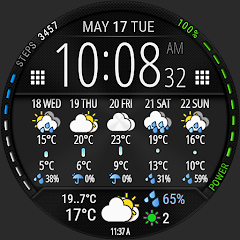
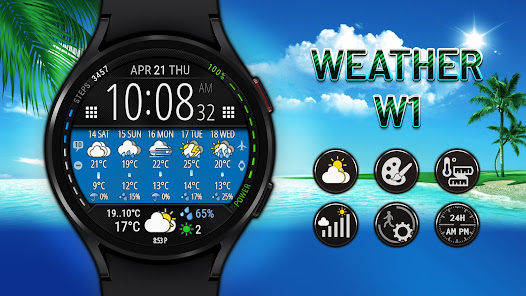
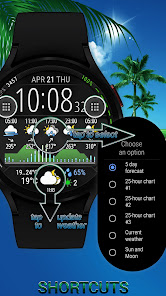
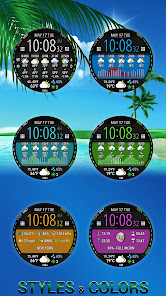
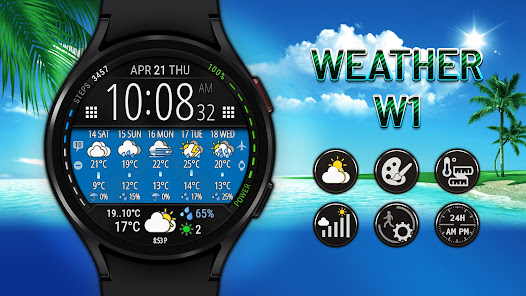
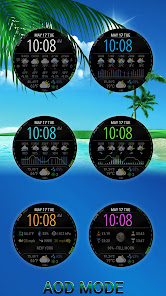
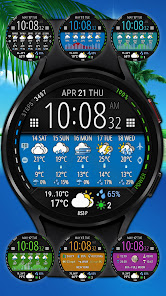
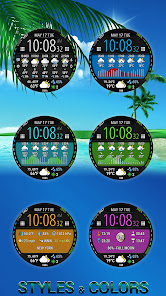
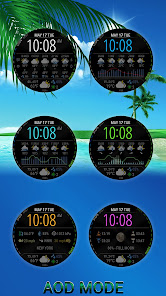
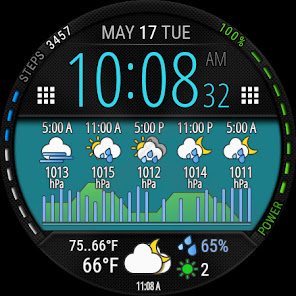
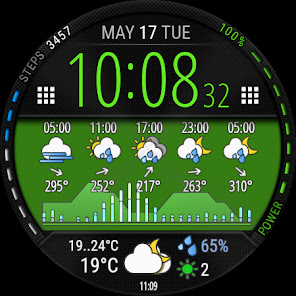
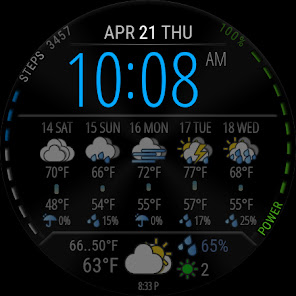
Watch face with weather forecast for 5 days, 25-hour forecast charts, 6 time symbol colors and 6 background colors.
This watch face is available on devices running Wear OS 2.4 and 3+ (API 28+), primarily the Samsung Galaxy Watch 4/5/6 & Google Pixel Watch/2.
Devises running Huawei Lite OS and Samsung Tizen NOT SUPPORTED.
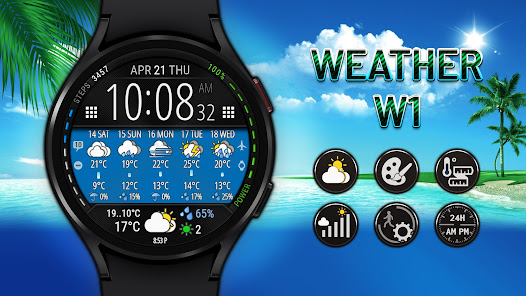
The watch face shows digital time, steps, steps to the goal and battery level.
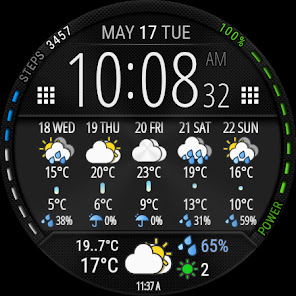
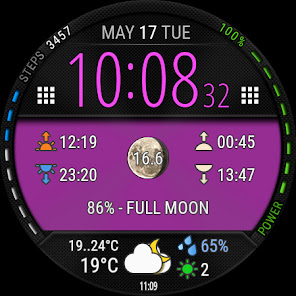
The watch face also displays the weather forecast for today and 1-5 days, sunrise and sunset time, moonrise and moonset time, moon phase and age.
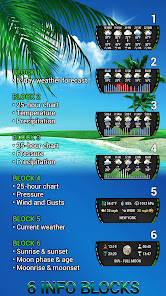
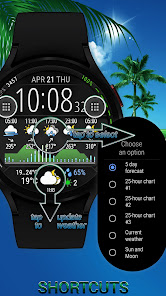
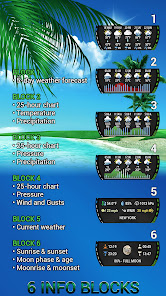
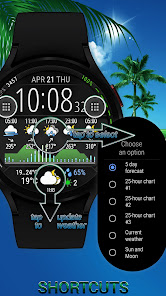
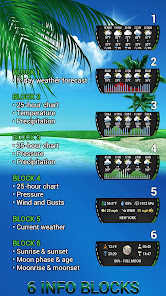
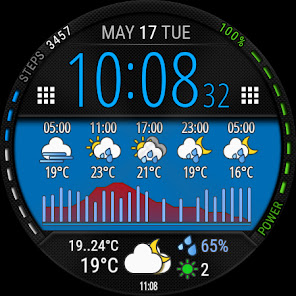
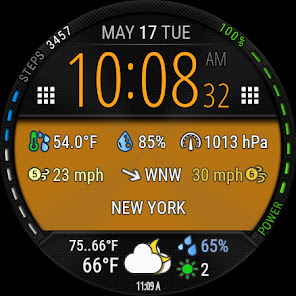
The information block in the center can be displayed in 6 modes (5-day forecast, 3 types of 25-hour chart, current weather, sun and moon info).
🚩 IMPORTANT - about possible issues with obtaining coordinates and updating the weather
• To obtain weather forecast you need an active Internet connection and the enabled "Location" option on your device.
• If "location" was disabled on your device before you installed the watch face, it may take a few minutes until the device receives the coordinates.
🚩 All weather information, as well as sunrise, sunset, moon age, etc. are calculated independently by the watch face.
This information is not imported from any stock applications and may differ slightly from them.
✅ Weather
• Current weather and forecast for 5 days
• 25-hour forecast chart (temperature and precipitation)
• 25-hour forecast chart (pressure and precipitation)
• 25-hour forecast chart (wind and gust)
✅ Customization
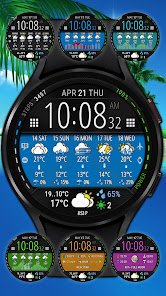
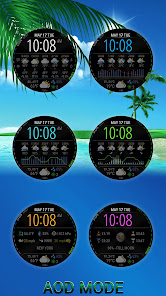
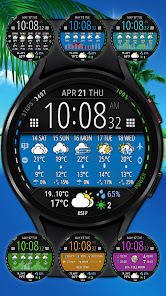
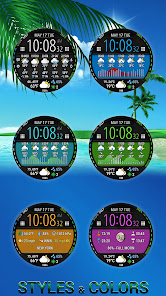
• 6 colors of time symbols
• 6 colors of background
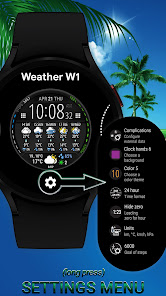
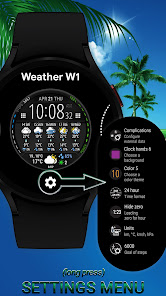
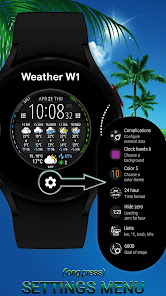
• 6 customizable information blocks
• 2 zones for application shortcuts
(customize app shortcuts as you wish after installing the watch face)
✅ Sun and Moon
• Sunrise and sunset time
• Moon phase and age
• Moonrise and moonset time
✅ Steps
• Steps count
• Progress of steps towards the goal
• Configurable goal of counting steps
✅ Misc
• Battery level
• Unread notification count
• Handling system icons (airplane mode, do not disturb, theater mode, notifications)
• Multilingual (supports more than 40 languages)
✅ Units
• Distance - km, mile, nautical mile
• Speed - m/s, km/h, mile/h, knots
• Temperature - °C, °F
• Pressure - hPa, mmHg, inchHg, bar, psi
✅ Installation
• This watch face will be installed automatically from the paired phone
• Once installed, select this watch face in the Wear OS app
• Also you can press and hold the watch screen to open the watch face selection menu
☀ Weather forecast - World Weather Online
🌐 Geocoding - © OpenStreetMap contributors
➡ We are in social media
• Telegram - https://t.me/futorum
• Instagram - https://instagram.com/futorum
• Facebook - https://facebook.com/FutorumWatchFaces
• YouTube - https://www.youtube.com/c/FutorumWatchFaces
✉ If you have any questions, please contact us by e-mail support@futorum.com
We will be happy to assist you!
This watch face is available on devices running Wear OS 2.4 and 3+ (API 28+), primarily the Samsung Galaxy Watch 4/5/6 & Google Pixel Watch/2.
Devises running Huawei Lite OS and Samsung Tizen NOT SUPPORTED.
The watch face shows digital time, steps, steps to the goal and battery level.
The watch face also displays the weather forecast for today and 1-5 days, sunrise and sunset time, moonrise and moonset time, moon phase and age.
The information block in the center can be displayed in 6 modes (5-day forecast, 3 types of 25-hour chart, current weather, sun and moon info).
🚩 IMPORTANT - about possible issues with obtaining coordinates and updating the weather
• To obtain weather forecast you need an active Internet connection and the enabled "Location" option on your device.
• If "location" was disabled on your device before you installed the watch face, it may take a few minutes until the device receives the coordinates.
🚩 All weather information, as well as sunrise, sunset, moon age, etc. are calculated independently by the watch face.
This information is not imported from any stock applications and may differ slightly from them.
✅ Weather
• Current weather and forecast for 5 days
• 25-hour forecast chart (temperature and precipitation)
• 25-hour forecast chart (pressure and precipitation)
• 25-hour forecast chart (wind and gust)
✅ Customization
• 6 colors of time symbols
• 6 colors of background
• 6 customizable information blocks
• 2 zones for application shortcuts
(customize app shortcuts as you wish after installing the watch face)
✅ Sun and Moon
• Sunrise and sunset time
• Moon phase and age
• Moonrise and moonset time
✅ Steps
• Steps count
• Progress of steps towards the goal
• Configurable goal of counting steps
✅ Misc
• Battery level
• Unread notification count
• Handling system icons (airplane mode, do not disturb, theater mode, notifications)
• Multilingual (supports more than 40 languages)
✅ Units
• Distance - km, mile, nautical mile
• Speed - m/s, km/h, mile/h, knots
• Temperature - °C, °F
• Pressure - hPa, mmHg, inchHg, bar, psi
✅ Installation
• This watch face will be installed automatically from the paired phone
• Once installed, select this watch face in the Wear OS app
• Also you can press and hold the watch screen to open the watch face selection menu
☀ Weather forecast - World Weather Online
🌐 Geocoding - © OpenStreetMap contributors
➡ We are in social media
• Telegram - https://t.me/futorum
• Instagram - https://instagram.com/futorum
• Facebook - https://facebook.com/FutorumWatchFaces
• YouTube - https://www.youtube.com/c/FutorumWatchFaces
✉ If you have any questions, please contact us by e-mail support@futorum.com
We will be happy to assist you!
Updated on
Safety starts with understanding how developers collect and share your data. Data privacy and security practices may vary based on your use, region, and age. The developer provided this information and may update it over time.

This app may share these data types with third parties
Location

No data collected
Learn more about how developers declare collection

Data is encrypted in transit

Data can’t be deleted
Ratings and reviews
3.6
68 reviews

Tutivillus Grift
- Flag inappropriate
August 11, 2022
A little too battery hungry on my Ticwatch Pro 3 gps ultra. Not sure what happened but suddenly this watchface was eating about 17% of the battery, more than the Android system itself! Maybe I've done something wrong, I hope so, because I really like this watchface (I'm a weather geek).
1 person found this review helpful
Futorum
August 11, 2022
There was no change in the watch face, try restarting the watch.
Also please look to the weather update time (at the very bottom of the screen), is it updated every hour as usual or more often?

Abiodun “Maxwell” Akinwumi
- Flag inappropriate
- Show review history
April 25, 2023
This app couldn't installed on my both of my samsung wearable and phone devices. I decided to tried it because of some of the rating and comments ftom users. It is couldn't work for me. I had to reinstalled immediately with hope that the charges fee will be refunded. Please, refund my money and I will give this more rating stars and comment.
2 people found this review helpful
Futorum
April 25, 2023
1. Please try to open the watch face link in a web browser
https://play.google.com/web/store/apps/details?id=com.futorum.w1
2. As usual, the installation of the watch face from Google Play takes 5-10 minutes.
3. Select a watch face manually on your watch.

Steve
- Flag inappropriate
May 22, 2022
There's not many decent weather watch faces on Wear OS, so this is a welcome addition. Loads of options, plenty of info but still easy to read. Top work.
1 person found this review helpful
Futorum
May 22, 2022
Thank you for the kind review!
Glad you liked it!
App support
About the developer
ZAITSEV A.F. FOP
support@futorum.com
24/1 vul. Sadova
Verkhniodniprovsk
Ukraine
51600
+380 93 883 1585


