
Gallagher Mobile Connect

star
225 reviews

Everyone
info
100K+
Downloads

Everyone
Learn more


About this app
Gallagher Mobile Connect
Secure access, made simple.
Gallagher Mobile Connect turns your smartphone into a secure digital key. Whether you're entering a building, accessing a room, or displaying your ID, the app provides a convenient and contactless way to move through secure spaces—no physical access card needed.
What you can do:
- Open the app and present your phone to the access reader
- To unlock from a distance, select the access reader in the app
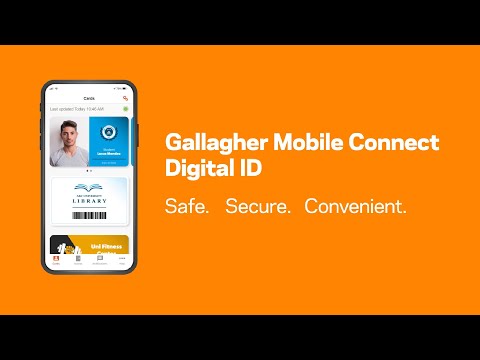
- Carry your digital ID on your phone
- Interact with your building’s security system
- Stay informed with real-time push notifications
- Use NFC for seamless tap-and-go access (where supported)
Once you're set up by your organisation, just open the app and you're ready to go.
Tip: Ensure NFC and Bluetooth® are enabled for the Mobile Connect app. You can find helpful tips and settings in the app’s Help section.
Requires a valid credential, which is distributed and managed by your card or credential issuer using the Gallagher Command Centre software.
Mobile Connect supports PIN, Fingerprint, or Face Unlock (on supported devices) when a second factor is required at the door.
Secure access made simple.
Mobile Connect is available in English, French, and Spanish.
Secure access, made simple.
Gallagher Mobile Connect turns your smartphone into a secure digital key. Whether you're entering a building, accessing a room, or displaying your ID, the app provides a convenient and contactless way to move through secure spaces—no physical access card needed.
What you can do:
- Open the app and present your phone to the access reader
- To unlock from a distance, select the access reader in the app
- Carry your digital ID on your phone
- Interact with your building’s security system
- Stay informed with real-time push notifications
- Use NFC for seamless tap-and-go access (where supported)
Once you're set up by your organisation, just open the app and you're ready to go.
Tip: Ensure NFC and Bluetooth® are enabled for the Mobile Connect app. You can find helpful tips and settings in the app’s Help section.
Requires a valid credential, which is distributed and managed by your card or credential issuer using the Gallagher Command Centre software.
Mobile Connect supports PIN, Fingerprint, or Face Unlock (on supported devices) when a second factor is required at the door.
Secure access made simple.
Mobile Connect is available in English, French, and Spanish.
Open Doors, get Notifications and Digital ID cards from your organization
Updated on
Safety starts with understanding how developers collect and share your data. Data privacy and security practices may vary based on your use, region, and age. The developer provided this information and may update it over time.
- No data shared with third partiesLearn more about how developers declare sharing
- No data collectedLearn more about how developers declare collection


Ratings and reviews
220 reviews

Ken Odeluga
- Flag inappropriate
- Show review history
April 15, 2026
Bugs are increasing. I wonder if they'd consider an update? It's been a while. (since October 2025, it says above.) On my Samsung S25 Ultra (just like on my previous Samsung handset) I frequently attempt to open a door by NFC and nothing happens. I've learned that in these cases an instance of the app has opened headlessly. I need to locate it, close it, then tap again. Then the door opens. Hardly ideal.
1 person found this review helpful

A Google user
- Flag inappropriate
- Show review history
January 16, 2019
Previously I used to approach the door and it would grant me access. Now I have to open the app, choose which door to let me access by hitting on actions (even if there is only one door in the list) and then hit another button to request access? Takes too long! Thanks for your response but I don't want to have to open the app. I have tried all the settings. NFC is enabled.
13 people found this review helpful
Gallagher Security
January 17, 2019
By default NFC is disabled on the Gallagher readers. It is also worth noting the default battery saving settings on a Samsung device will stop the BLE background scanning every three days.

Francois Strydom
- Flag inappropriate
- Show review history
June 1, 2020
Hi. It takes too long to open a door. It's a 2 step process. Max one step is needed. Also make the options or buttons much larger so that you don't have to use precision finger movements. It's annoying every time I have to enter or exit the boom gates. Also the scan for access and stop scanning button should be the same large button.
18 people found this review helpful
Gallagher Security
June 1, 2020
I recommend checking the readers Bluetooth range with your site administrator. The default range will not be strong enough for Boom gates. If the readers Bluetooth signal is strong enough you should not even need to open the app, let alone click on the door name. However with Samsung devices you may need to open the app.
What’s new
Bug Fix
Everyone
Learn moreApp support
About the developer
GALLAGHER GROUP LIMITED
mobileappsupport@gallagher.com
181 Kahikatea Dr Melville
Hamilton 3206
New Zealand
+64 7 838 9800