OpenSongApp - Songbook
3.9star
1.06K reviews
100K+
Downloads

Everyone
info


About this app
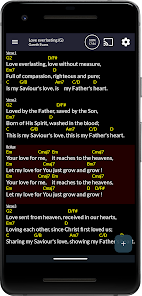
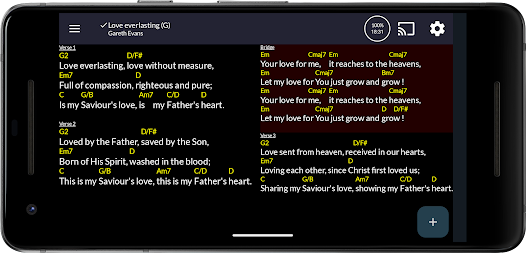
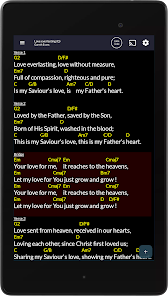
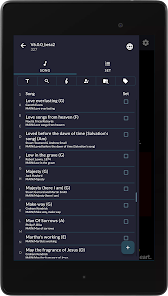
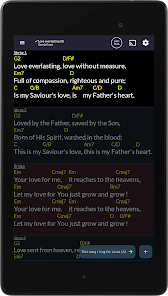
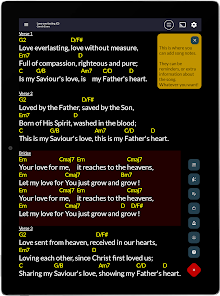
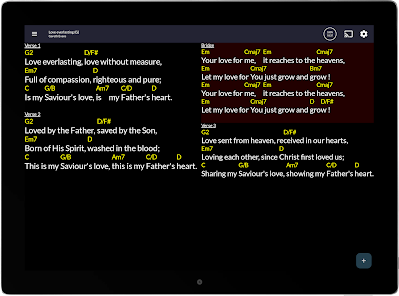
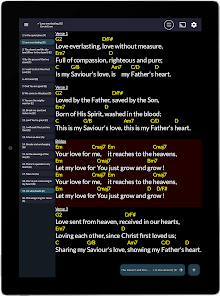
A songbook app designed for and musicians, singers, worship leaders, etc. that allows you to view chord charts and lyrics on your Android device and use it as a portable music songbook. The app uses the OpenSong format, but will also open and convert songs created in ChordPro and iOS style song formats. PDF documents are also supported on Android Lollipop+.
Please check the online help pages if you have problems:
https://www.opensongapp.com
Features:
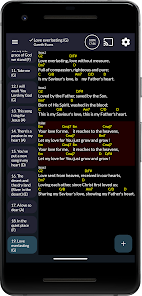
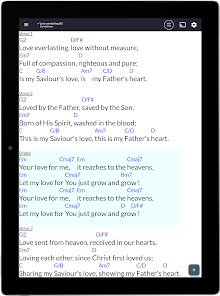
Performance (musician) mode
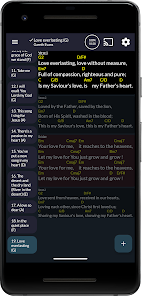
Stage (tech team) mode
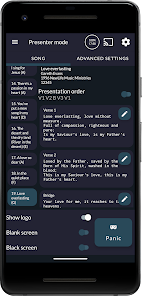
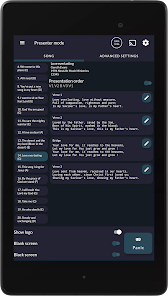
Presentation (projecting lyrics) mode.
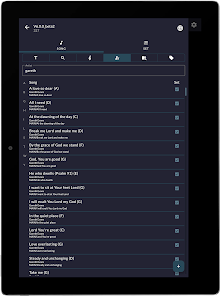
Fully indexed search feature
4 fully customisable display themes (light, dark, etc.)
Supports ALL Bluetooth pedals
Transpose
Autoscale
Autoscroll
Metronome (audio and visual)
Built in pads (matching the key of the song) - 24 included
Include your own backing tracks
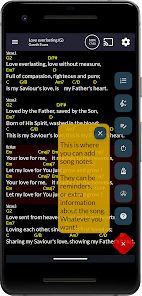
Song sticky notes
Highlighter/drawing tool
Import songs from UG and Chordie
Use the camera to take a photo of a song sheet and use this
Create and edit songs
Show/hide chords
Guitar tuner
Set preferred keys (e.g. Gb or F#)
View chord diagrams for guitar, ukulele, banjo, cavaquinho and mandolin. You can also create custom chords
Support for European chord formats (es/is/Do re mi) and Nashville numbering.
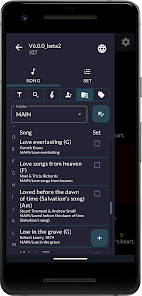
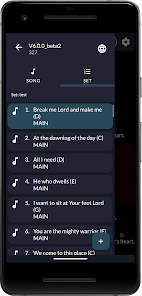
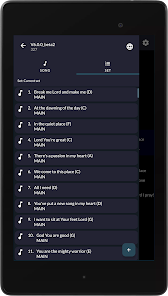
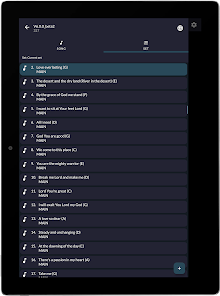
Create and edit sets of songs, slides, notes, scriptures
Export and share songs and sets with others
Songs in sets can be converted to 'Variations'. This allows you to modify songs in your set without changing the original
Load in previously created/shared sets
Allows images to be used as songs
Will display PDF documents in performance mode (e.g. scanned sheet music) - this is only available on devices running API 21/5.0 (Android Lollipop) or above. Multiple page PDF files are supported.
Current song can be looked up on YouTube via search button
Fully compatible with iOS style songs, .pro and .chopro file format (songs are automatically converted into OpenSong format)
Import all songs from an iOS 'alternative' app backup file
Dual screen presentation of songs with custom background images and video
Allows user choice of storing song on internal or external memory (SD card)
The app can be used as a replacement for any bulky paper based song folder for performing musicians.
I am constantly looking to improve and update this app and welcome suggestions, requests, etc.
OpenSongApp is designed to compliment the Open Source application for Linux/Windows/Mac called OpenSong that allows churches to project song lyrics, Bible verses, etc. You can check them out (and support them) at: http://www.opensong.org
If you're looking for an alternative to the other expensive apps out there that doesn't see you as a customer, someone to make money from, or someone to bombard with ads, you've come to the right place.
OpenSongApp for Android started out free of charge, is currently free of charge and will stay free of charge for the lifetime of the app. All of my features are available. No additional in app purchases, unlocks, adverts, enhancements, etc. You get it all, all the time!
If you don't like it, no worries, move on, life is too short!
Please check the online help pages if you have problems:
https://www.opensongapp.com
Features:
Performance (musician) mode
Stage (tech team) mode
Presentation (projecting lyrics) mode.
Fully indexed search feature
4 fully customisable display themes (light, dark, etc.)
Supports ALL Bluetooth pedals
Transpose
Autoscale
Autoscroll
Metronome (audio and visual)
Built in pads (matching the key of the song) - 24 included
Include your own backing tracks
Song sticky notes
Highlighter/drawing tool
Import songs from UG and Chordie
Use the camera to take a photo of a song sheet and use this
Create and edit songs
Show/hide chords
Guitar tuner
Set preferred keys (e.g. Gb or F#)
View chord diagrams for guitar, ukulele, banjo, cavaquinho and mandolin. You can also create custom chords
Support for European chord formats (es/is/Do re mi) and Nashville numbering.
Create and edit sets of songs, slides, notes, scriptures
Export and share songs and sets with others
Songs in sets can be converted to 'Variations'. This allows you to modify songs in your set without changing the original
Load in previously created/shared sets
Allows images to be used as songs
Will display PDF documents in performance mode (e.g. scanned sheet music) - this is only available on devices running API 21/5.0 (Android Lollipop) or above. Multiple page PDF files are supported.
Current song can be looked up on YouTube via search button
Fully compatible with iOS style songs, .pro and .chopro file format (songs are automatically converted into OpenSong format)
Import all songs from an iOS 'alternative' app backup file
Dual screen presentation of songs with custom background images and video
Allows user choice of storing song on internal or external memory (SD card)
The app can be used as a replacement for any bulky paper based song folder for performing musicians.
I am constantly looking to improve and update this app and welcome suggestions, requests, etc.
OpenSongApp is designed to compliment the Open Source application for Linux/Windows/Mac called OpenSong that allows churches to project song lyrics, Bible verses, etc. You can check them out (and support them) at: http://www.opensong.org
If you're looking for an alternative to the other expensive apps out there that doesn't see you as a customer, someone to make money from, or someone to bombard with ads, you've come to the right place.
OpenSongApp for Android started out free of charge, is currently free of charge and will stay free of charge for the lifetime of the app. All of my features are available. No additional in app purchases, unlocks, adverts, enhancements, etc. You get it all, all the time!
If you don't like it, no worries, move on, life is too short!
Updated on
Safety starts with understanding how developers collect and share your data. Data privacy and security practices may vary based on your use, region and age The developer provided this information and may update it over time.

No data shared with third parties
Learn more about how developers declare sharing

No data collected
Learn more about how developers declare collection
Ratings and reviews
3.9
658 reviews

A Google user
- Flag inappropriate
16 January 2020
This is a great app for *any* performer who has an Android Tablet and access to OpenSong XML format files. It is not just limited to "church" music. I have been using it for 3 years on a 10" Asus Tablet and love it! While it is tempting to think that the display on a 10" tablet is going to be too small, it is not. When you are not displaying PDFs (which it also does), the app can be set to scale the text so that lines fit the width of the display. For most songs, there are few enough lines that this enlarges the display enough. For some songs, i have to edit the chord charts (or just lyrics) and break long lines up. This is very easy to do. As for getting songs into OpenSongApp, it can accept input from Text, PDF, and XML files. There are also options to search for and import songs from several popular websites (i.e. SongSelect, Chordie, Ultimate-guitar, WorshipTogether, UKUTABS , and HOLYCHORDS). [Some of these site are subscription sites.] The only issue I have with it is not really an issue: There is not a Windows or iOS port that I have found.
27 people found this review helpful
Gareth Evans
5 March 2020
Thank you for this very kind and full review John!

Mike Hall
- Flag inappropriate
19 October 2020
Can't believe I haven't rated this one yet, as I've been a user for several years now. I use this weekly with my worship band, and with an AirTurn Bluetooth Pedal. No issues really, and none that haven't been readily fixed and responded to by the DEV. Thanks for making and putting in the time on this. Best app for a musician/singer. I play guitar and sing, thus gives the best layout and smoothest transitions when linked to my Bluetooth Pedal.
15 people found this review helpful
Gareth Evans
19 October 2020
Many thanks for taking the time to leave a review!
A Google user
- Flag inappropriate
- Show review history
26 September 2018
I was looking for a music book app to use with my Kindle Fire tablet. I found this one and am really enjoying it so far. There is a learning curve but I find it easier to use than all of the other apps, including the ones I purchased. It also has every option imaginable that I could ever need. It is an excellent music book app and I am truly enjoying learning how to use it, and adding all my songs. I will love not having to tote around all my heavy song books. I also love that I can see in the dark without having lights on to sing and That auto scroll can be set up within the app. I truly love this app and am so thankful for all time and hard work that Gareth Evans has put into making this and sharing it with us for free. He also answers yours questions when you need help. I highly recommend this app. Thank you again Gareth for this awesome app!
7 people found this review helpful
What's new
Updated webserver/local host logic
Fixes for song updating view after transpose or connected device changing song.
Fixes for song updating view after transpose or connected device changing song.
App support
About the developer
Gareth Alun Evans
info@opensongapp.com
32 Woodhall Road
Pencaitland
TRANENT
EH34 5AR
United Kingdom
undefined