
FAHHH Meme Button - Loud Sound
Contains ads

Everyone
info
10+
Downloads

Everyone
Learn more



About this app
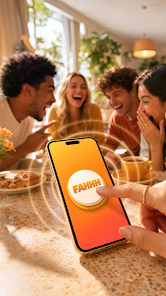
Welcome to the official FAHHH Meme Button app. Need a clear reaction sound for social gatherings, comedy moments, or friendly pranks? The FAHHH button provides an instant, high-quality audio playback experience designed for lightweight entertainment.
Tap the large 3D interactive button to play the famous FAHHH meme sound effect with zero latency. Whether you want to add humor to a conversation or trigger a quick laugh, this app provides a clean, responsive soundboard interface.
Key Features:
- Real-Time Pitch and Speed Control:
Customize how your reaction sound plays back. Use the smooth pitch slider to adjust audio speed from 0.6x to 1.8x. Switch between dedicated audio modes including Slow-Mo bass, Standard normal speed, Helium high-pitch, and Turbo fast playback.
- Tactile Haptic Feedback:
Feel the reaction with physical vibration profiles. Select from five distinct haptic intensities (Off, Soft, Medium, Heavy, and Double Haptic feedback) synchronized directly with each button tap.
- One-Tap Home Screen Widget:
Play the FAHHH meme sound directly from your Android home screen launcher. Add the custom sound widget to your home screen to trigger instant audio playback without opening the full application.
- Immersive Full Screen Mode:
Toggle full screen view for an ultra-clean, distraction-free display. Tap anywhere outside the interactive button to exit full screen mode whenever needed.
- Dynamic Progression Titles:
Track your total button taps and unlock milestone titles as you play. Progress from Rookie to Novice, Enthusiast, Master, and Legend as your tap count increases.
- Modern Visual Design:
Enjoy a modern interface featuring smooth glassmorphism design cards, dynamic color gradients, and tactile physical button press physics.
How to Add the Home Screen Widget:
1. Press and hold any empty space on your phone home screen.
2. Select Widgets from the pop-up menu.
3. Scroll or search for FAHHH Button.
4. Drag and drop the widget onto your home screen for instant one-tap sound playback.
Audio Guidelines and Usage Notice:
This application is created for entertainment purposes. Please use audio playback responsibly in appropriate environments. Avoid playing loud sound effects in quiet public settings such as classrooms, libraries, or medical facilities. Keep your device volume at a comfortable level.
Download the FAHHH Meme Button today and enjoy instant reaction sounds at your fingertips.
Created by Genzee.
Tap the large 3D interactive button to play the famous FAHHH meme sound effect with zero latency. Whether you want to add humor to a conversation or trigger a quick laugh, this app provides a clean, responsive soundboard interface.
Key Features:
- Real-Time Pitch and Speed Control:
Customize how your reaction sound plays back. Use the smooth pitch slider to adjust audio speed from 0.6x to 1.8x. Switch between dedicated audio modes including Slow-Mo bass, Standard normal speed, Helium high-pitch, and Turbo fast playback.
- Tactile Haptic Feedback:
Feel the reaction with physical vibration profiles. Select from five distinct haptic intensities (Off, Soft, Medium, Heavy, and Double Haptic feedback) synchronized directly with each button tap.
- One-Tap Home Screen Widget:
Play the FAHHH meme sound directly from your Android home screen launcher. Add the custom sound widget to your home screen to trigger instant audio playback without opening the full application.
- Immersive Full Screen Mode:
Toggle full screen view for an ultra-clean, distraction-free display. Tap anywhere outside the interactive button to exit full screen mode whenever needed.
- Dynamic Progression Titles:
Track your total button taps and unlock milestone titles as you play. Progress from Rookie to Novice, Enthusiast, Master, and Legend as your tap count increases.
- Modern Visual Design:
Enjoy a modern interface featuring smooth glassmorphism design cards, dynamic color gradients, and tactile physical button press physics.
How to Add the Home Screen Widget:
1. Press and hold any empty space on your phone home screen.
2. Select Widgets from the pop-up menu.
3. Scroll or search for FAHHH Button.
4. Drag and drop the widget onto your home screen for instant one-tap sound playback.
Audio Guidelines and Usage Notice:
This application is created for entertainment purposes. Please use audio playback responsibly in appropriate environments. Avoid playing loud sound effects in quiet public settings such as classrooms, libraries, or medical facilities. Keep your device volume at a comfortable level.
Download the FAHHH Meme Button today and enjoy instant reaction sounds at your fingertips.
Created by Genzee.
Loud FAHHH meme sound button with custom pitch settings and home screen widget.
Updated on
Safety starts with understanding how developers collect and share your data. Data privacy and security practices may vary based on your use, region, and age. The developer provided this information and may update it over time.
- No data shared with third partiesLearn more about how developers declare sharing
- No data collectedLearn more about how developers declare collection


What’s new
- Enjoy zero-latency audio response with brand new ultra-tactile 3D button press animations.
- Improved app performance and smoother UI transitions.
- Improved app performance and smoother UI transitions.
Everyone
Learn moreApp support
About the developer
M JAGATHEESAN
mjagatheesan.g@gmail.com
8/2 Lenin Nagar
Namagiripettai
Rasipuram Namakkal, Tamil Nadu 637406
India


