
GGMorse
4.2star
145 reviews
10K+
Downloads

Everyone
info





About this app
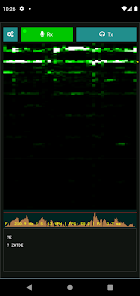
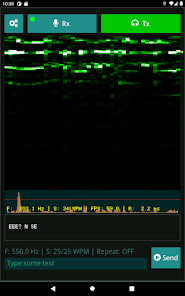
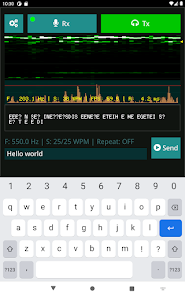
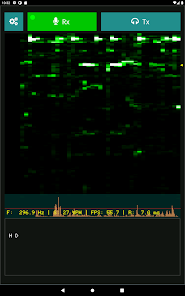
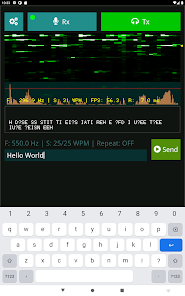
With this application you can easily decode Morse code audio back into text using your phone or tablet. The application automatically detects the frequency and speed of the input signal and displays the decoded text in real-time.
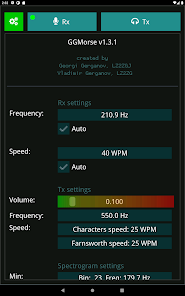
Frequency range: 200 - 1200 Hz
Speed range: 5 - 55 WPM
Usage:
- Allow microphone access to GGMorse
- Place your device near the audio source of the Morse code transmission
- Observe the decoded text in the panel at the bottom of the screen
- Use the lock icon to lock the current Rx frequency and speed
Frequency range: 200 - 1200 Hz
Speed range: 5 - 55 WPM
Usage:
- Allow microphone access to GGMorse
- Place your device near the audio source of the Morse code transmission
- Observe the decoded text in the panel at the bottom of the screen
- Use the lock icon to lock the current Rx frequency and speed
Updated on
Safety starts with understanding how developers collect and share your data. Data privacy and security practices may vary based on your use, region, and age. The developer provided this information and may update it over time.

No data shared with third parties
Learn more about how developers declare sharing

No data collected
Learn more about how developers declare collection
Ratings and reviews
4.2
140 reviews

Einacht Wolf
- Flag inappropriate
January 11, 2024
Like someone else said in their review, I used this app for the Battlefield 1 secret messages. It works extremely well just listening to my recorded gameplay video, without needing VLC to convert the video to MP3. The app is super easy to use, no set up was required.
14 people found this review helpful

VB Hunt
- Flag inappropriate
May 31, 2022
It works fine, both receiving and transmitting. The guy that was having trouble with tx wasn't clicking in the correct field to enter text.
4 people found this review helpful

Robin Spalding
- Flag inappropriate
September 2, 2022
Works well... Wishlist: ability to adjust text size; ability to choose send (TX) pitch; ability to invert freq display so low is at bottom not top.
2 people found this review helpful
What's new
Fix input issues on some devices
App support
About the developer
Georgi Gerganov
ggerganov@gmail.com
Bulgaria
undefined