
AppLock Ultra: App Locker
Contains adsIn-app purchases


Everyone
info
1K+
Downloads

Everyone
Learn more


About this app
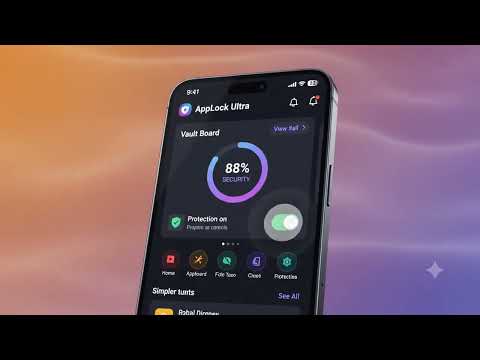
AppLock Ultra is an app locker for Android that helps protect private apps with PIN, pattern, or fingerprint unlock.
Lock messaging, gallery, photos, social media, settings, payment, and other personal apps so your phone stays private when someone else is using it.
Key features:
• App lock for selected apps with PIN, pattern, and biometric unlock
• Fingerprint app locker support on compatible devices
• Pattern lock and passcode lock options
• Intruder Selfie option after failed unlock attempts
• Fake icon choices and clean privacy controls
• Custom lock screen styles, colors, AMOLED and dark themes
• Fast setup with quick access to locked apps
Use AppLock Ultra when you want:
• A simple app locker for everyday privacy
• Extra protection for chat, gallery, photos, settings, and social apps
• A lock screen that matches your style
• Privacy protection without a complicated setup
Permissions notice:
AppLock Ultra may require Usage Access and Display Over Other Apps permission so it can detect when protected apps are opened and show the lock screen. Camera permission is only used if you enable Intruder Selfie.
Accessibility Service use:
On tablets, AppLock Ultra requires its Accessibility Service for reliable app locking because Usage Access alone may not consistently detect foreground app changes. On phones, this service is optional and used only when app detection is unreliable. When enabled, AppLock Ultra detects which app is currently open by observing window state changes and package names, then shows the lock screen only for apps you selected to protect.
AppLock Ultra does not use the Accessibility Service to read screen content, text, passwords, messages, notifications, or personal files. It does not record audio or calls, does not perform taps or gestures, does not change device settings, and does not prevent you from disabling or uninstalling the app or service. Data from this service is used only on this device for app-locking behavior. You can turn the service off at any time in Android Accessibility settings, but app locking may not work reliably on tablets without it.
Important:
Biometric unlock availability depends on your device.
Some features may vary by Android version and device manufacturer.
Lock messaging, gallery, photos, social media, settings, payment, and other personal apps so your phone stays private when someone else is using it.
Key features:
• App lock for selected apps with PIN, pattern, and biometric unlock
• Fingerprint app locker support on compatible devices
• Pattern lock and passcode lock options
• Intruder Selfie option after failed unlock attempts
• Fake icon choices and clean privacy controls
• Custom lock screen styles, colors, AMOLED and dark themes
• Fast setup with quick access to locked apps
Use AppLock Ultra when you want:
• A simple app locker for everyday privacy
• Extra protection for chat, gallery, photos, settings, and social apps
• A lock screen that matches your style
• Privacy protection without a complicated setup
Permissions notice:
AppLock Ultra may require Usage Access and Display Over Other Apps permission so it can detect when protected apps are opened and show the lock screen. Camera permission is only used if you enable Intruder Selfie.
Accessibility Service use:
On tablets, AppLock Ultra requires its Accessibility Service for reliable app locking because Usage Access alone may not consistently detect foreground app changes. On phones, this service is optional and used only when app detection is unreliable. When enabled, AppLock Ultra detects which app is currently open by observing window state changes and package names, then shows the lock screen only for apps you selected to protect.
AppLock Ultra does not use the Accessibility Service to read screen content, text, passwords, messages, notifications, or personal files. It does not record audio or calls, does not perform taps or gestures, does not change device settings, and does not prevent you from disabling or uninstalling the app or service. Data from this service is used only on this device for app-locking behavior. You can turn the service off at any time in Android Accessibility settings, but app locking may not work reliably on tablets without it.
Important:
Biometric unlock availability depends on your device.
Some features may vary by Android version and device manufacturer.
App locker with PIN, pattern & fingerprint privacy protection.
Updated on
Featured stories

Safety starts with understanding how developers collect and share your data. Data privacy and security practices may vary based on your use, region, and age. The developer provided this information and may update it over time.


What’s new
Updated for Android 16 compatibility, with stability and performance improvements.
Everyone
Learn moreApp support
About the developer
Sumant Kumar
appcraftdigital@gmail.com
Naika Gav
Shri Ram Market
Sasaram, Bihar 821115
India


