
HaierSmartAir2
1.3star
3.12K reviews
100K+
Downloads

Everyone
info

About this app
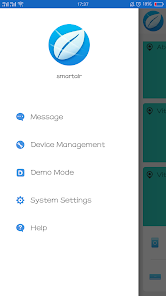
A completely redesigned SmartAir app, based on the original intelligent air conditioning, and integrates more intelligent elements to provide various services for the user's household air-related intelligent products and create a comfortable, healthy and clean household air environment.
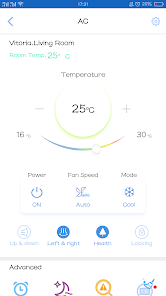
1. Control the Haier smart appliances by phone, which is secure, convenient, efficient and easy to master;
2. With cloud adaptation and cloud reminder, you can enjoy comfortable air from owning Haier smart appliances;
3. With remote control, you can enjoy the comfortable home environment;
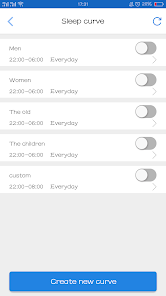
4. Sleep curve cares for your sleep;
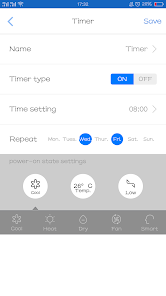
5. More intimate services are waiting for you, such as life reminder, air reporting and cloud timer;
(Some features require a working Internet connection, Wi-Fi)
1. Control the Haier smart appliances by phone, which is secure, convenient, efficient and easy to master;
2. With cloud adaptation and cloud reminder, you can enjoy comfortable air from owning Haier smart appliances;
3. With remote control, you can enjoy the comfortable home environment;
4. Sleep curve cares for your sleep;
5. More intimate services are waiting for you, such as life reminder, air reporting and cloud timer;
(Some features require a working Internet connection, Wi-Fi)
Updated on
Safety starts with understanding how developers collect and share your data. Data privacy and security practices may vary based on your use, region, and age. The developer provided this information and may update it over time.

No data shared with third parties
Learn more about how developers declare sharing

This app may collect these data types
Personal info, Photos and videos, and Device or other IDs

Data is encrypted in transit
Ratings and reviews
1.3
3.08K reviews

Fred Arias
- Flag inappropriate
- Show review history
June 21, 2021
Getting error at the last step when selecting city request failed [B00001]. It won't let me bind to the AC unit. Seeing the past comments they just blame the customer's Wi-Fi network instead of offering real troubleshooting. As a normal AC unit it seems to work fine. However, with bugs in the app that lots of people are having issues with, these are definitely not smart enough to work correctly.
63 people found this review helpful
H Uhome
June 24, 2021
Hello, it has been retested, this function is ok. But if the network is not good and the module cannot connect to the server, this problem will occur. It is still recommended to switch networks or wait for a while. Thank you

mohsin mahmood
- Flag inappropriate
April 28, 2024
I have haier 2 ton DC inverter AC (pearl series). I am facing problem connecting it with this app.. when I select location and room size, and then press save button, it shows not saving and shows some code starting with G And some numbers..it is worth mentioning that my wifi router and internet is working perfectly and my other ac (Enviro) is connected perfectly with the app (another one)...kindly update this update...your AC is no doubt preimum n outclass bt this app needs update
19 people found this review helpful

A Google user
- Flag inappropriate
- Show review history
August 29, 2019
After few attempts, I succeeded to connect AC to my WiFi (I see it on my LAN), but the app said that adding AC to the app has failed (after 60 seconds) so I cannot see any data from my AC in the app and I cannot control AC from my smartphone. Very poor app. Please fix this ASAP! UPDATE (29.08.2019.): It was a problem with client isolation setting on old wireless access point. There was no option to deactivate it. After i replaced old access point with the new one, everything is working fine.
15 people found this review helpful
What's new
Adapt for Android 13.

