
PayZapp UPI, Pixel Credit Card
4.4star
727K reviews
10M+
Downloads

Everyone
info

About this app
PayZapp: Pixel Credit Card | UPI Scan QR| UPI Send money to any contacts | Recharge and Bill payments | Link Cards & Swipe to Pay | Wallet to account transfer | Shop | PayZapp CashPoints and Rewards
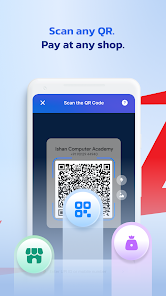
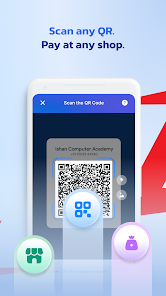
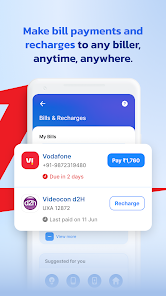
PayZapp gives you the choice to pay via UPI, Debit/Credit Cards and PayZapp Prepaid Wallet. Scan any QR or Swipe to Pay. You can send money, apply for a virtual Credit Card, make recharges and bill payments, book flights and hotels, buy 200+ brand vouchers for online/offline shopping and earn assured CashBack.
What’s New With PayZapp?
1. PIXEL CREDIT CARDS
•Introducing Pixel Credit Cards, a born digital Credit Card that empowers your choices. Supercharge your spending with features that help you save as you spend.
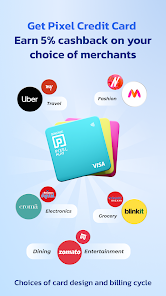
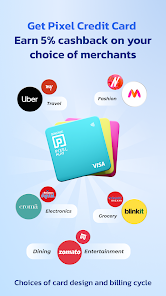
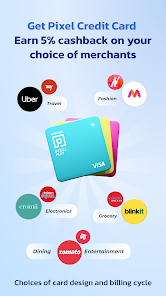
•Personalized Rewards – Upto 5% cashback on your choice of merchants
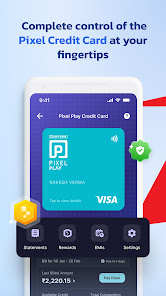
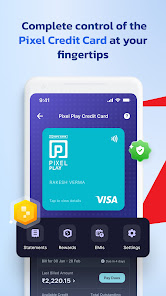
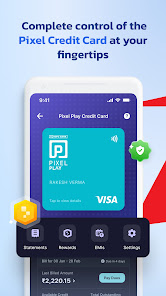
•Dedicated App – Apply, track, manage and control all your card settings, features, rewards, statements and re-payments all within your PayZapp
•Card Design and Billing Cycle – Cool card designs, and choice of statement date that you can choose from
•Instant Digital Card – Don’t wait for physical card plastic delivery, start spending instantly with your digital card
•Pay in Parts – Convert your big spends into flexible low cost EMIs and pay worry-free
•Tap & Pay– Now just Tap & Pay with your mobile for offline payments with PayZapp
•Swipe to Pay – No more waiting for OTPs for online transactions just Swipe to Pay
•In-App Help Centre – Simply raise service tickets on PayZapp and relax, we will resolve your queries
•Interest-free credit – Interest-free credit for up to 50 days from the date of purchase
•Exclusive dining offers –Up to 20% discount at restaurants on Swiggy Dineout
Welcome to the world of Pixel!
2. UPI
•Create PayZapp UPI handle linked to any bank account
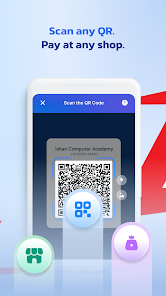
•Scan QR and make instant UPI payments at online and offline stores
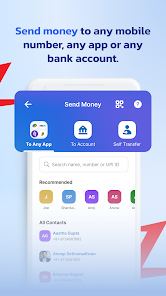
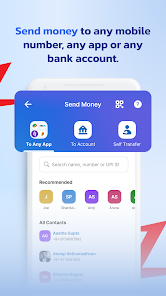
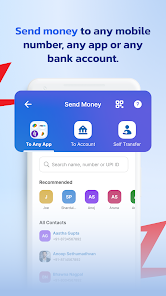
•Transfer money to any phone number, contacts, UPI ID and account number + IFSC
•Receive money from any mobile number, contacts or UPI ID
•Check account balance for all linked banks
3. CARDS
•Link any bank’s Debit/Credit Cards
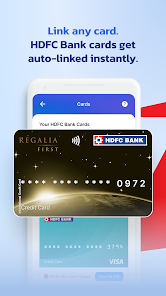
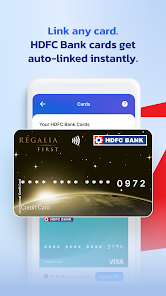
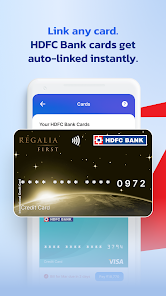
•Your HDFC Bank Cards are auto-fetched and auto-linked while onboarding
•In-app card setting management for all HDFC Bank Debit/Credit Cards
•Apply, track and manage the Pixel Credit Card, a completely digital Credit Card, via PayZapp
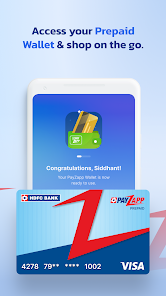
4. WALLET
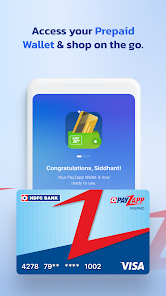
•Create PayZapp Prepaid wallet on completing KYC
•Load money via UPI or Debit/Credit Cards
•Use PayZapp wallet for all in-app payments and online merchant shopping
•Transfer money from wallet to account
5. SWIPE TO PAY
•Pay with a single swipe, No OTP required; its 100% secure
•Available on HDFC Bank Debit/Credit Card and PayZapp Prepaid Wallet
6. BILLS & RECHARGES
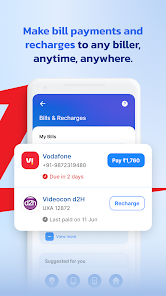
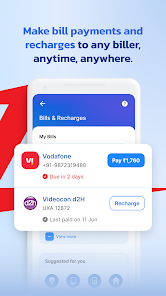
•Recharge mobile (prepaid/postpaid), DTH, FASTag, etc
•Pay electricity bill, water bill, Credit Card bill and more
•Get monthly payment reminders
7. PASSBOOK
•Track all your payments
•Manage your budgets with spend analysis and payment insights
•Track refunds for your cancelled/failed transactions
8. SHOP
•Multiple Shopping categories and Travel partners (flight, hotel, bus, train bookings)
•Access 200+ Brand Vouchers
•Redeem Reward Points (RPs) for Flight and Hotel Bookings
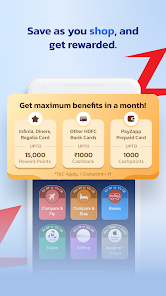
9. OFFERS
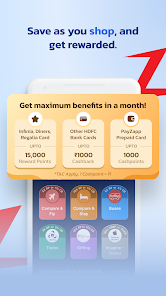
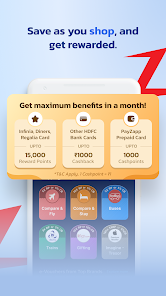
•Assured CashPoints
•Offers across UPI, Recharge, Bill pay, Shop categories and Partner Merchants
•Exclusive rewards on HDFC Bank Credit/Debit Cards spends on PayZapp Shop
10. SECURITY
•Protection from unauthorized access with phone’s default login PIN/biometric
•Advanced security feature to protect your App against fraud via screen sharing applications
•Device binding checks to ensure login only via a trusted device
Download the all-new PayZapp now and choose the Way You Pay!
Facing issues on PayZapp?
Help Center feature ensures quicker and better resolutions:
•Tap (?) to register a query
•Select the query type and raise a ticket
•Resolve issues on PAN registration, account setup, SMS verification, identity verification, payment-related issues, etc. with a single click
Developer details: hdfc.plutus@hdfcbank.com
PayZapp gives you the choice to pay via UPI, Debit/Credit Cards and PayZapp Prepaid Wallet. Scan any QR or Swipe to Pay. You can send money, apply for a virtual Credit Card, make recharges and bill payments, book flights and hotels, buy 200+ brand vouchers for online/offline shopping and earn assured CashBack.
What’s New With PayZapp?
1. PIXEL CREDIT CARDS
•Introducing Pixel Credit Cards, a born digital Credit Card that empowers your choices. Supercharge your spending with features that help you save as you spend.
•Personalized Rewards – Upto 5% cashback on your choice of merchants
•Dedicated App – Apply, track, manage and control all your card settings, features, rewards, statements and re-payments all within your PayZapp
•Card Design and Billing Cycle – Cool card designs, and choice of statement date that you can choose from
•Instant Digital Card – Don’t wait for physical card plastic delivery, start spending instantly with your digital card
•Pay in Parts – Convert your big spends into flexible low cost EMIs and pay worry-free
•Tap & Pay– Now just Tap & Pay with your mobile for offline payments with PayZapp
•Swipe to Pay – No more waiting for OTPs for online transactions just Swipe to Pay
•In-App Help Centre – Simply raise service tickets on PayZapp and relax, we will resolve your queries
•Interest-free credit – Interest-free credit for up to 50 days from the date of purchase
•Exclusive dining offers –Up to 20% discount at restaurants on Swiggy Dineout
Welcome to the world of Pixel!
2. UPI
•Create PayZapp UPI handle linked to any bank account
•Scan QR and make instant UPI payments at online and offline stores
•Transfer money to any phone number, contacts, UPI ID and account number + IFSC
•Receive money from any mobile number, contacts or UPI ID
•Check account balance for all linked banks
3. CARDS
•Link any bank’s Debit/Credit Cards
•Your HDFC Bank Cards are auto-fetched and auto-linked while onboarding
•In-app card setting management for all HDFC Bank Debit/Credit Cards
•Apply, track and manage the Pixel Credit Card, a completely digital Credit Card, via PayZapp
4. WALLET
•Create PayZapp Prepaid wallet on completing KYC
•Load money via UPI or Debit/Credit Cards
•Use PayZapp wallet for all in-app payments and online merchant shopping
•Transfer money from wallet to account
5. SWIPE TO PAY
•Pay with a single swipe, No OTP required; its 100% secure
•Available on HDFC Bank Debit/Credit Card and PayZapp Prepaid Wallet
6. BILLS & RECHARGES
•Recharge mobile (prepaid/postpaid), DTH, FASTag, etc
•Pay electricity bill, water bill, Credit Card bill and more
•Get monthly payment reminders
7. PASSBOOK
•Track all your payments
•Manage your budgets with spend analysis and payment insights
•Track refunds for your cancelled/failed transactions
8. SHOP
•Multiple Shopping categories and Travel partners (flight, hotel, bus, train bookings)
•Access 200+ Brand Vouchers
•Redeem Reward Points (RPs) for Flight and Hotel Bookings
9. OFFERS
•Assured CashPoints
•Offers across UPI, Recharge, Bill pay, Shop categories and Partner Merchants
•Exclusive rewards on HDFC Bank Credit/Debit Cards spends on PayZapp Shop
10. SECURITY
•Protection from unauthorized access with phone’s default login PIN/biometric
•Advanced security feature to protect your App against fraud via screen sharing applications
•Device binding checks to ensure login only via a trusted device
Download the all-new PayZapp now and choose the Way You Pay!
Facing issues on PayZapp?
Help Center feature ensures quicker and better resolutions:
•Tap (?) to register a query
•Select the query type and raise a ticket
•Resolve issues on PAN registration, account setup, SMS verification, identity verification, payment-related issues, etc. with a single click
Developer details: hdfc.plutus@hdfcbank.com
Updated on
Safety starts with understanding how developers collect and share your data. Data privacy and security practices may vary based on your use, region, and age. The developer provided this information and may update it over time.


Ratings and reviews
4.4
725K reviews

Pritesh Vishwakarma
- Flag inappropriate
- Show review history
July 4, 2024
I disable animation in my device, because I dont like animation. when I completed the payment using UPI QR code it doesn't show success screen. It only show processing please wait( to show successful payment I have to re-launch the app and then go to transaction history, to show successful payment screen). whereas if animation is enable then it always show success screen, Even when I pay using UPI QR code. Please look into it and fix it.
3 people found this review helpful
HDFC Bank Limited
July 4, 2024
Hi Pritesh, we understand your concern. For assistance, Please share the issue details by going to this link hdfcbk.io/k/DUvOdz2tXgH Kindly add in your ref ID PZ04072450591 in the comment box so we can get back to you on your registered email ID with a resolution.

Faiz Khatib
- Flag inappropriate
July 3, 2024
Terrible Experience - False Promises! I am extremely disappointed with this UPI app. Despite the grand promises of cash back and other offers, none of them were delivered. I have made multiple transactions but not a single reward was credited to my account. This app is nothing but a bait-and-switch scheme. They lure you in with attractive offers, but once you start using the app, it becomes evident that these promises are hollow.
9 people found this review helpful
HDFC Bank Limited
July 3, 2024
Hi Faiz, we regret the inconvenience caused to you. We'll ensure this is taken up promptly. Please click on hdfcbk.io/k/DUvOdz2tXgH to submit the complete concern. Kindly mention reference number PZ03072434576 for us to promptly respond to you via e-mail.

mohammed shoiab
- Flag inappropriate
June 26, 2024
There is no option to describe and reason for the payment done. If I am right, most of the transactions done could not remember unless we scratch our brain to remember. To this, the chartered account faces ultimate issue and the same while filing income tax. Couldn't understand such a renowned bank as they claim it has developed a cheap app
124 people found this review helpful
HDFC Bank Limited
June 26, 2024
Hi Shoiab, we sincerely regret this. We'll ensure this is taken up promptly. Please click on hdfcbk.io/k/DUvOdz2tXgH to submit the complete concern. Please mention reference number PZ26062435145 for us to promptly respond to you via e-mail.
What's new
Pixel Credit Card: Introducing the Pixel Play Credit Card and Pixel Go Credit Card – Credit Cards that can be customised according to your needs. With this Credit Card, earn up to 5% cash back on your choice of merchants, select a card design of your choice and choose your preferred statement date.
For offline payments, simply tap and pay; for online payments, pay with a single swipe via PayZapp – no more waiting for OTPs. Apply, track, manage and control all your Card settings within PayZapp.
For offline payments, simply tap and pay; for online payments, pay with a single swipe via PayZapp – no more waiting for OTPs. Apply, track, manage and control all your Card settings within PayZapp.